The same plot in 14 other libraries — Python: Altair, Bokeh, lets-plot, Matplotlib, Plotly, plotnine, Seaborn; R: ggplot2; Julia: Makie.jl; JavaScript: Chart.js, D3.js, Apache ECharts, Highcharts, MUI X Charts. Compare all 15 side by side: EAN-13 Barcode in Python, R, Julia and JavaScript.
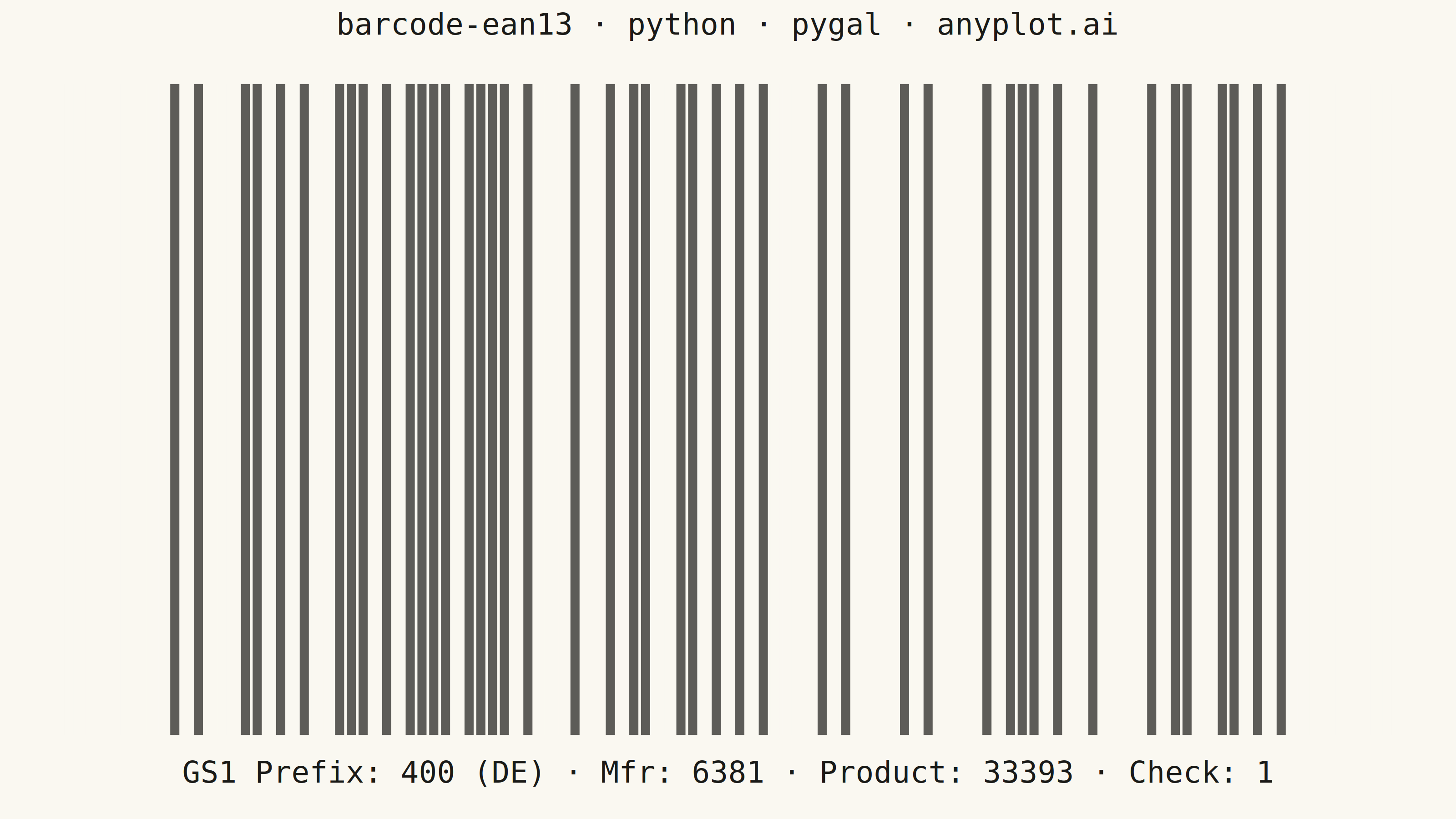
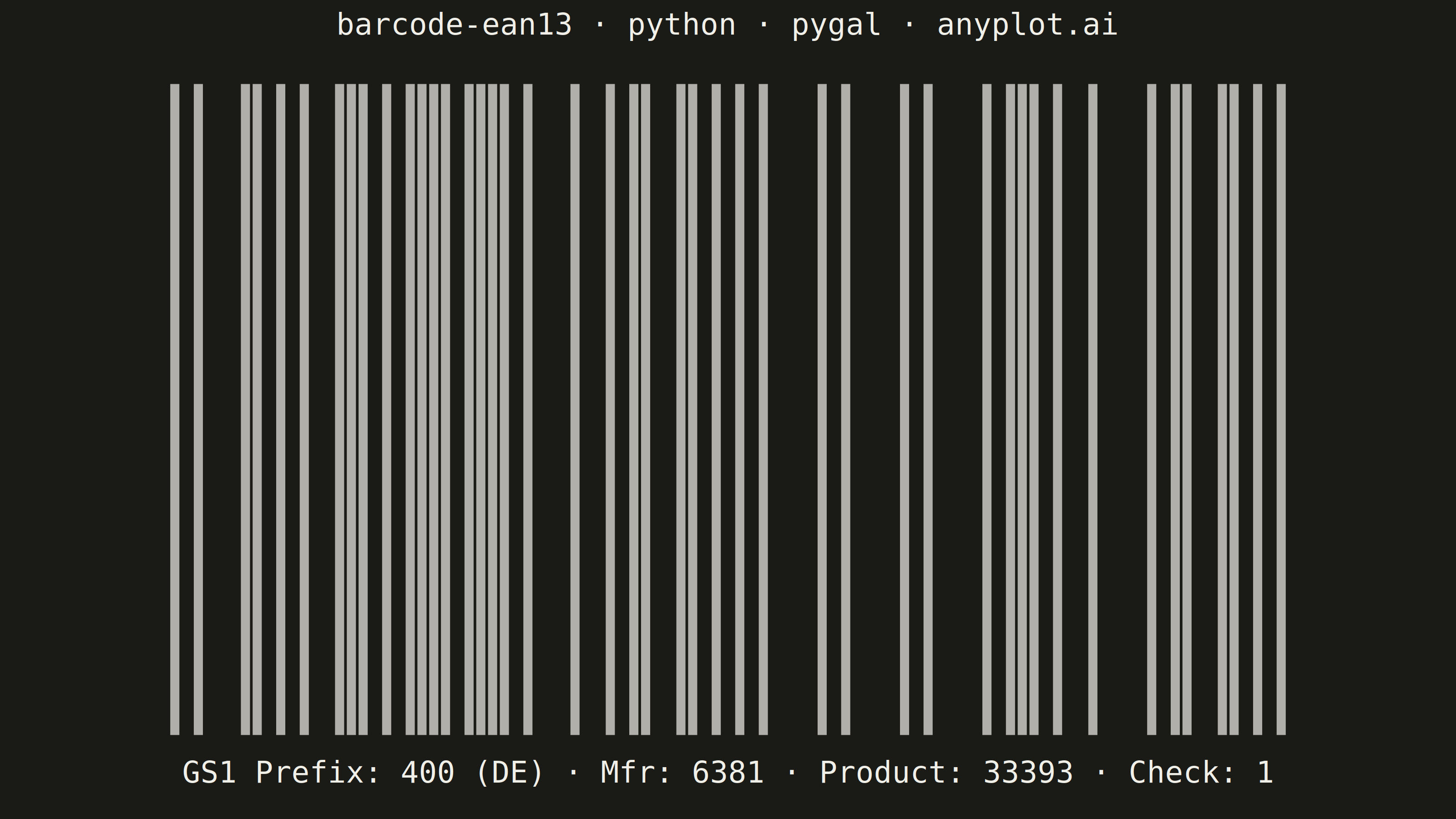
A standard EAN-13 barcode visualization commonly used for retail products worldwide. The plot renders a scannable linear barcode encoding a 13-digit number with proper bar widths, guard patterns, and human-readable digits. This visualization is essential for product identification, inventory management, and point-of-sale systems.
""" anyplot.ai
barcode-ean13: EAN-13 Barcode
Library: pygal 3.1.0 | Python 3.13.13
Quality: 86/100 | Created: 2026-05-21
"""

import os
import sys


# Remove this file's directory from sys.path so 'import pygal' finds the
# installed library, not this file (pygal.py) itself.
_this_dir = os.path.dirname(os.path.abspath(__file__))
sys.path = [p for p in sys.path if p not in ("", ".") and not (p and os.path.abspath(p) == _this_dir)]

import pygal
from pygal.style import Style


# Theme tokens
THEME = os.getenv("ANYPLOT_THEME", "light")
PAGE_BG = "#FAF8F1" if THEME == "light" else "#1A1A17"
INK = "#1A1A17" if THEME == "light" else "#F0EFE8"
INK_SOFT = "#4A4A44" if THEME == "light" else "#B8B7B0"
INK_MUTED = "#6B6A63" if THEME == "light" else "#A8A79F"
ELEVATED_BG = "#FFFDF6" if THEME == "light" else "#242420"
# Barcode bars use ink tokens (not Okabe-Ito): monochrome is correct for EAN-13 semantics
BAR_COLOR = "#1A1A17" if THEME == "light" else "#F0EFE8"

# EAN-13 encoding tables
L_CODE = ["0001101", "0011001", "0010011", "0111101", "0100011", "0110001", "0101111", "0111011", "0110111", "0001011"]
G_CODE = ["0100111", "0110011", "0011011", "0100001", "0011101", "0111001", "0000101", "0010001", "0001001", "0010111"]
R_CODE = ["1110010", "1100110", "1101100", "1000010", "1011100", "1001110", "1010000", "1000100", "1001000", "1110100"]

# Parity pattern: first digit selects which L/G codes to use for left 6 digits
PARITY = ["LLLLLL", "LLGLGG", "LLGGLG", "LLGGGL", "LGLLGG", "LGGLLG", "LGGGLL", "LGLGLG", "LGLGGL", "LGGLGL"]

# Data: German product barcode (pre-validated 13 digits with correct check digit)
product_code = "4006381333931"
digits = [int(c) for c in product_code]
parity_pattern = PARITY[digits[0]]

# Encode EAN-13 to binary bit string (95 modules total)
bits = "101"  # start guard
for i, d in enumerate(digits[1:7]):
    bits += L_CODE[d] if parity_pattern[i] == "L" else G_CODE[d]
bits += "01010"  # center guard
for d in digits[7:]:
    bits += R_CODE[d]
bits += "101"  # end guard

# Build per-bar data: 9-module quiet zones on each side (spec minimum) + barcode modules
quiet_zone = [{"value": 1, "color": PAGE_BG}] * 9
bar_data = (
    quiet_zone
    + [{"value": 1, "color": BAR_COLOR} if b == "1" else {"value": 1, "color": PAGE_BG} for b in bits]
    + quiet_zone
)

# EAN-13 digit grouping with structural annotation: GS1 prefix · manufacturer · product · check
x_label = (
    f"GS1 Prefix: {product_code[0:3]} (DE)"
    f" · Mfr: {product_code[3:7]}"
    f" · Product: {product_code[7:12]}"
    f" · Check: {product_code[12]}"
)
title = "barcode-ean13 · python · pygal · anyplot.ai"

# Chart style
custom_style = Style(
    background=PAGE_BG,
    plot_background=PAGE_BG,
    foreground=INK,
    foreground_strong=INK,
    foreground_subtle=INK_MUTED,
    colors=(BAR_COLOR,),
    title_font_size=66,
    label_font_size=56,
    major_label_font_size=44,
    legend_font_size=44,
    value_font_size=36,
    stroke_width=0,
)

# Chart — landscape 3200×1800 (hard contract)
chart = pygal.Bar(
    width=3200,
    height=1800,
    style=custom_style,
    title=title,
    x_title=x_label,
    show_legend=False,
    show_x_labels=False,
    show_y_labels=False,
    show_x_guides=False,
    show_y_guides=False,
    margin=80,
    print_values=False,
)

chart.add("modules", bar_data)

# Save PNG and interactive HTML
chart.render_to_png(f"plot-{THEME}.png")
with open(f"plot-{THEME}.html", "wb") as f:
    f.write(chart.render())
Runnable source as JSON, for any HTTP client: https://api.anyplot.ai/specs/barcode-ean13/pygal/code. Any spec id and library id listed in llms-full.txt fit the same URL shape; every URL below is complete and callable.
{
  "spec_id": "barcode-ean13",
  "language": "python",
  "library": "pygal",
  "page": "https://anyplot.ai/barcode-ean13/python/pygal",
  "hub": "https://anyplot.ai/barcode-ean13",
  "code_json": "https://api.anyplot.ai/specs/barcode-ean13/pygal/code",
  "spec_json": "https://api.anyplot.ai/specs/barcode-ean13",
  "render_light_png": "https://storage.googleapis.com/anyplot-images/plots/barcode-ean13/python/pygal/plot-light.png",
  "render_dark_png": "https://storage.googleapis.com/anyplot-images/plots/barcode-ean13/python/pygal/plot-dark.png",
  "interactive_light_html": "https://storage.googleapis.com/anyplot-images/plots/barcode-ean13/python/pygal/plot-light.html",
  "interactive_dark_html": "https://storage.googleapis.com/anyplot-images/plots/barcode-ean13/python/pygal/plot-dark.html",
  "quality_score": 86.0,
  "license": "MIT",
  "guide": "https://anyplot.ai/llms.txt"
}
Part of EAN-13 Barcode on anyplot.ai.