The same plot in 14 other libraries — JavaScript: Chart.js, D3.js, Apache ECharts, Highcharts; Python: Altair, Bokeh, lets-plot, Matplotlib, Plotly, plotnine, Pygal, Seaborn; R: ggplot2; Julia: Makie.jl. Compare all 15 side by side: Chess Board with Pieces for Position Diagrams in Python, R, Julia and JavaScript.
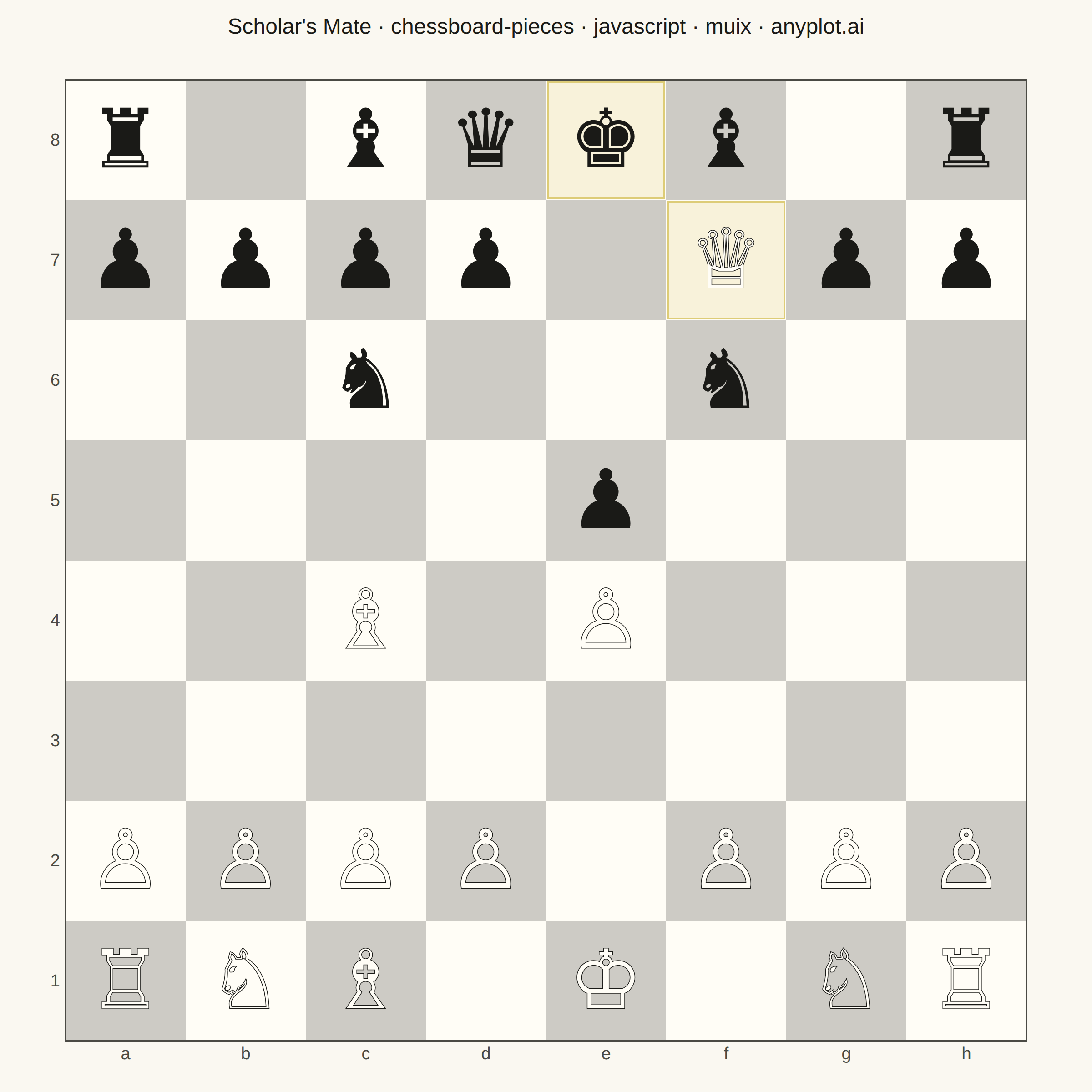
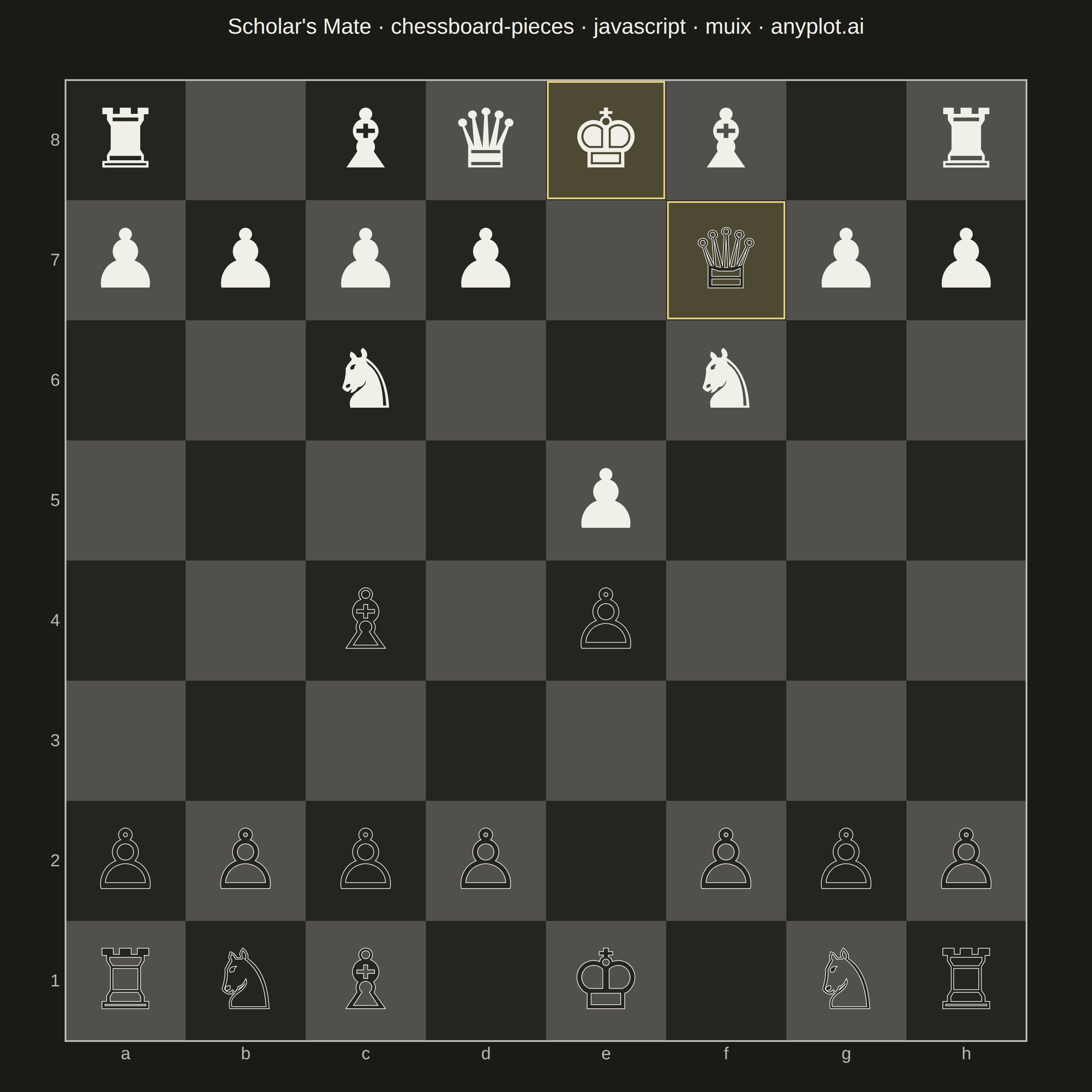
A chess board visualization with pieces that can be positioned programmatically to display specific game positions, puzzles, or notable games. Pieces are defined using a dictionary mapping squares (e.g., 'e4': 'K') to standard chess notation where uppercase letters represent white pieces (K/Q/R/B/N/P) and lowercase represent black pieces (k/q/r/b/n/p). Unicode chess symbols provide clean, recognizable piece rendering.
// anyplot.ai
// chessboard-pieces: Chess Board with Pieces for Position Diagrams
// Library: muix 7.29.1 | JavaScript 22.23.2
// Quality: 94/100 | Created: 2026-09-01
//# anyplot-orientation: square
// anyplot.ai
// chessboard-pieces: Chess Board with Pieces for Position Diagrams
// Library: MUI X Charts | React | Node 22
// License: @mui/x-charts — MIT (community). Pro/Premium are out of scope.
// Quality: pending | Created: 2026-09-01

import Box from "@mui/material/Box";
import Typography from "@mui/material/Typography";
import { ScatterChart } from "@mui/x-charts/ScatterChart";

const t = window.ANYPLOT_TOKENS;

const FILES = ["a", "b", "c", "d", "e", "f", "g", "h"];
const RANKS = ["8", "7", "6", "5", "4", "3", "2", "1"]; // top -> bottom, white sits on ranks 1-2

// Position after the "Scholar's Mate" tactic (1.e4 e5 2.Qh5 Nc6 3.Bc4 Nf6??
// 4.Qxf7#) — the white queen has just captured on f7, delivering checkmate.
// Uppercase = white, lowercase = black, per the spec's notation convention.
const PIECES = {
  e1: "K", f7: "Q", a1: "R", h1: "R", c1: "B", c4: "B", b1: "N", g1: "N",
  a2: "P", b2: "P", c2: "P", d2: "P", e4: "P", f2: "P", g2: "P", h2: "P",
  e8: "k", d8: "q", a8: "r", h8: "r", c8: "b", f8: "b", c6: "n", f6: "n",
  a7: "p", b7: "p", c7: "p", d7: "p", e5: "p", g7: "p", h7: "p",
};

const GLYPHS = {
  K: "♔", Q: "♕", R: "♖", B: "♗", N: "♘", P: "♙",
  k: "♚", q: "♛", r: "♜", b: "♝", n: "♞", p: "♟",
};

// The mating queen (f7) and the checkmated king (e8) — highlighted on the
// board itself so the "Scholar's Mate" title has a visual anchor.
const MATE_SQUARES = new Set(["f7", "e8"]);

// Every square, so the checkerboard pattern renders as one scatter series.
const squarePoints = FILES.flatMap((file) =>
  RANKS.map((rank) => ({ id: `sq-${file}${rank}`, x: file, y: rank })),
);

// Only occupied squares, as a second scatter series sharing the same axes.
const piecePoints = Object.entries(PIECES).map(([square, code]) => ({
  id: `pc-${square}`,
  x: square[0],
  y: square[1],
  symbol: GLYPHS[code],
  isWhite: code === code.toUpperCase(),
}));

// Custom marker: the same slot renders either the checkerboard squares (plus
// the board frame) or the piece glyphs, keyed off which series it's drawing.
// White pieces get a light fill with an ink outline so they read clearly on
// dark squares; black pieces are a solid ink fill.
function BoardMark(props) {
  const { series, xScale, yScale } = props;
  const cellW = xScale.bandwidth();
  const cellH = yScale.bandwidth();

  if (series.id === "squares") {
    return (
      <g>
        {series.data.map((pt) => {
          const fileIdx = FILES.indexOf(pt.x);
          const rankIdx = Number(pt.y) - 1;
          const dark = (fileIdx + rankIdx) % 2 === 0;
          const cx = xScale(pt.x) ?? 0;
          const cy = yScale(pt.y) ?? 0;
          const isMateSquare = MATE_SQUARES.has(`${pt.x}${pt.y}`);
          return (
            <g key={pt.id}>
              <rect x={cx} y={cy} width={cellW} height={cellH} fill={t.elevatedBg} />
              {dark && (
                <rect x={cx} y={cy} width={cellW} height={cellH} fill={t.ink} fillOpacity={0.22} />
              )}
              {isMateSquare && (
                <rect
                  x={cx + 2}
                  y={cy + 2}
                  width={cellW - 4}
                  height={cellH - 4}
                  fill={t.amber}
                  fillOpacity={0.22}
                  stroke={t.amber}
                  strokeWidth={2}
                />
              )}
            </g>
          );
        })}
        <rect
          x={xScale("a") ?? 0}
          y={yScale("8") ?? 0}
          width={cellW * FILES.length}
          height={cellH * RANKS.length}
          fill="none"
          stroke={t.inkSoft}
          strokeWidth={2}
        />
      </g>
    );
  }

  return (
    <g>
      {series.data.map((pt) => {
        const cx = (xScale(pt.x) ?? 0) + cellW / 2;
        const cy = (yScale(pt.y) ?? 0) + cellH / 2;
        return (
          <text
            key={pt.id}
            x={cx}
            y={cy}
            textAnchor="middle"
            dominantBaseline="central"
            fontSize={cellW * 0.68}
            fill={pt.isWhite ? t.elevatedBg : t.ink}
            stroke={pt.isWhite ? t.ink : "none"}
            strokeWidth={pt.isWhite ? 1.5 : 0}
            paintOrder="stroke"
          >
            {pt.symbol}
          </text>
        );
      })}
    </g>
  );
}

const TITLE = "Scholar's Mate · chessboard-pieces · javascript · muix · anyplot.ai";
const TITLE_HEIGHT = 64;

export default function Chart() {
  const { width, height } = window.ANYPLOT_SIZE;
  const chartHeight = height - TITLE_HEIGHT;

  // Keep every square perfectly square: pick vertical margins first (room for
  // the file labels below the board), derive the board size from what's left,
  // then split the width minus that board size into left/right margins (room
  // for the rank labels on the left).
  const TOP = 24;
  const BOTTOM = 56;
  const boardSize = chartHeight - TOP - BOTTOM;
  const LEFT = 72;
  const RIGHT = width - boardSize - LEFT;

  return (
    <Box sx={{ width, height, bgcolor: t.pageBg, display: "flex", flexDirection: "column" }}>
      <Typography
        sx={{
          color: t.ink,
          fontSize: 24,
          fontWeight: 500,
          textAlign: "center",
          lineHeight: 1.2,
          pt: "16px",
          height: TITLE_HEIGHT,
          fontFamily: "inherit",
        }}
      >
        {TITLE}
      </Typography>
      <Box sx={{ flex: 1, display: "flex", alignItems: "center", justifyContent: "center" }}>
        <ScatterChart
          width={width}
          height={chartHeight}
          skipAnimation
          disableVoronoi
          series={[
            { id: "squares", type: "scatter", data: squarePoints, xAxisId: "file", yAxisId: "rank" },
            { id: "pieces", type: "scatter", data: piecePoints, xAxisId: "file", yAxisId: "rank" },
          ]}
          xAxis={[
            {
              id: "file",
              scaleType: "band",
              data: FILES,
              categoryGapRatio: 0,
              tickLabelStyle: { fontSize: 19, fill: t.inkSoft },
              disableTicks: true,
              disableLine: true,
            },
          ]}
          yAxis={[
            {
              id: "rank",
              scaleType: "band",
              data: RANKS,
              categoryGapRatio: 0,
              tickLabelStyle: { fontSize: 19, fill: t.inkSoft },
              disableTicks: true,
              disableLine: true,
            },
          ]}
          topAxis={null}
          bottomAxis="file"
          leftAxis="rank"
          rightAxis={null}
          margin={{ top: TOP, bottom: BOTTOM, left: LEFT, right: RIGHT }}
          slots={{ scatter: BoardMark }}
          slotProps={{ legend: { hidden: true } }}
        />
      </Box>
    </Box>
  );
}
Runnable source as JSON, for any HTTP client: https://api.anyplot.ai/specs/chessboard-pieces/muix/code. Any spec id and library id listed in llms-full.txt fit the same URL shape; every URL below is complete and callable.
{
  "spec_id": "chessboard-pieces",
  "language": "javascript",
  "library": "muix",
  "page": "https://anyplot.ai/chessboard-pieces/javascript/muix",
  "hub": "https://anyplot.ai/chessboard-pieces",
  "code_json": "https://api.anyplot.ai/specs/chessboard-pieces/muix/code",
  "spec_json": "https://api.anyplot.ai/specs/chessboard-pieces",
  "render_light_png": "https://storage.googleapis.com/anyplot-images/plots/chessboard-pieces/javascript/muix/plot-light.png",
  "render_dark_png": "https://storage.googleapis.com/anyplot-images/plots/chessboard-pieces/javascript/muix/plot-dark.png",
  "interactive_light_html": "https://storage.googleapis.com/anyplot-images/plots/chessboard-pieces/javascript/muix/plot-light.html",
  "interactive_dark_html": "https://storage.googleapis.com/anyplot-images/plots/chessboard-pieces/javascript/muix/plot-dark.html",
  "quality_score": 94.0,
  "license": "MIT",
  "guide": "https://anyplot.ai/llms.txt"
}
Part of Chess Board with Pieces for Position Diagrams on anyplot.ai.