The same plot in 14 other libraries — Python: Altair, Bokeh, lets-plot, Matplotlib, plotnine, Pygal, Seaborn; R: ggplot2; Julia: Makie.jl; JavaScript: Chart.js, D3.js, Apache ECharts, Highcharts, MUI X Charts. Compare all 15 side by side: Chess Board with Pieces for Position Diagrams in Python, R, Julia and JavaScript.
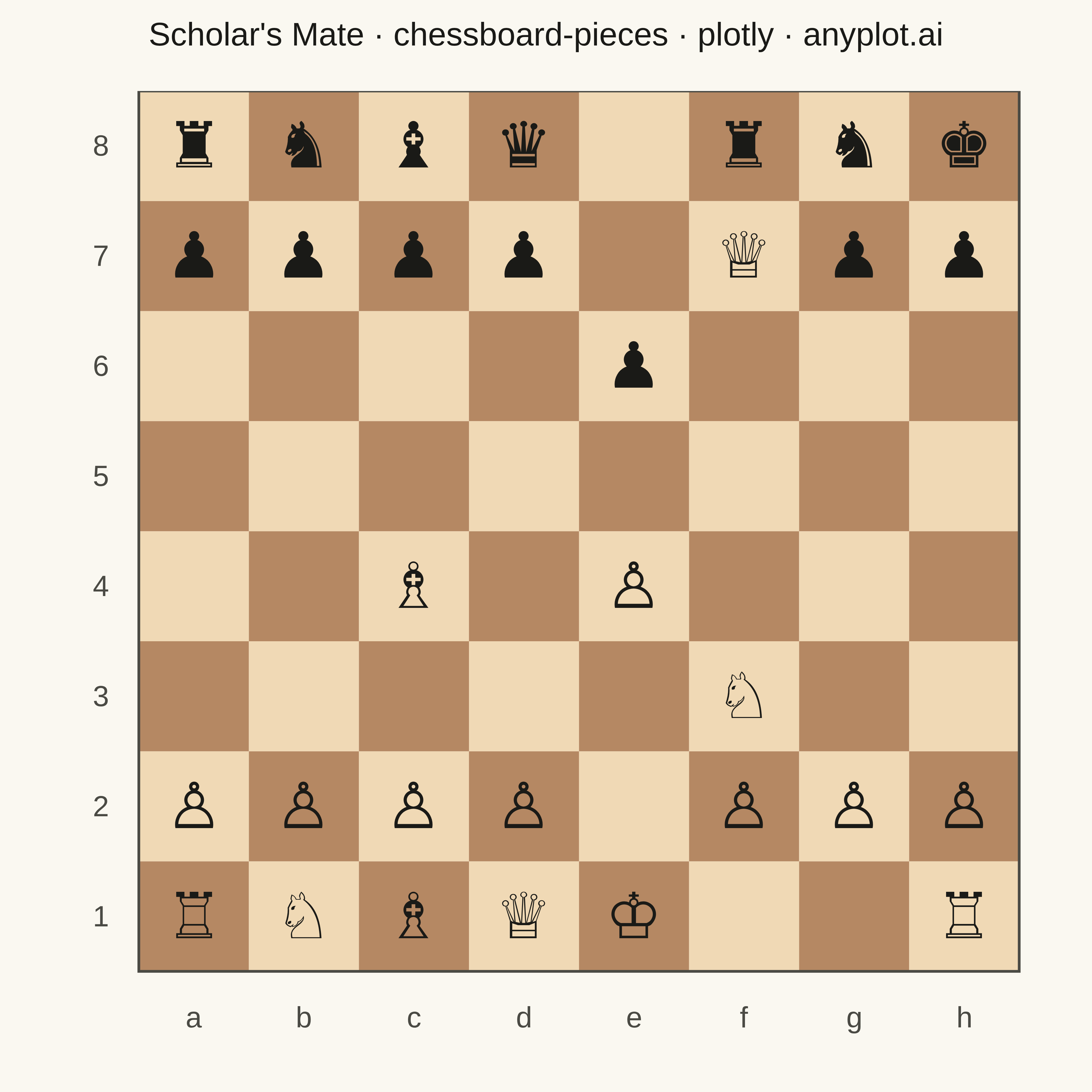
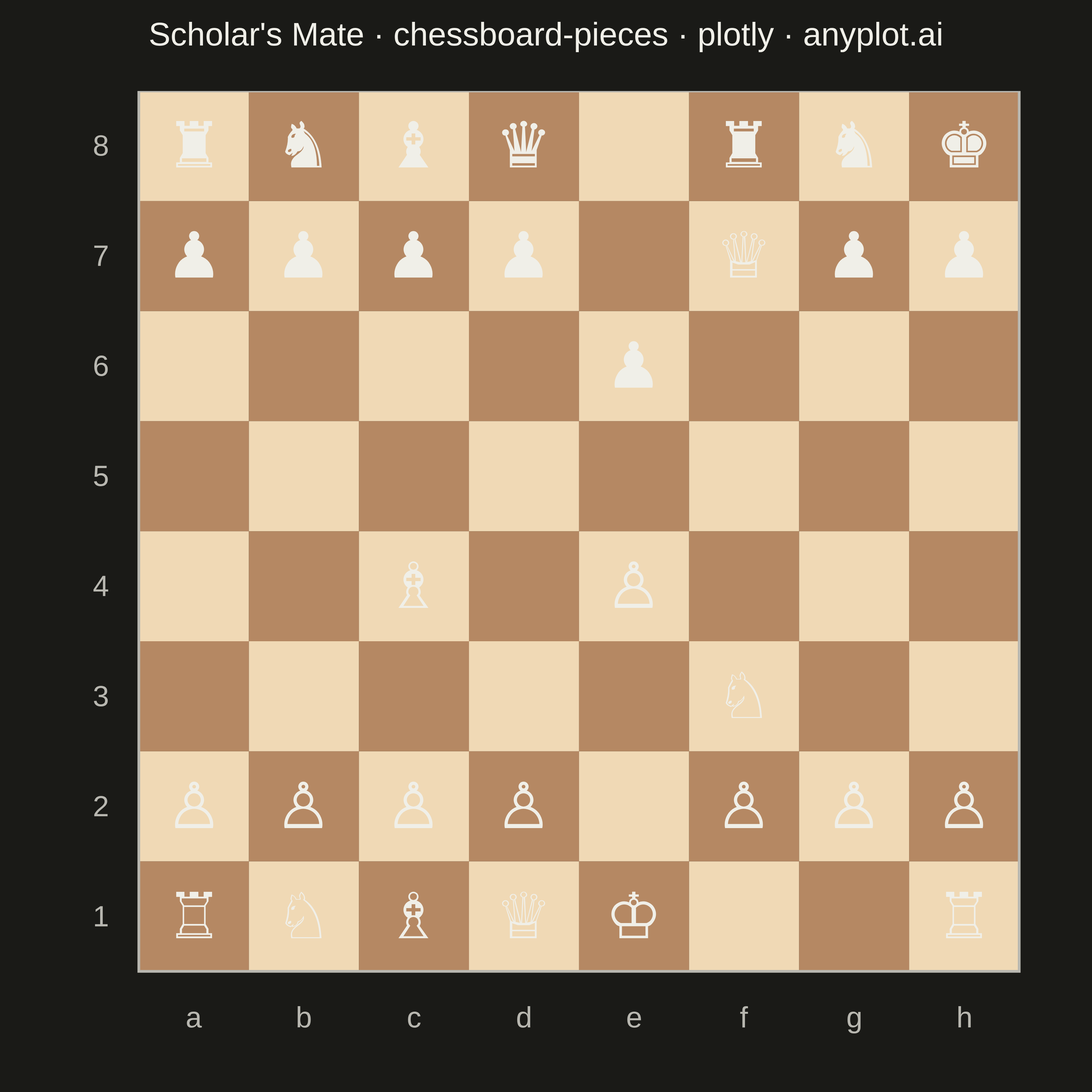
A chess board visualization with pieces that can be positioned programmatically to display specific game positions, puzzles, or notable games. Pieces are defined using a dictionary mapping squares (e.g., 'e4': 'K') to standard chess notation where uppercase letters represent white pieces (K/Q/R/B/N/P) and lowercase represent black pieces (k/q/r/b/n/p). Unicode chess symbols provide clean, recognizable piece rendering.
""" anyplot.ai
chessboard-pieces: Chess Board with Pieces for Position Diagrams
Library: plotly 6.7.0 | Python 3.13.13
Quality: 85/100 | Updated: 2026-05-17
"""

import os

import plotly.graph_objects as go


# Theme tokens
THEME = os.getenv("ANYPLOT_THEME", "light")
PAGE_BG = "#FAF8F1" if THEME == "light" else "#1A1A17"
INK = "#1A1A17" if THEME == "light" else "#F0EFE8"
INK_SOFT = "#4A4A44" if THEME == "light" else "#B8B7B0"

# Chess piece Unicode symbols
PIECE_SYMBOLS = {
    "K": "♔",
    "Q": "♕",
    "R": "♖",
    "B": "♗",
    "N": "♘",
    "P": "♙",
    "k": "♚",
    "q": "♛",
    "r": "♜",
    "b": "♝",
    "n": "♞",
    "p": "♟",
}

# Example position: Scholar's Mate (checkmate in 4 moves)
pieces = {
    "a8": "r",
    "b8": "n",
    "c8": "b",
    "d8": "q",
    "f8": "r",
    "g8": "n",
    "h8": "k",
    "a7": "p",
    "b7": "p",
    "c7": "p",
    "d7": "p",
    "f7": "Q",
    "g7": "p",
    "h7": "p",
    "e6": "p",
    "f3": "N",
    "e4": "P",
    "c4": "B",
    "a2": "P",
    "b2": "P",
    "c2": "P",
    "d2": "P",
    "f2": "P",
    "g2": "P",
    "h2": "P",
    "a1": "R",
    "b1": "N",
    "c1": "B",
    "d1": "Q",
    "e1": "K",
    "h1": "R",
}

# Board colors (traditional chess)
LIGHT_SQUARE = "#F0D9B5"
DARK_SQUARE = "#B58863"

# Create figure
fig = go.Figure()

# Draw board squares
for row in range(8):
    for col in range(8):
        is_light = (row + col) % 2 == 1
        color = LIGHT_SQUARE if is_light else DARK_SQUARE
        fig.add_shape(type="rect", x0=col, y0=row, x1=col + 1, y1=row + 1, fillcolor=color, line={"width": 0})

# Add pieces as text annotations
for square, piece in pieces.items():
    col = ord(square[0]) - ord("a")
    row = int(square[1]) - 1
    symbol = PIECE_SYMBOLS.get(piece, "")

    fig.add_annotation(
        x=col + 0.5,
        y=row + 0.5,
        text=symbol,
        font={"size": 70, "color": INK, "family": "Arial"},
        showarrow=False,
        xanchor="center",
        yanchor="middle",
    )

# Add file labels (a-h) at bottom
for col, file_letter in enumerate("abcdefgh"):
    fig.add_annotation(
        x=col + 0.5,
        y=-0.25,
        text=file_letter,
        font={"size": 32, "color": INK_SOFT},
        showarrow=False,
        xanchor="center",
        yanchor="top",
    )

# Add rank labels (1-8) on left
for row in range(8):
    fig.add_annotation(
        x=-0.25,
        y=row + 0.5,
        text=str(row + 1),
        font={"size": 32, "color": INK_SOFT},
        showarrow=False,
        xanchor="right",
        yanchor="middle",
    )

# Layout
fig.update_layout(
    title={
        "text": "Scholar's Mate · chessboard-pieces · plotly · anyplot.ai",
        "font": {"size": 36, "color": INK},
        "x": 0.5,
        "xanchor": "center",
    },
    xaxis={
        "range": [-0.6, 8],
        "showgrid": False,
        "zeroline": False,
        "showticklabels": False,
        "fixedrange": True,
        "scaleanchor": "y",
        "scaleratio": 1,
    },
    yaxis={"range": [-0.6, 8], "showgrid": False, "zeroline": False, "showticklabels": False, "fixedrange": True},
    plot_bgcolor=PAGE_BG,
    paper_bgcolor=PAGE_BG,
    margin={"l": 60, "r": 60, "t": 100, "b": 60},
    showlegend=False,
)

# Add board border
fig.add_shape(type="rect", x0=0, y0=0, x1=8, y1=8, line={"color": INK_SOFT, "width": 3}, fillcolor="rgba(0,0,0,0)")

# Save as PNG (square format for chess board) and HTML
fig.write_image(f"plot-{THEME}.png", width=1200, height=1200, scale=3)
fig.write_html(f"plot-{THEME}.html", include_plotlyjs="cdn")
Runnable source as JSON, for any HTTP client: https://api.anyplot.ai/specs/chessboard-pieces/plotly/code. Any spec id and library id listed in llms-full.txt fit the same URL shape; every URL below is complete and callable.
{
  "spec_id": "chessboard-pieces",
  "language": "python",
  "library": "plotly",
  "page": "https://anyplot.ai/chessboard-pieces/python/plotly",
  "hub": "https://anyplot.ai/chessboard-pieces",
  "code_json": "https://api.anyplot.ai/specs/chessboard-pieces/plotly/code",
  "spec_json": "https://api.anyplot.ai/specs/chessboard-pieces",
  "render_light_png": "https://storage.googleapis.com/anyplot-images/plots/chessboard-pieces/python/plotly/plot-light.png",
  "render_dark_png": "https://storage.googleapis.com/anyplot-images/plots/chessboard-pieces/python/plotly/plot-dark.png",
  "interactive_light_html": "https://storage.googleapis.com/anyplot-images/plots/chessboard-pieces/python/plotly/plot-light.html",
  "interactive_dark_html": "https://storage.googleapis.com/anyplot-images/plots/chessboard-pieces/python/plotly/plot-dark.html",
  "quality_score": 85.0,
  "license": "MIT",
  "guide": "https://anyplot.ai/llms.txt"
}
Part of Chess Board with Pieces for Position Diagrams on anyplot.ai.