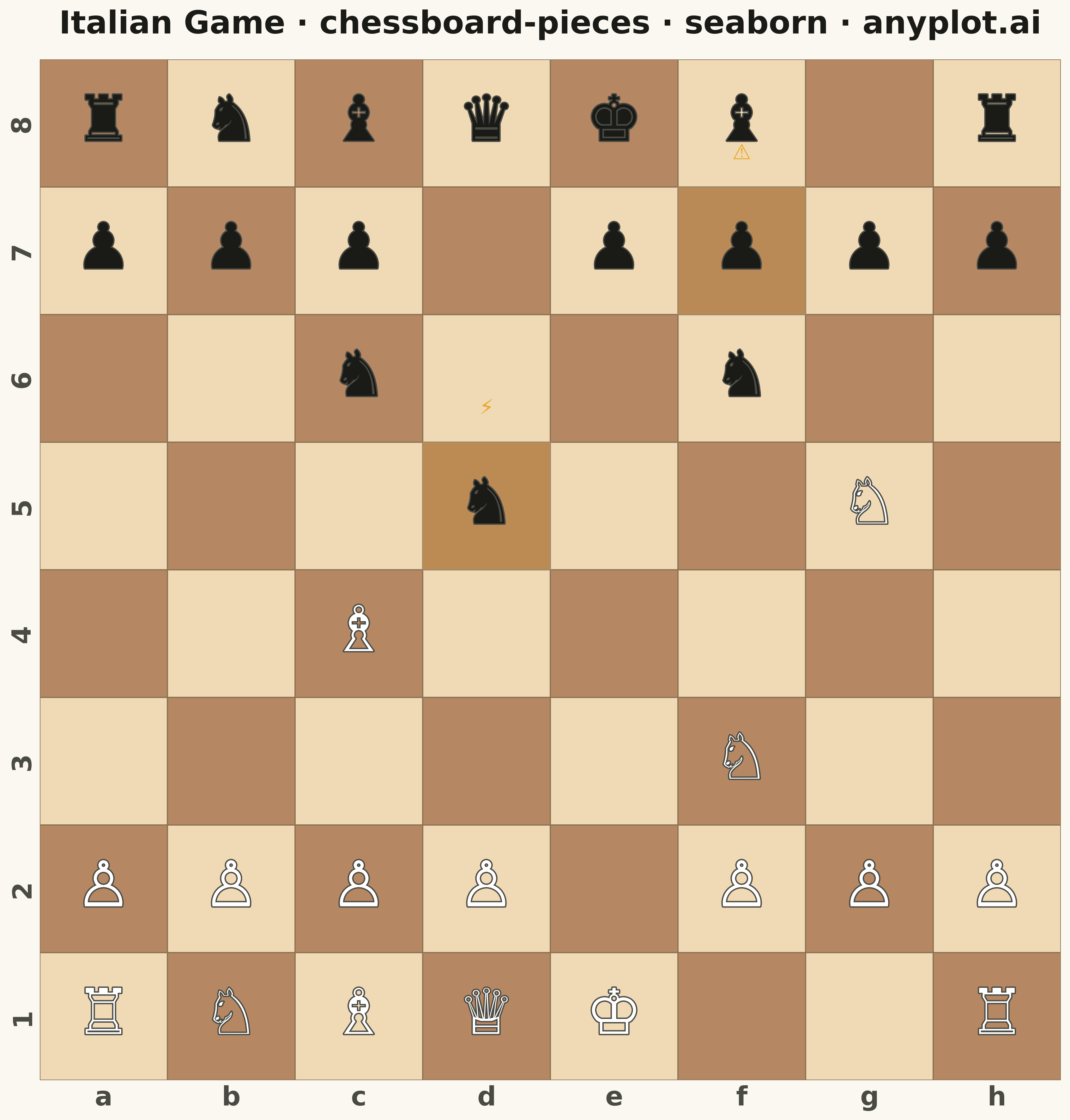
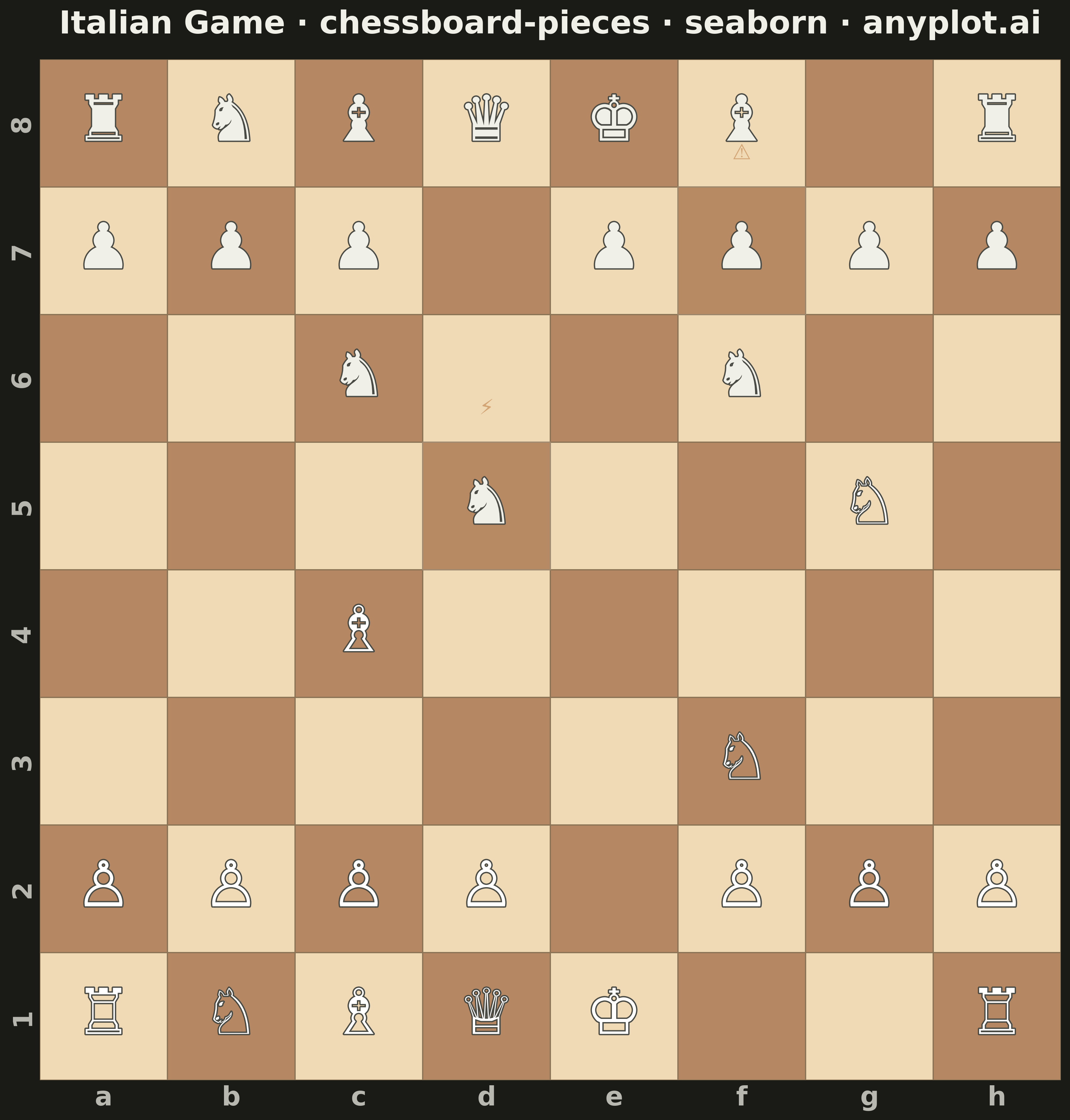
The same plot in 14 other libraries — Python: Altair, Bokeh, lets-plot, Matplotlib, Plotly, plotnine, Pygal; R: ggplot2; Julia: Makie.jl; JavaScript: Chart.js, D3.js, Apache ECharts, Highcharts, MUI X Charts. Compare all 15 side by side: Chess Board with Pieces for Position Diagrams in Python, R, Julia and JavaScript.
A chess board visualization with pieces that can be positioned programmatically to display specific game positions, puzzles, or notable games. Pieces are defined using a dictionary mapping squares (e.g., 'e4': 'K') to standard chess notation where uppercase letters represent white pieces (K/Q/R/B/N/P) and lowercase represent black pieces (k/q/r/b/n/p). Unicode chess symbols provide clean, recognizable piece rendering.
""" anyplot.ai
chessboard-pieces: Chess Board with Pieces for Position Diagrams
Library: seaborn 0.13.2 | Python 3.13.13
Quality: 85/100 | Updated: 2026-05-17
"""

import os
import sys
from pathlib import Path


# Avoid module shadowing: remove the script's directory from sys.path before importing
script_dir = Path(__file__).parent.resolve()
original_path = sys.path.copy()
sys.path = [p for p in sys.path if Path(p).resolve() != script_dir and p not in ("", ".")]

import matplotlib.patheffects as pe
import matplotlib.pyplot as plt
import numpy as np
import seaborn as sns


sys.path = original_path
del original_path

# Theme tokens
THEME = os.getenv("ANYPLOT_THEME", "light")
PAGE_BG = "#FAF8F1" if THEME == "light" else "#1A1A17"
ELEVATED_BG = "#FFFDF6" if THEME == "light" else "#242420"
INK = "#1A1A17" if THEME == "light" else "#F0EFE8"
INK_SOFT = "#4A4A44" if THEME == "light" else "#B8B7B0"

# Chess piece Unicode symbols
PIECE_SYMBOLS = {
    "K": "♔",
    "Q": "♕",
    "R": "♖",
    "B": "♗",
    "N": "♘",
    "P": "♙",  # White pieces
    "k": "♚",
    "q": "♛",
    "r": "♜",
    "b": "♝",
    "n": "♞",
    "p": "♟",  # Black pieces
}

# Italian Game position: After 1.e4 e5 2.Nf3 Nc6 3.Bc4 Nf6 4.Ng5 d5 5.exd5 Nxd5
# This is the Fried Liver starting position - famous and educational
pieces = {
    # White pieces
    "a1": "R",
    "b1": "N",
    "c1": "B",
    "d1": "Q",
    "e1": "K",
    "h1": "R",
    "a2": "P",
    "b2": "P",
    "c2": "P",
    "d2": "P",
    "f2": "P",
    "g2": "P",
    "h2": "P",
    "c4": "B",
    "f3": "N",
    "g5": "N",
    # Black pieces
    "a8": "r",
    "b8": "n",
    "c8": "b",
    "d8": "q",
    "e8": "k",
    "f8": "b",
    "h8": "r",
    "a7": "p",
    "b7": "p",
    "c7": "p",
    "e7": "p",
    "f7": "p",
    "g7": "p",
    "h7": "p",
    "d5": "n",
    "f6": "n",
    "c6": "n",
}

# Create board data for heatmap
# h1 should be light (chess standard), so pattern needs adjustment
board_colors = np.zeros((8, 8))
for row in range(8):
    for col in range(8):
        # Checkerboard pattern: h1 (row=7, col=7) should be light (0)
        board_colors[row, col] = (row + col + 1) % 2

# Set up seaborn theme with theme-adaptive colors
sns.set_theme(
    style="ticks",
    rc={
        "figure.facecolor": PAGE_BG,
        "axes.facecolor": PAGE_BG,
        "axes.edgecolor": INK_SOFT,
        "axes.labelcolor": INK,
        "text.color": INK,
        "xtick.color": INK_SOFT,
        "ytick.color": INK_SOFT,
    },
)

# Create figure with square aspect ratio for chessboard
fig, ax = plt.subplots(figsize=(12, 12), facecolor=PAGE_BG)
ax.set_facecolor(PAGE_BG)

# Use seaborn heatmap for the board squares
sns.heatmap(
    board_colors,
    ax=ax,
    cmap=["#F0D9B5", "#B58863"],  # Classic chess board colors
    cbar=False,
    square=True,
    linewidths=0.5,
    linecolor="#8B7355",
    xticklabels=list("abcdefgh"),
    yticklabels=list("87654321"),
)

# Style tick labels with theme-adaptive colors
ax.tick_params(
    axis="both",
    which="both",
    length=0,
    labelsize=20,
    labelbottom=True,
    labeltop=False,
    labelleft=True,
    labelright=False,
    colors=INK_SOFT,
)
ax.set_xticklabels(list("abcdefgh"), fontsize=20, fontweight="bold", color=INK_SOFT)
ax.set_yticklabels(list("87654321"), fontsize=20, fontweight="bold", color=INK_SOFT)

# Place pieces on the board
for square, piece in pieces.items():
    col = ord(square[0]) - ord("a")  # a=0, b=1, ..., h=7
    row = 8 - int(square[1])  # 8=0, 7=1, ..., 1=7

    symbol = PIECE_SYMBOLS.get(piece, "")
    # White pieces in white, black pieces in dark
    piece_color = INK if piece.islower() else "#ffffff"
    # Outline color adjusted for theme
    outline_color = INK_SOFT if THEME == "light" else "#4A4A44"
    # Add path effect for visibility
    ax.text(
        col + 0.5,
        row + 0.5,
        symbol,
        fontsize=48,
        ha="center",
        va="center",
        color=piece_color,
        fontweight="bold",
        path_effects=[pe.withStroke(linewidth=2, foreground=outline_color)],
    )

# Title with theme-adaptive color
ax.set_title(
    "Italian Game · chessboard-pieces · seaborn · anyplot.ai", fontsize=24, fontweight="bold", pad=20, color=INK
)

# Remove axis labels
ax.set_xlabel("")
ax.set_ylabel("")

plt.tight_layout()
plt.savefig(f"plot-{THEME}.png", dpi=300, bbox_inches="tight", facecolor=PAGE_BG)
Runnable source as JSON, for any HTTP client: https://api.anyplot.ai/specs/chessboard-pieces/seaborn/code. Any spec id and library id listed in llms-full.txt fit the same URL shape; every URL below is complete and callable.
{
  "spec_id": "chessboard-pieces",
  "language": "python",
  "library": "seaborn",
  "page": "https://anyplot.ai/chessboard-pieces/python/seaborn",
  "hub": "https://anyplot.ai/chessboard-pieces",
  "code_json": "https://api.anyplot.ai/specs/chessboard-pieces/seaborn/code",
  "spec_json": "https://api.anyplot.ai/specs/chessboard-pieces",
  "render_light_png": "https://storage.googleapis.com/anyplot-images/plots/chessboard-pieces/python/seaborn/plot-light.png",
  "render_dark_png": "https://storage.googleapis.com/anyplot-images/plots/chessboard-pieces/python/seaborn/plot-dark.png",
  "quality_score": 85.0,
  "license": "MIT",
  "guide": "https://anyplot.ai/llms.txt"
}
Part of Chess Board with Pieces for Position Diagrams on anyplot.ai.