The same plot in 14 other libraries — JavaScript: D3.js, Apache ECharts, Highcharts, MUI X Charts; Python: Altair, Bokeh, lets-plot, Matplotlib, Plotly, plotnine, Pygal, Seaborn; R: ggplot2; Julia: Makie.jl. Compare all 15 side by side: Code 128 Barcode in Python, R, Julia and JavaScript.
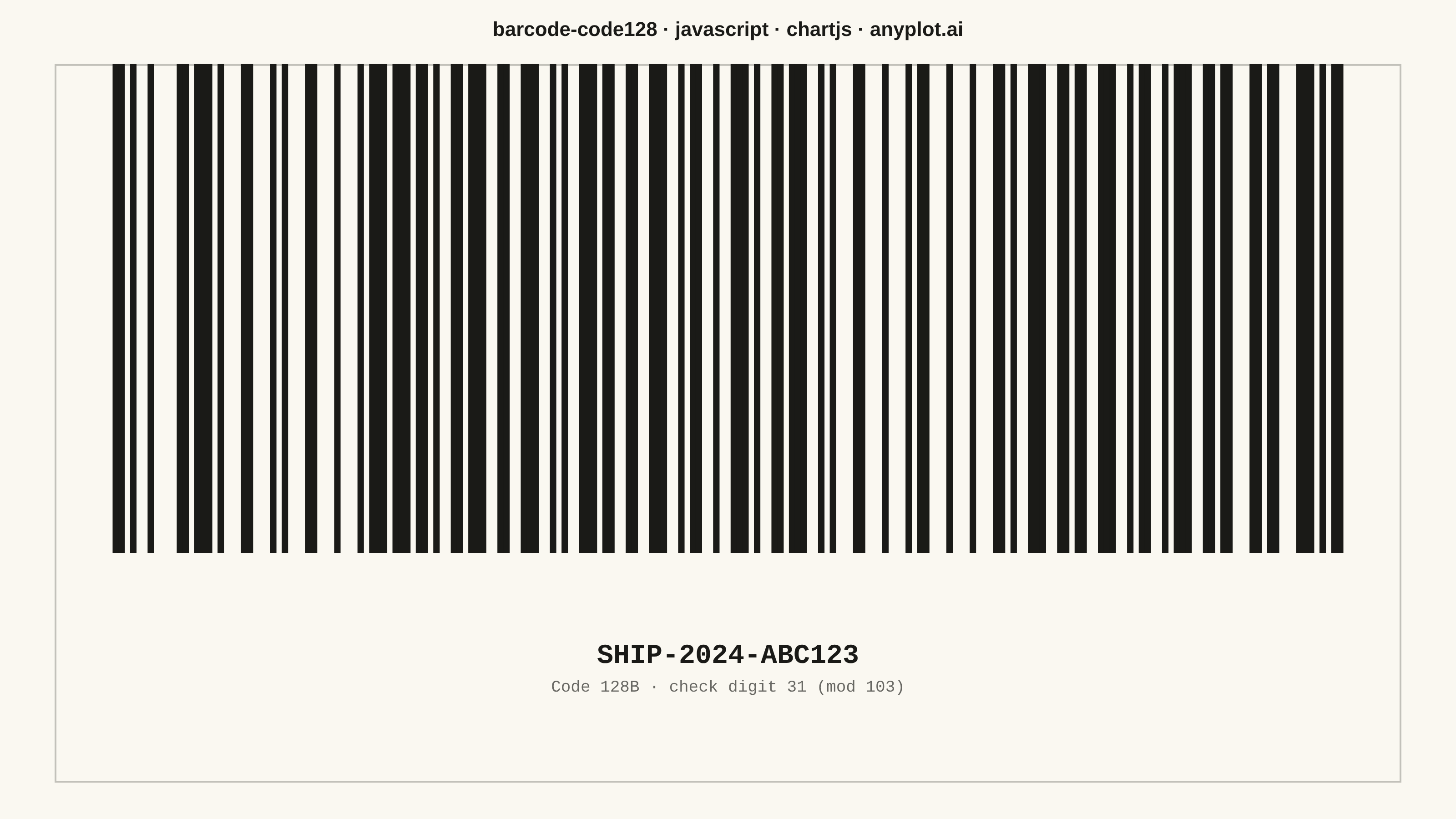
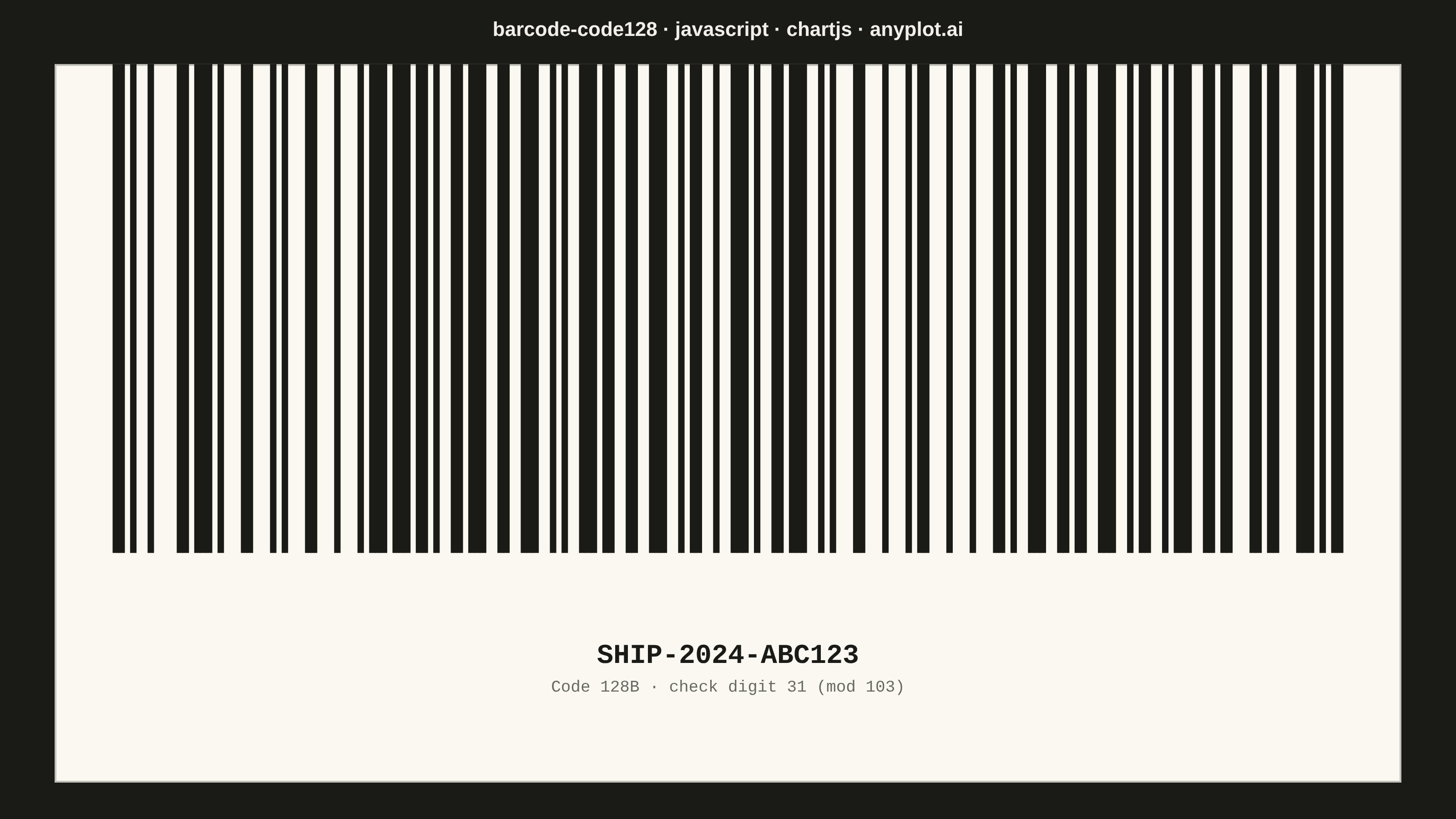
A Code 128 barcode visualization that encodes alphanumeric data into a high-density linear barcode pattern. Code 128 is a widely-used 1D barcode format that supports the full 128 ASCII character set, with three code subsets (A, B, C) that can be switched dynamically for optimal encoding efficiency. This visualization generates scannable barcodes commonly found on shipping labels, industrial parts, and healthcare specimens.
// anyplot.ai
// barcode-code128: Code 128 Barcode
// Library: chartjs 4.4.7 | JavaScript 22.23.2
// Quality: 91/100 | Created: 2026-09-01

//# anyplot-orientation: landscape

const t = window.ANYPLOT_TOKENS;

// --- Code 128 symbology table (Code Set B) ----------------------------------
// Index 0-102: data symbols (ASCII 32-126, offset by 32). Index 103-105:
// START A/B/C. Index 106: STOP body (an extra 2-module termination bar is
// appended separately, per the standard's 13-module stop character). Each
// string is the 11-bit bar/space run pattern (1 = bar, 0 = space), always
// starting with a bar.
const CODE128 = [
  "11011001100", "11001101100", "11001100110", "10010011000", "10010001100",
  "10001001100", "10011001000", "10011000100", "10001100100", "11001001000",
  "11001000100", "11000100100", "10110011100", "10011011100", "10011001110",
  "10111001100", "10011101100", "10011100110", "11001110010", "11001011100",
  "11001001110", "11011100100", "11001110100", "11101101110", "11101001100",
  "11100101100", "11100100110", "11101100100", "11100110100", "11100110010",
  "11011011000", "11011000110", "11000110110", "10100011000", "10001011000",
  "10001000110", "10110001000", "10001101000", "10001100010", "11010001000",
  "11000101000", "11000100010", "10110111000", "10110001110", "10001101110",
  "10111011000", "10111000110", "10001110110", "11101110110", "11010001110",
  "11000101110", "11011101000", "11011100010", "11011101110", "11101011000",
  "11101000110", "11100010110", "11101101000", "11101100010", "11100011010",
  "11101111010", "11001000010", "11110001010", "10100110000", "10100001100",
  "10010110000", "10010000110", "10000101100", "10000100110", "10110010000",
  "10110000100", "10011010000", "10011000010", "10000110100", "10000110010",
  "11000010010", "11001010000", "11110111010", "11000010100", "10001111010",
  "10100111100", "10010111100", "10010011110", "10111100100", "10011110100",
  "10011110010", "11110100100", "11110010100", "11110010010", "11011011110",
  "11011110110", "11110110110", "10101111000", "10100011110", "10001011110",
  "10111101000", "10111100010", "11110101000", "11110100010", "10111011110",
  "10111101110", "11101011110", "11110101110", "11010000100", "11010010000",
  "11010011100", "11000111010",
];
const START_B = 104;
const STOP = 106;

// --- Data: a shipping label, encoded with Code Set B ------------------------
const content = "SHIP-2024-ABC123";
const values = content.split("").map((ch) => ch.charCodeAt(0) - 32);
let checksum = START_B;
values.forEach((value, position) => {
  checksum += value * (position + 1);
});
checksum %= 103;
const symbols = [START_B, ...values, checksum, STOP];

// Concatenate every symbol's module pattern into one continuous string, then
// pad both ends with a quiet zone (spec note: "include quiet zones on left
// and right sides for reliable scanning").
const QUIET_ZONE_MODULES = 10;
let modules = "0".repeat(QUIET_ZONE_MODULES);
symbols.forEach((value) => {
  modules += CODE128[value];
  if (value === STOP) modules += "11"; // trailing termination bar
});
modules += "0".repeat(QUIET_ZONE_MODULES);

// --- Fixed "print" colors ----------------------------------------------------
// A barcode must stay high-contrast black-on-white to remain scannable
// regardless of the surrounding page theme (spec note: "high contrast black
// bars on white background for maximum scan reliability"). So the label card
// and bars reuse the light-theme paper/ink tokens as FIXED colors — unlike
// the title chrome below, which still flips with ANYPLOT_THEME. This mirrors
// the library's own rule that data colors stay identical across themes.
const CARD_BG = "#FAF8F1";
const BAR_INK = "#1A1A17";
const BAR_INK_SOFT = "rgba(26, 26, 23, 0.65)";
const CARD_RULE = "rgba(26, 26, 23, 0.25)";

const BAR_TOP = 1;
const BAR_BOTTOM = 0.32; // reserves the lower ~32% of the chart area for the human-readable text band

const labels = modules.split("").map((_, i) => String(i));
const data = modules.split("").map((bit) => (bit === "1" ? [BAR_BOTTOM, BAR_TOP] : null));

// --- Mount -------------------------------------------------------------------
const canvas = document.createElement("canvas");
document.getElementById("container").appendChild(canvas);

// --- Plugin: paint the fixed "label card" behind the bars, then draw the
// mandatory human-readable text beneath them (spec note: "human-readable text
// should appear below the barcode for visual verification"). ---------------
const labelCardPlugin = {
  id: "labelCard",
  beforeDatasetsDraw(chart) {
    const { ctx, chartArea: area } = chart;
    ctx.save();
    ctx.fillStyle = CARD_BG;
    ctx.fillRect(area.left, area.top, area.width, area.height);
    ctx.strokeStyle = CARD_RULE;
    ctx.lineWidth = 2;
    ctx.strokeRect(area.left + 1, area.top + 1, area.width - 2, area.height - 2);
    ctx.restore();
  },
  afterDatasetsDraw(chart) {
    const { ctx, chartArea: area } = chart;
    const centerX = area.left + area.width / 2;
    const bandTop = area.top + area.height * (1 - BAR_BOTTOM * 0.55);
    ctx.save();
    ctx.textAlign = "center";
    ctx.textBaseline = "middle";
    ctx.fillStyle = BAR_INK;
    ctx.font = "600 30px 'Courier New', monospace";
    ctx.fillText(content, centerX, bandTop);
    ctx.fillStyle = BAR_INK_SOFT;
    ctx.font = "400 18px 'Courier New', monospace";
    ctx.fillText(`Code 128B · check digit ${checksum} (mod 103)`, centerX, bandTop + 34);
    ctx.restore();
  },
};

// --- Chart -------------------------------------------------------------------
new Chart(canvas, {
  type: "bar",
  data: {
    labels,
    datasets: [
      {
        data,
        backgroundColor: BAR_INK,
        borderWidth: 0,
        categoryPercentage: 1,
        barPercentage: 1,
      },
    ],
  },
  options: {
    responsive: true,
    maintainAspectRatio: false,
    animation: false,
    layout: { padding: { left: 60, right: 60, top: 20, bottom: 40 } },
    plugins: {
      title: {
        display: true,
        text: "barcode-code128 · javascript · chartjs · anyplot.ai",
        color: t.ink,
        font: { size: 22, weight: 600 },
        padding: { bottom: 24 },
      },
      legend: { display: false },
      tooltip: { enabled: false },
    },
    scales: {
      x: { display: false, grid: { display: false } },
      y: { display: false, min: 0, max: 1, grid: { display: false } },
    },
  },
  plugins: [labelCardPlugin],
});
Runnable source as JSON, for any HTTP client: https://api.anyplot.ai/specs/barcode-code128/chartjs/code. Any spec id and library id listed in llms-full.txt fit the same URL shape; every URL below is complete and callable.
{
  "spec_id": "barcode-code128",
  "language": "javascript",
  "library": "chartjs",
  "page": "https://anyplot.ai/barcode-code128/javascript/chartjs",
  "hub": "https://anyplot.ai/barcode-code128",
  "code_json": "https://api.anyplot.ai/specs/barcode-code128/chartjs/code",
  "spec_json": "https://api.anyplot.ai/specs/barcode-code128",
  "render_light_png": "https://storage.googleapis.com/anyplot-images/plots/barcode-code128/javascript/chartjs/plot-light.png",
  "render_dark_png": "https://storage.googleapis.com/anyplot-images/plots/barcode-code128/javascript/chartjs/plot-dark.png",
  "interactive_light_html": "https://storage.googleapis.com/anyplot-images/plots/barcode-code128/javascript/chartjs/plot-light.html",
  "interactive_dark_html": "https://storage.googleapis.com/anyplot-images/plots/barcode-code128/javascript/chartjs/plot-dark.html",
  "quality_score": 91.0,
  "license": "MIT",
  "guide": "https://anyplot.ai/llms.txt"
}
Part of Code 128 Barcode on anyplot.ai.