The same plot in 14 other libraries — Python: Altair, lets-plot, Matplotlib, Plotly, plotnine, Pygal, Seaborn; R: ggplot2; Julia: Makie.jl; JavaScript: Chart.js, D3.js, Apache ECharts, Highcharts, MUI X Charts. Compare all 15 side by side: Printable Maze Puzzle in Python, R, Julia and JavaScript.
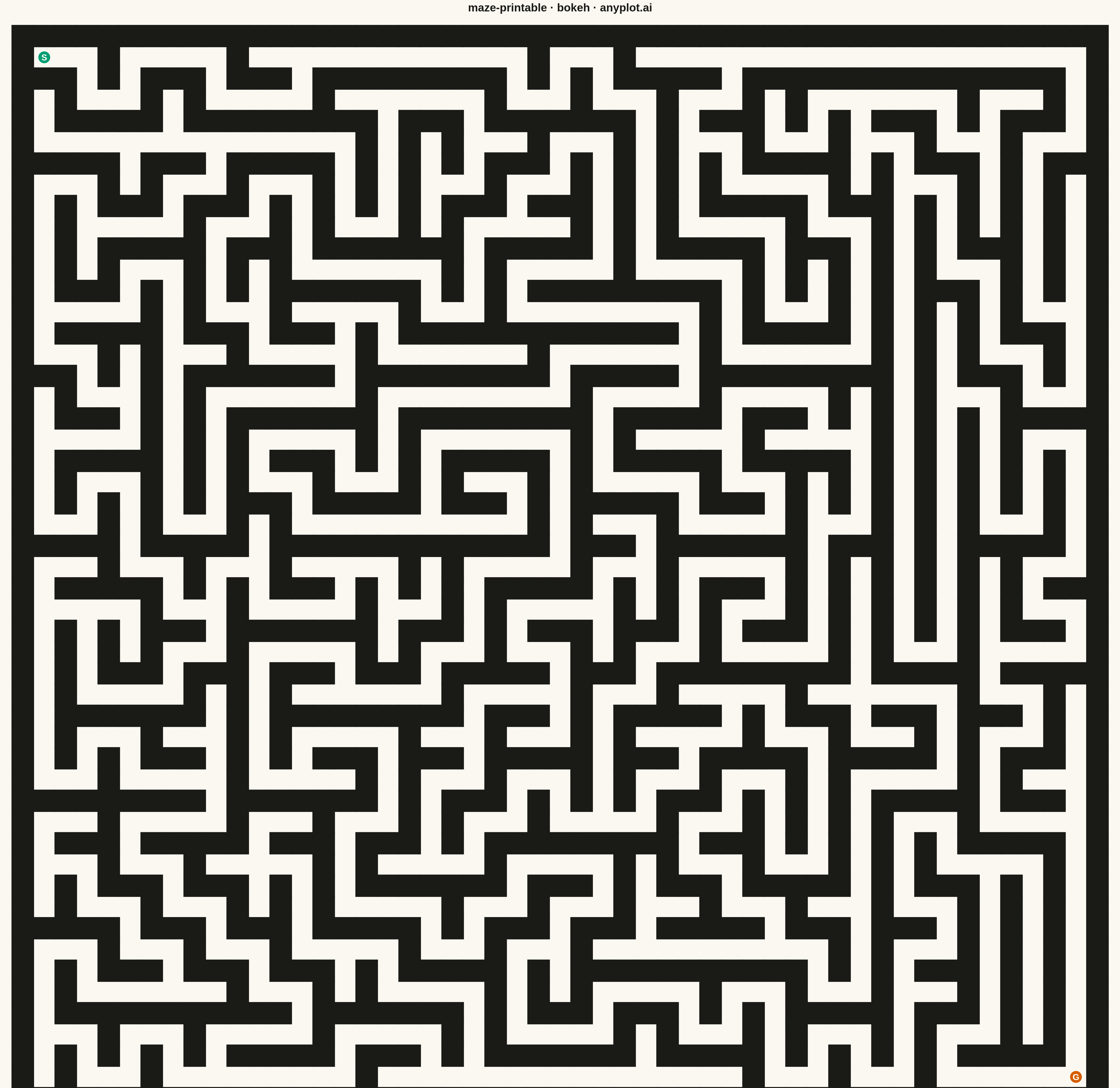
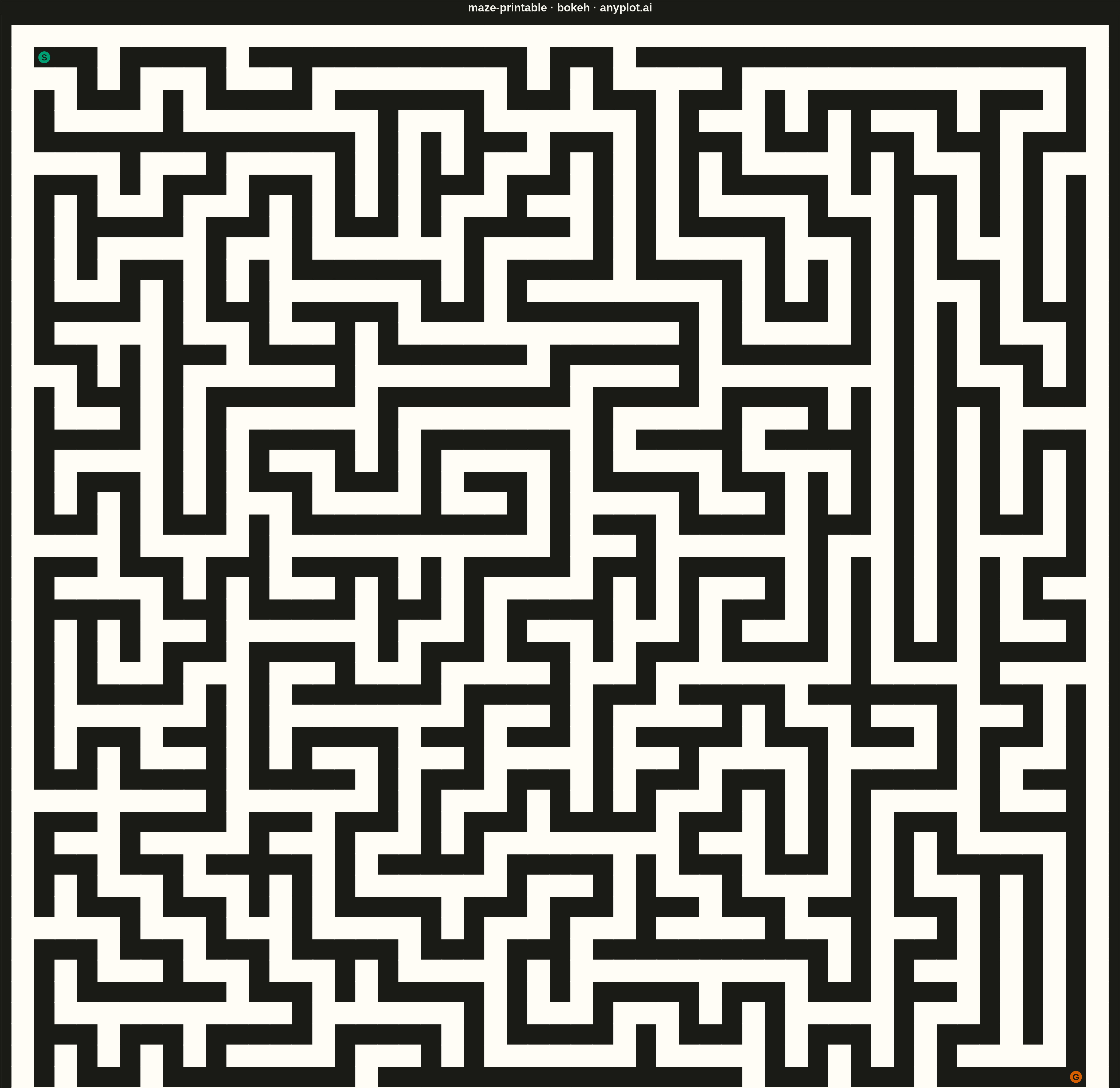
A rectangular maze puzzle visualization with clearly marked start and goal positions. The maze is algorithmically generated to guarantee exactly one solution path from start to finish. The clean black-and-white design is optimized for printing, allowing users to solve the puzzle with a pen or pencil.
""" anyplot.ai
maze-printable: Printable Maze Puzzle
Library: bokeh 3.9.0 | Python 3.13.13
Quality: 71/100 | Updated: 2026-05-16
"""

import numpy as np
from bokeh.io import export_png
from bokeh.plotting import figure, output_file, save


# Maze generation using DFS (guarantees single solution)
np.random.seed(42)
width, height = 25, 25

# Initialize maze grid (0 = wall, 1 = passage)
maze = np.zeros((height * 2 + 1, width * 2 + 1), dtype=int)

# DFS maze generation
visited = np.zeros((height, width), dtype=bool)
stack = [(0, 0)]
visited[0, 0] = True
maze[1, 1] = 1

directions = [(0, 1), (1, 0), (0, -1), (-1, 0)]

while stack:
    cy, cx = stack[-1]
    neighbors = []
    for dy, dx in directions:
        ny, nx = cy + dy, cx + dx
        if 0 <= ny < height and 0 <= nx < width and not visited[ny, nx]:
            neighbors.append((ny, nx, dy, dx))

    if neighbors:
        ny, nx, dy, dx = neighbors[np.random.randint(len(neighbors))]
        visited[ny, nx] = True
        maze[cy * 2 + 1 + dy, cx * 2 + 1 + dx] = 1
        maze[ny * 2 + 1, nx * 2 + 1] = 1
        stack.append((ny, nx))
    else:
        stack.pop()

# Collect wall segments
wall_xs = []
wall_ys = []
wall_widths = []
wall_heights = []

cell_size = 80
wall_thickness = 8

maze_h, maze_w = maze.shape

for row in range(maze_h):
    for col in range(maze_w):
        if maze[row, col] == 0:
            x = col * cell_size
            y = (maze_h - 1 - row) * cell_size
            wall_xs.append(x + cell_size / 2)
            wall_ys.append(y + cell_size / 2)
            wall_widths.append(cell_size + wall_thickness / 2)
            wall_heights.append(cell_size + wall_thickness / 2)

# Create figure with small margin for the outer wall
total_w = maze_w * cell_size
total_h = maze_h * cell_size
margin = cell_size / 2  # Small margin to show outer wall

p = figure(
    width=4800,
    height=4800,
    title="maze-printable · bokeh · pyplots.ai",
    x_range=(-margin, total_w + margin),
    y_range=(-margin, total_h + margin),
    tools="",
    toolbar_location=None,
    match_aspect=True,
)

# White background
p.background_fill_color = "white"
p.border_fill_color = "white"
p.outline_line_color = None

# Hide axes and grid
p.xaxis.visible = False
p.yaxis.visible = False
p.xgrid.visible = False
p.ygrid.visible = False

# Draw walls as rectangles
p.rect(x=wall_xs, y=wall_ys, width=wall_widths, height=wall_heights, fill_color="#000000", line_color=None)

# Start/Goal markers at first and last passage cells
start_col, start_row = 1, 1
end_col, end_row = maze_w - 2, maze_h - 2

start_x = start_col * cell_size + cell_size / 2
start_y = (maze_h - 1 - start_row) * cell_size + cell_size / 2
goal_x = end_col * cell_size + cell_size / 2
goal_y = (maze_h - 1 - end_row) * cell_size + cell_size / 2

# Draw markers with labels
p.scatter([start_x], [start_y], size=55, fill_color="#306998", line_color="white", line_width=4, marker="circle")
p.scatter([goal_x], [goal_y], size=55, fill_color="#FFD43B", line_color="#333333", line_width=4, marker="circle")

p.text(
    [start_x],
    [start_y],
    text=["S"],
    text_font_size="28pt",
    text_font_style="bold",
    text_color="white",
    text_align="center",
    text_baseline="middle",
)
p.text(
    [goal_x],
    [goal_y],
    text=["G"],
    text_font_size="28pt",
    text_font_style="bold",
    text_color="#333333",
    text_align="center",
    text_baseline="middle",
)

# Title styling
p.title.text_font_size = "36pt"
p.title.text_color = "#333333"
p.title.align = "center"

# Save outputs
export_png(p, filename="plot.png")
output_file("plot.html")
save(p)
Runnable source as JSON, for any HTTP client: https://api.anyplot.ai/specs/maze-printable/bokeh/code. Any spec id and library id listed in llms-full.txt fit the same URL shape; every URL below is complete and callable.
{
  "spec_id": "maze-printable",
  "language": "python",
  "library": "bokeh",
  "page": "https://anyplot.ai/maze-printable/python/bokeh",
  "hub": "https://anyplot.ai/maze-printable",
  "code_json": "https://api.anyplot.ai/specs/maze-printable/bokeh/code",
  "spec_json": "https://api.anyplot.ai/specs/maze-printable",
  "render_light_png": "https://storage.googleapis.com/anyplot-images/plots/maze-printable/python/bokeh/plot-light.png",
  "render_dark_png": "https://storage.googleapis.com/anyplot-images/plots/maze-printable/python/bokeh/plot-dark.png",
  "interactive_light_html": "https://storage.googleapis.com/anyplot-images/plots/maze-printable/python/bokeh/plot-light.html",
  "interactive_dark_html": "https://storage.googleapis.com/anyplot-images/plots/maze-printable/python/bokeh/plot-dark.html",
  "quality_score": 71.0,
  "license": "MIT",
  "guide": "https://anyplot.ai/llms.txt"
}
Part of Printable Maze Puzzle on anyplot.ai.