The same plot in 14 other libraries — JavaScript: Chart.js, D3.js, Apache ECharts, Highcharts; Python: Altair, Bokeh, lets-plot, Matplotlib, Plotly, plotnine, Pygal, Seaborn; R: ggplot2; Julia: Makie.jl. Compare all 15 side by side: Crossword Puzzle Grid in Python, R, Julia and JavaScript.
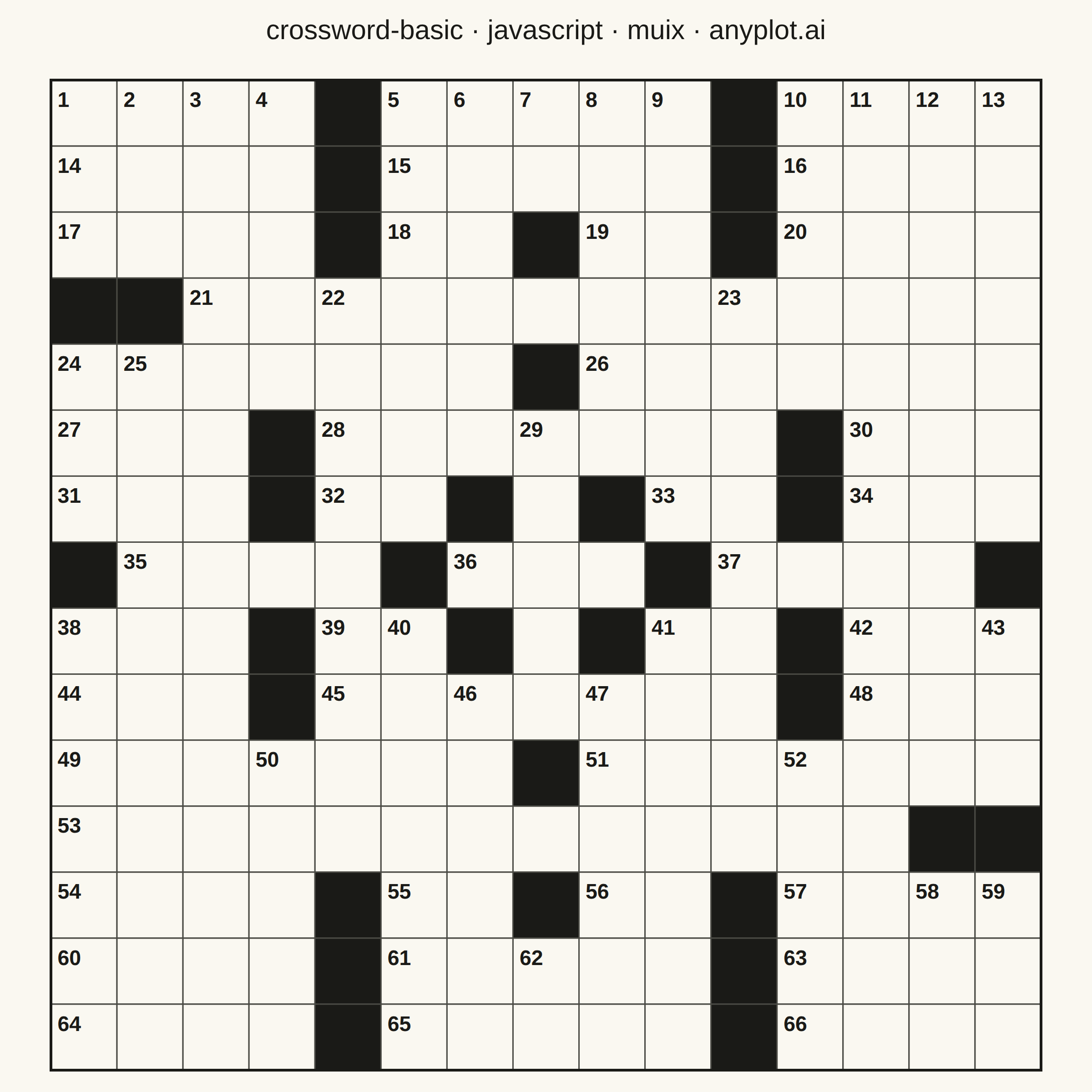
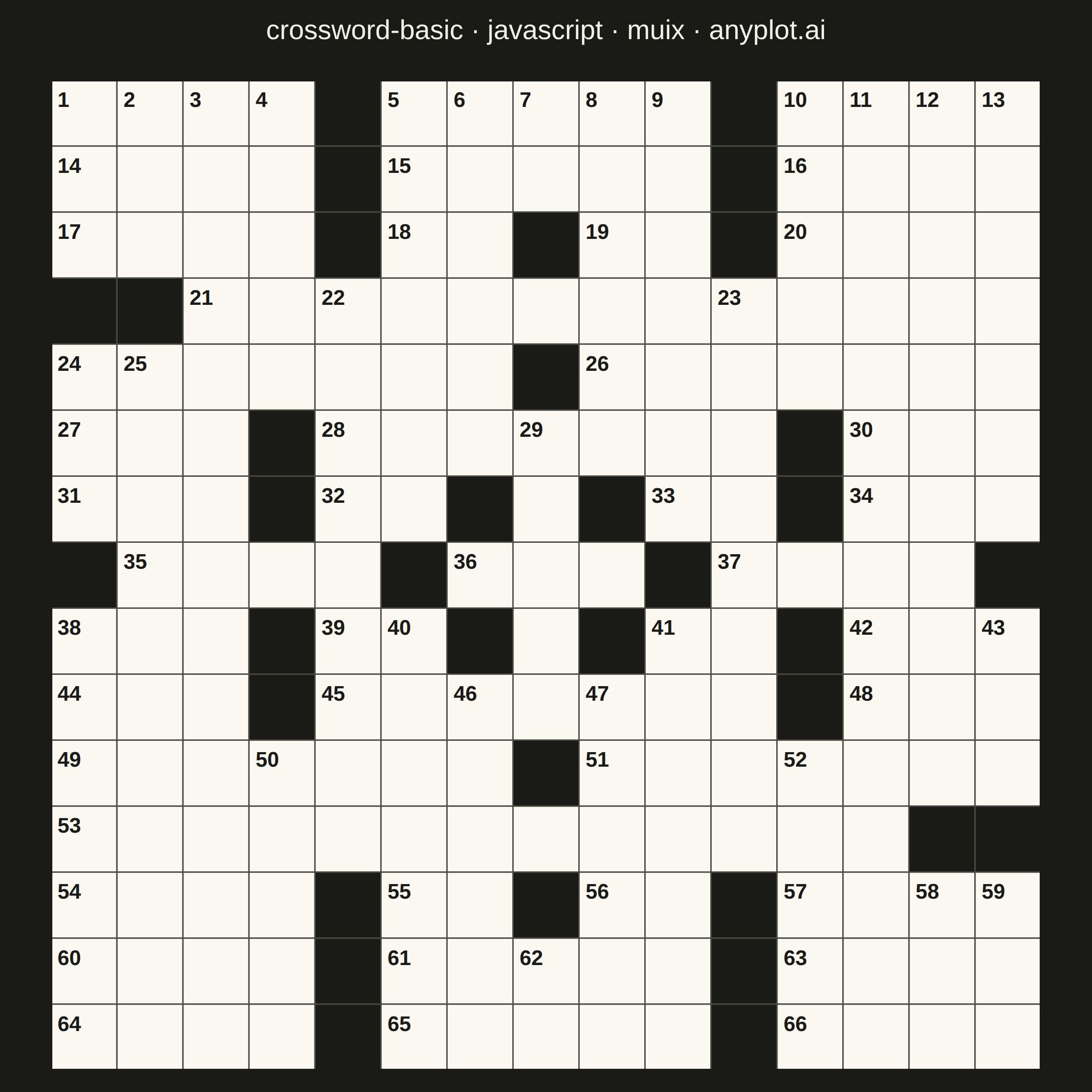
A crossword puzzle grid visualization with white entry cells for letters, black blocking cells, and numbered starting positions for across and down words. The symmetric black cell pattern follows traditional newspaper-style crossword conventions, creating a clean and recognizable puzzle layout suitable for printing or digital display.
// anyplot.ai
// crossword-basic: Crossword Puzzle Grid
// Library: muix 7.29.1 | JavaScript 22.23.2
// Quality: 90/100 | Created: 2026-09-02
//# anyplot-orientation: square

import Box from "@mui/material/Box";
import Typography from "@mui/material/Typography";
import { ScatterChart } from "@mui/x-charts/ScatterChart";

const t = window.ANYPLOT_TOKENS;

// The puzzle itself is a monochrome print artifact (per spec: "Monochrome
// design optimized for printing") — its black/white pattern is the chart's
// data, so it stays fixed across themes, like a categorical data color would.
// Only the surrounding page and title (below) follow ANYPLOT_THEME.
const GRID_PAPER = "#FAF8F1";
const GRID_INK = "#1A1A17";
const GRID_LINE = "#4A4A44";

const GRID_SIZE = 15;

// Black-cell coordinates for one half of the grid; mirrored below to enforce
// the traditional 180-degree rotational symmetry of newspaper-style crosswords.
const HALF_BLOCKS = [
  [0, 4], [0, 10],
  [1, 4], [1, 10],
  [2, 4], [2, 7], [2, 10],
  [3, 0], [3, 1],
  [4, 7],
  [5, 3], [5, 11],
  [6, 3], [6, 6], [6, 8], [6, 11],
  [7, 0], [7, 5],
];

const BLOCKED = new Set();
HALF_BLOCKS.forEach(([r, c]) => {
  BLOCKED.add(`${r},${c}`);
  BLOCKED.add(`${GRID_SIZE - 1 - r},${GRID_SIZE - 1 - c}`);
});

const isBlocked = (r, c) => BLOCKED.has(`${r},${c}`);
const isOpen = (r, c) =>
  r >= 0 && r < GRID_SIZE && c >= 0 && c < GRID_SIZE && !isBlocked(r, c);

// Number every cell that starts an across or down entry, in reading order —
// the same rule newspaper puzzle constructors use.
const numbers = new Map();
let nextNumber = 1;
for (let r = 0; r < GRID_SIZE; r++) {
  for (let c = 0; c < GRID_SIZE; c++) {
    if (isBlocked(r, c)) continue;
    const startsAcross = !isOpen(r, c - 1) && isOpen(r, c + 1);
    const startsDown = !isOpen(r - 1, c) && isOpen(r + 1, c);
    if (startsAcross || startsDown) {
      numbers.set(`${r},${c}`, nextNumber++);
    }
  }
}

const COLS = Array.from({ length: GRID_SIZE }, (_, c) => `c${c}`);
const ROWS = Array.from({ length: GRID_SIZE }, (_, r) => `r${r}`);

const cells = [];
for (let r = 0; r < GRID_SIZE; r++) {
  for (let c = 0; c < GRID_SIZE; c++) {
    cells.push({ id: `${r}-${c}`, x: COLS[c], y: ROWS[r], r, c });
  }
}

// Every square renders in one custom marker: a black fill for blocked cells,
// a paper-white fill with a clue number for cells that start a word.
function GridMark(props) {
  const { series, xScale, yScale } = props;
  const cellW = xScale.bandwidth();
  const cellH = yScale.bandwidth();

  return (
    <g>
      {series.data.map((pt) => {
        const cx = xScale(pt.x) ?? 0;
        const cy = yScale(pt.y) ?? 0;
        const blocked = isBlocked(pt.r, pt.c);
        const number = numbers.get(`${pt.r},${pt.c}`);
        return (
          <g key={pt.id}>
            <rect
              x={cx}
              y={cy}
              width={cellW}
              height={cellH}
              fill={blocked ? GRID_INK : GRID_PAPER}
              stroke={GRID_LINE}
              strokeWidth={1.5}
            />
            {number !== undefined && (
              <text
                x={cx + cellW * 0.1}
                y={cy + cellH * 0.32}
                fontSize={cellW * 0.32}
                fontWeight={600}
                fill={GRID_INK}
                textAnchor="start"
                dominantBaseline="middle"
              >
                {number}
              </text>
            )}
          </g>
        );
      })}
      <rect
        x={xScale(COLS[0]) ?? 0}
        y={yScale(ROWS[0]) ?? 0}
        width={cellW * GRID_SIZE}
        height={cellH * GRID_SIZE}
        fill="none"
        stroke={GRID_INK}
        strokeWidth={3}
      />
    </g>
  );
}

const TITLE = "crossword-basic · javascript · muix · anyplot.ai";
const TITLE_HEIGHT = 64;

export default function Chart() {
  const { width, height } = window.ANYPLOT_SIZE;
  const chartHeight = height - TITLE_HEIGHT;

  // Keep every cell perfectly square: shrink the board to the smaller of the
  // two available dimensions, then center it with even margins on both axes.
  const MARGIN = 24;
  const boardSize = Math.min(width, chartHeight) - MARGIN * 2;
  const vMargin = (chartHeight - boardSize) / 2;
  const hMargin = (width - boardSize) / 2;

  return (
    <Box sx={{ width, height, bgcolor: t.pageBg, display: "flex", flexDirection: "column" }}>
      <Typography
        sx={{
          color: t.ink,
          fontSize: 30,
          fontWeight: 500,
          textAlign: "center",
          lineHeight: 1.2,
          pt: "16px",
          height: TITLE_HEIGHT,
          fontFamily: "inherit",
        }}
      >
        {TITLE}
      </Typography>
      <Box sx={{ flex: 1, display: "flex", alignItems: "center", justifyContent: "center" }}>
        <ScatterChart
          width={width}
          height={chartHeight}
          skipAnimation
          disableVoronoi
          series={[{ id: "cells", type: "scatter", data: cells, xAxisId: "col", yAxisId: "row" }]}
          xAxis={[
            {
              id: "col",
              scaleType: "band",
              data: COLS,
              categoryGapRatio: 0,
              disableTicks: true,
              disableLine: true,
            },
          ]}
          yAxis={[
            {
              id: "row",
              scaleType: "band",
              data: ROWS,
              categoryGapRatio: 0,
              disableTicks: true,
              disableLine: true,
            },
          ]}
          topAxis={null}
          bottomAxis={null}
          leftAxis={null}
          rightAxis={null}
          margin={{ top: vMargin, bottom: vMargin, left: hMargin, right: hMargin }}
          slots={{ scatter: GridMark }}
          slotProps={{ legend: { hidden: true } }}
        />
      </Box>
    </Box>
  );
}
Runnable source as JSON, for any HTTP client: https://api.anyplot.ai/specs/crossword-basic/muix/code. Any spec id and library id listed in llms-full.txt fit the same URL shape; every URL below is complete and callable.
{
  "spec_id": "crossword-basic",
  "language": "javascript",
  "library": "muix",
  "page": "https://anyplot.ai/crossword-basic/javascript/muix",
  "hub": "https://anyplot.ai/crossword-basic",
  "code_json": "https://api.anyplot.ai/specs/crossword-basic/muix/code",
  "spec_json": "https://api.anyplot.ai/specs/crossword-basic",
  "render_light_png": "https://storage.googleapis.com/anyplot-images/plots/crossword-basic/javascript/muix/plot-light.png",
  "render_dark_png": "https://storage.googleapis.com/anyplot-images/plots/crossword-basic/javascript/muix/plot-dark.png",
  "interactive_light_html": "https://storage.googleapis.com/anyplot-images/plots/crossword-basic/javascript/muix/plot-light.html",
  "interactive_dark_html": "https://storage.googleapis.com/anyplot-images/plots/crossword-basic/javascript/muix/plot-dark.html",
  "quality_score": 90.0,
  "license": "MIT",
  "guide": "https://anyplot.ai/llms.txt"
}
Part of Crossword Puzzle Grid on anyplot.ai.