The same plot in 14 other libraries — Python: Altair, Bokeh, lets-plot, Plotly, plotnine, Pygal, Seaborn; R: ggplot2; Julia: Makie.jl; JavaScript: Chart.js, D3.js, Apache ECharts, Highcharts, MUI X Charts. Compare all 15 side by side: Crossword Puzzle Grid in Python, R, Julia and JavaScript.
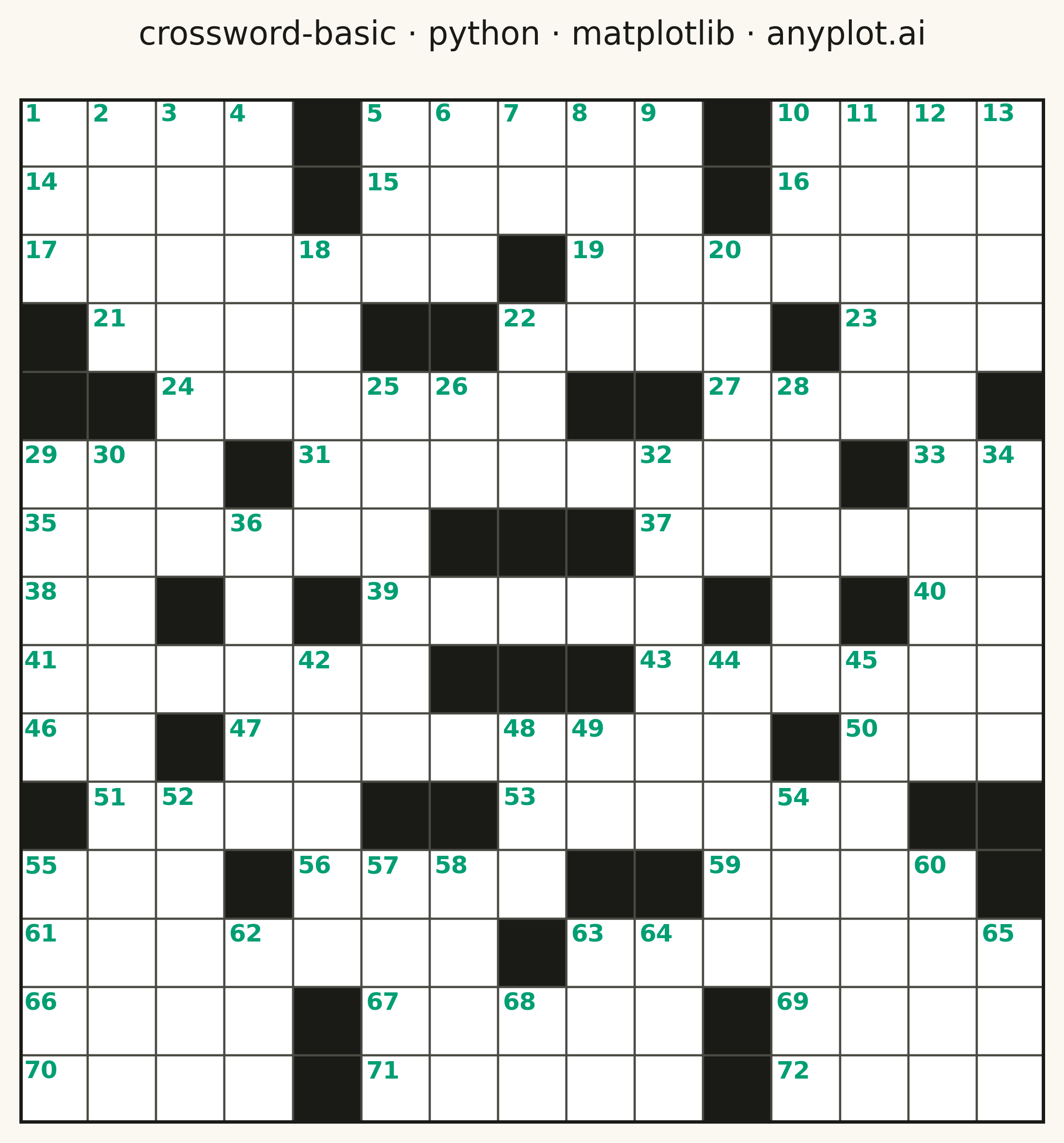
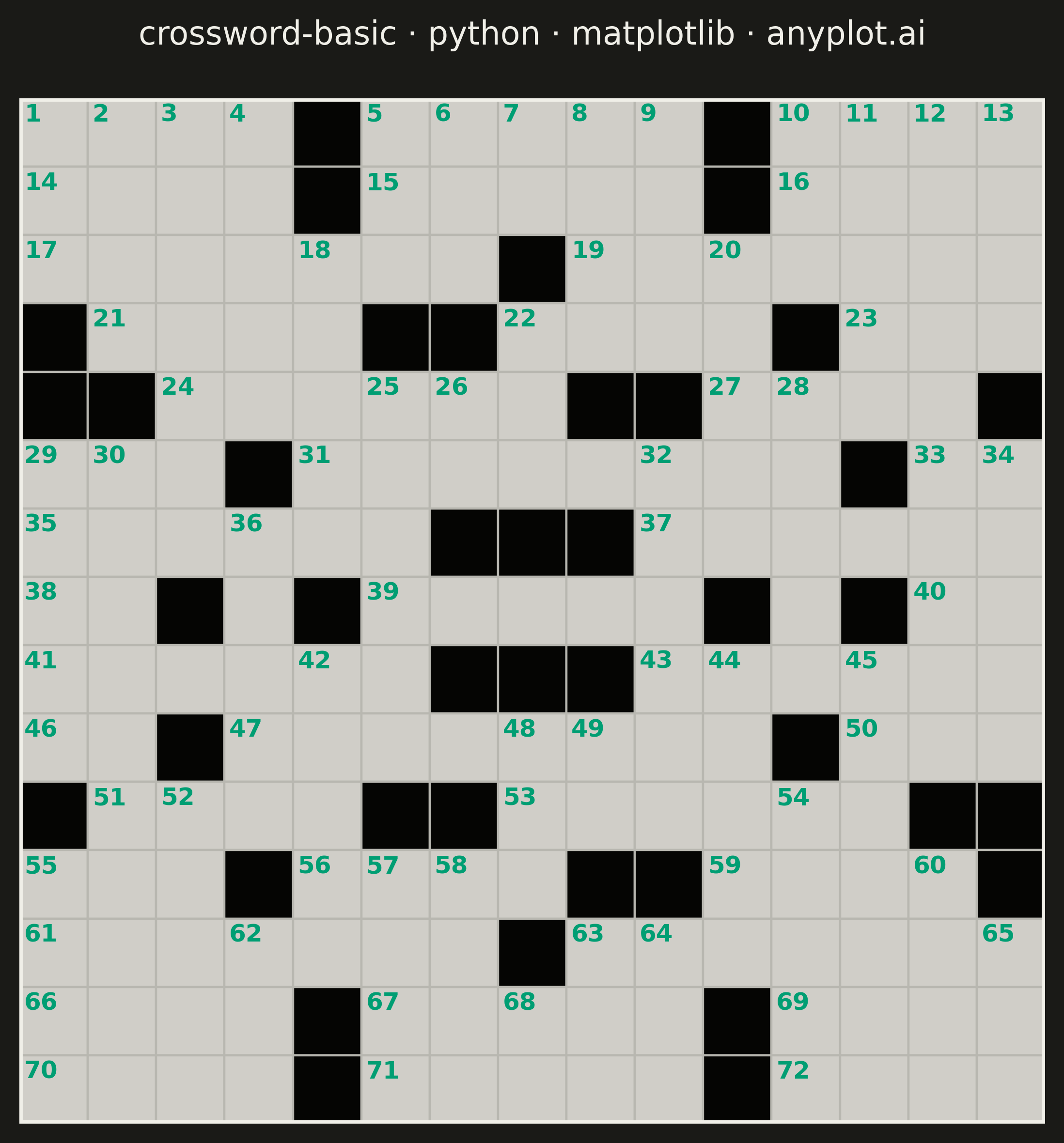
A crossword puzzle grid visualization with white entry cells for letters, black blocking cells, and numbered starting positions for across and down words. The symmetric black cell pattern follows traditional newspaper-style crossword conventions, creating a clean and recognizable puzzle layout suitable for printing or digital display.
""" anyplot.ai
crossword-basic: Crossword Puzzle Grid
Library: matplotlib 3.10.9 | Python 3.13.13
Quality: 88/100 | Updated: 2026-05-20
"""

import os

import matplotlib.pyplot as plt
import numpy as np
from matplotlib.patches import Rectangle


# Theme tokens
THEME = os.getenv("ANYPLOT_THEME", "light")
PAGE_BG = "#FAF8F1" if THEME == "light" else "#1A1A17"
INK = "#1A1A17" if THEME == "light" else "#F0EFE8"
INK_SOFT = "#4A4A44" if THEME == "light" else "#B8B7B0"
CELL_WHITE = "#FFFFFF" if THEME == "light" else "#D0CEC8"
CELL_BLACK = "#1A1A17" if THEME == "light" else "#050503"
NUM_COLOR = "#009E73"  # Okabe-Ito position 1 (brand green) — sole colored element

# Data: 15x15 crossword grid with 180-degree rotational symmetry
# 0 = white (entry cell), 1 = black (blocked cell)
grid_size = 15
grid = np.zeros((grid_size, grid_size), dtype=int)

black_cells = [
    (0, 4),
    (0, 10),
    (1, 4),
    (1, 10),
    (2, 7),
    (3, 0),
    (3, 5),
    (3, 6),
    (3, 11),
    (4, 0),
    (4, 1),
    (4, 8),
    (4, 9),
    (4, 14),
    (5, 3),
    (5, 12),
    (6, 6),
    (6, 7),
    (6, 8),
    (7, 2),
    (7, 4),
    (7, 10),
    (7, 12),
]

for r, c in black_cells:
    grid[r, c] = 1
    grid[grid_size - 1 - r, grid_size - 1 - c] = 1

# Calculate clue numbers (cells that start an across or down word)
numbers = {}
clue_num = 1

for row in range(grid_size):
    for col in range(grid_size):
        if grid[row, col] == 1:
            continue
        starts_across = (col == 0 or grid[row, col - 1] == 1) and (col < grid_size - 1 and grid[row, col + 1] == 0)
        starts_down = (row == 0 or grid[row - 1, col] == 1) and (row < grid_size - 1 and grid[row + 1, col] == 0)
        if starts_across or starts_down:
            numbers[(row, col)] = clue_num
            clue_num += 1

# Plot — square format (2400×2400 px) suits the 1:1 crossword grid
fig, ax = plt.subplots(figsize=(6, 6), dpi=400, facecolor=PAGE_BG)
ax.set_facecolor(PAGE_BG)

cell_size = 1.0

for row in range(grid_size):
    for col in range(grid_size):
        x = col * cell_size
        y = (grid_size - 1 - row) * cell_size  # flip y so row 0 is at top

        face = CELL_BLACK if grid[row, col] == 1 else CELL_WHITE
        rect = Rectangle((x, y), cell_size, cell_size, facecolor=face, edgecolor=INK_SOFT, linewidth=0.8)
        ax.add_patch(rect)

        if (row, col) in numbers:
            ax.text(
                x + 0.07,
                y + cell_size - 0.07,
                str(numbers[(row, col)]),
                fontsize=9,
                fontweight="bold",
                color=NUM_COLOR,
                ha="left",
                va="top",
            )

# Outer border frame around the full grid
border = Rectangle(
    (0, 0), grid_size * cell_size, grid_size * cell_size, fill=False, edgecolor=INK, linewidth=2.5, zorder=10
)
ax.add_patch(border)

# Style
ax.set_xlim(0, grid_size * cell_size)
ax.set_ylim(0, grid_size * cell_size)
ax.set_aspect("equal")
ax.axis("off")
ax.set_title("crossword-basic · python · matplotlib · anyplot.ai", fontsize=12, fontweight="medium", color=INK, pad=20)

plt.tight_layout()
plt.savefig(f"plot-{THEME}.png", dpi=400, bbox_inches="tight", facecolor=PAGE_BG)
Runnable source as JSON, for any HTTP client: https://api.anyplot.ai/specs/crossword-basic/matplotlib/code. Any spec id and library id listed in llms-full.txt fit the same URL shape; every URL below is complete and callable.
{
  "spec_id": "crossword-basic",
  "language": "python",
  "library": "matplotlib",
  "page": "https://anyplot.ai/crossword-basic/python/matplotlib",
  "hub": "https://anyplot.ai/crossword-basic",
  "code_json": "https://api.anyplot.ai/specs/crossword-basic/matplotlib/code",
  "spec_json": "https://api.anyplot.ai/specs/crossword-basic",
  "render_light_png": "https://storage.googleapis.com/anyplot-images/plots/crossword-basic/python/matplotlib/plot-light.png",
  "render_dark_png": "https://storage.googleapis.com/anyplot-images/plots/crossword-basic/python/matplotlib/plot-dark.png",
  "quality_score": 88.0,
  "license": "MIT",
  "guide": "https://anyplot.ai/llms.txt"
}
Part of Crossword Puzzle Grid on anyplot.ai.