The same plot in 14 other libraries — Python: Altair, Bokeh, lets-plot, Plotly, plotnine, Pygal, Seaborn; R: ggplot2; Julia: Makie.jl; JavaScript: Chart.js, D3.js, Apache ECharts, Highcharts, MUI X Charts. Compare all 15 side by side: Circular Maze Puzzle in Python, R, Julia and JavaScript.
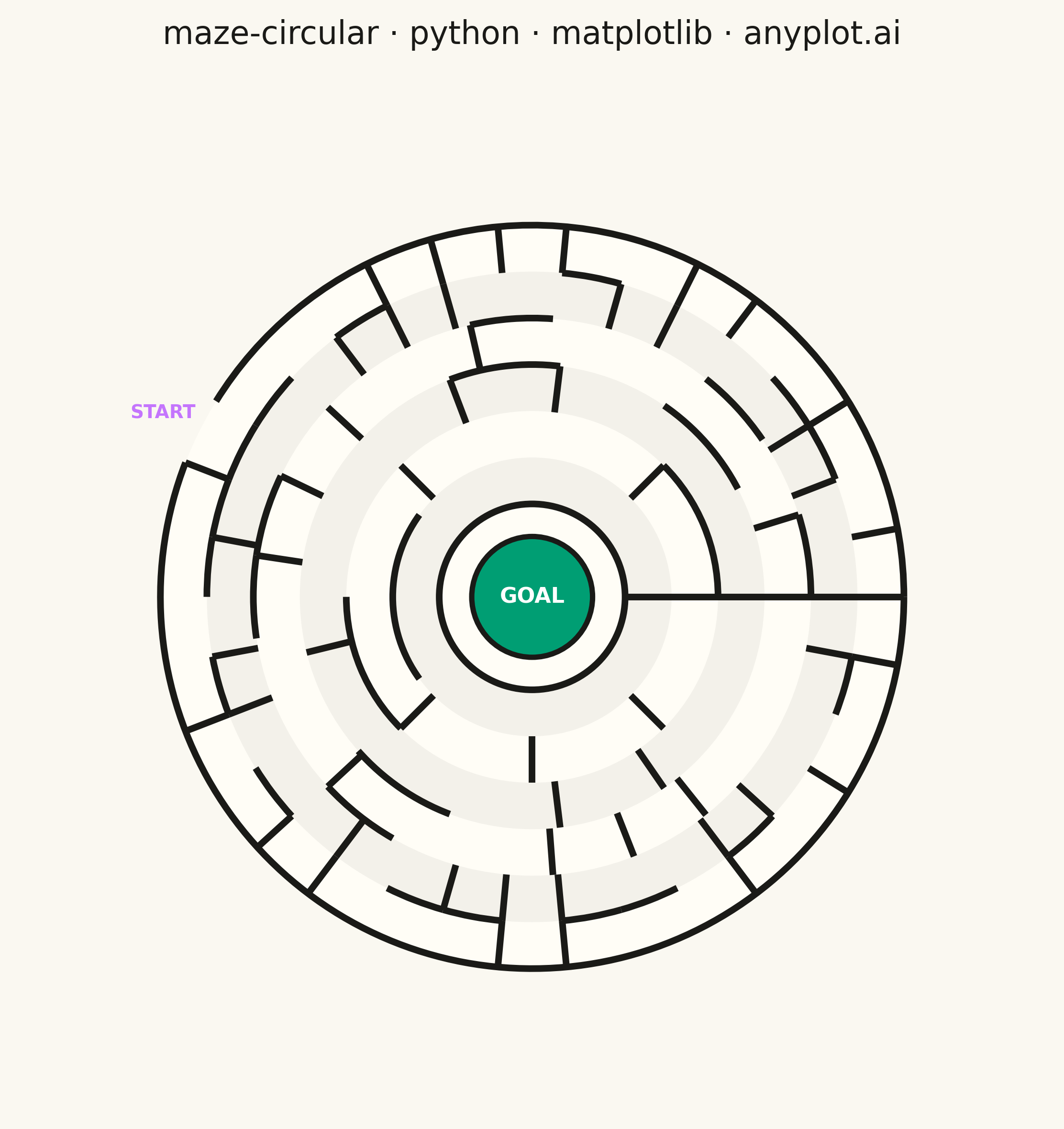
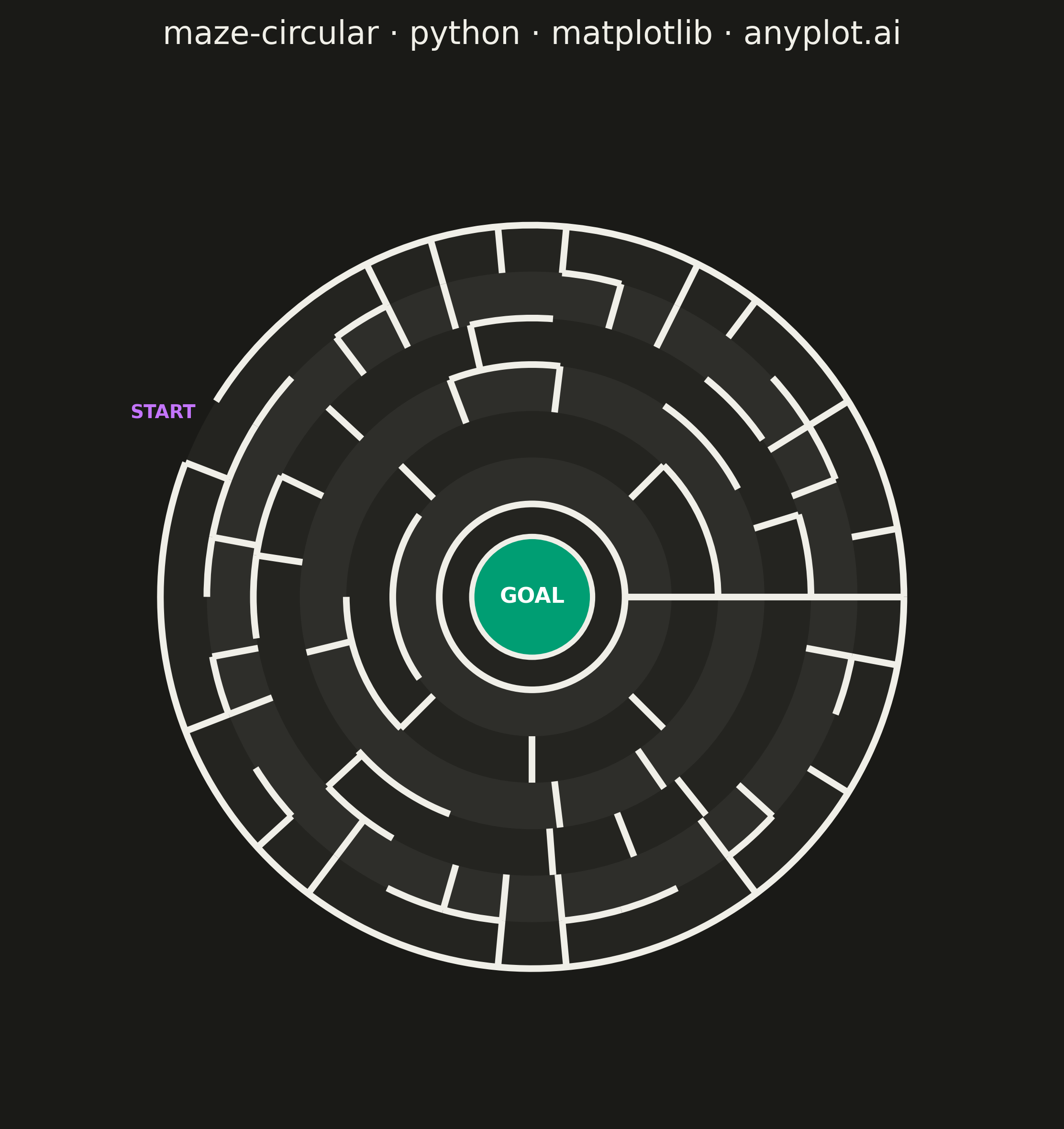
A circular maze puzzle visualization featuring concentric rings connected by radial passages. Unlike rectangular mazes, this design creates a unique solving experience where the player navigates inward through ring-shaped corridors. The maze has an entry point on the outer edge and a goal at the center, with algorithmically generated walls ensuring exactly one solvable path.
""" anyplot.ai
maze-circular: Circular Maze Puzzle
Library: matplotlib 3.10.9 | Python 3.13.13
Quality: 92/100 | Updated: 2026-05-20
"""

import os

import matplotlib.pyplot as plt
import numpy as np
from matplotlib.collections import LineCollection
from matplotlib.patches import Arc, Wedge


# Theme tokens
THEME = os.getenv("ANYPLOT_THEME", "light")
PAGE_BG = "#FAF8F1" if THEME == "light" else "#1A1A17"
ELEVATED_BG = "#FFFDF6" if THEME == "light" else "#242420"
INK = "#1A1A17" if THEME == "light" else "#F0EFE8"

GOAL_COLOR = "#009E73"  # Okabe-Ito position 1
ENTRY_COLOR = "#C475FD"  # Okabe-Ito position 2

# Data — Fibonacci sector progression for naturally varied corridor widths
np.random.seed(13)
rings = 6
sectors_per_ring = [5, 8, 13, 21, 34, 34]  # Cap outer ring at 34 for solvable corridor widths
inner_radius = 0.5
ring_width = 0.25  # Wider corridors for comfortable pen-solving

# Initialize maze structure
radial_walls = []
ring_passages = []
for r in range(rings):
    radial_walls.append([True] * sectors_per_ring[r])
    ring_passages.append([False] * sectors_per_ring[r])

# Modified Prim's algorithm — guarantees exactly one solution path
connected = [[False] * sectors_per_ring[r] for r in range(rings)]
connected[0][0] = True

frontier = []
for s in range(sectors_per_ring[0]):
    if s > 0:
        frontier.append((0, s, "radial", 0, s - 1))
    frontier.append((1, s * sectors_per_ring[1] // sectors_per_ring[0], "ring", 0, s))

while frontier:
    idx = np.random.randint(len(frontier))
    r, s, conn_type, src_r, src_s = frontier.pop(idx)
    if connected[r][s]:
        continue
    connected[r][s] = True
    if conn_type == "radial":
        radial_walls[r][min(s, src_s)] = False
    else:
        ring_passages[src_r][src_s] = True
    num_sectors = sectors_per_ring[r]
    next_s = (s + 1) % num_sectors
    if not connected[r][next_s]:
        frontier.append((r, next_s, "radial", r, s))
    prev_s = (s - 1) % num_sectors
    if not connected[r][prev_s]:
        frontier.append((r, prev_s, "radial", r, s))
    if r < rings - 1:
        outer_sectors = sectors_per_ring[r + 1]
        ratio = outer_sectors / num_sectors
        for outer_s in range(int(s * ratio), int((s + 1) * ratio)):
            if not connected[r + 1][outer_s % outer_sectors]:
                frontier.append((r + 1, outer_s % outer_sectors, "ring", r, s))
    if r > 0:
        inner_sectors = sectors_per_ring[r - 1]
        inner_s = int(s * inner_sectors / num_sectors)
        if not connected[r - 1][inner_s]:
            frontier.append((r - 1, inner_s, "radial", r - 1, inner_s))

entry_sector = np.random.randint(sectors_per_ring[-1])

# Plot — square canvas, ideal for circular maze
outer_r = inner_radius + rings * ring_width
margin = outer_r * 1.38

fig, ax = plt.subplots(figsize=(6, 6), dpi=400, facecolor=PAGE_BG)
ax.set_facecolor(PAGE_BG)
ax.set_aspect("equal")
ax.set_xlim(-margin, margin)
ax.set_ylim(-margin, margin)
ax.axis("off")

wall_color = INK
wall_width = 2.5

# Fill corridor area with ELEVATED_BG — distinguishes maze space from background canvas
ax.add_patch(plt.Circle((0, 0), outer_r, fill=True, facecolor=ELEVATED_BG, edgecolor="none", zorder=1))

# Alternating ring fills — subtle depth to distinguish inner rings from outer
for r in range(rings):
    if r % 2 == 0:
        r_inner = inner_radius + r * ring_width
        r_outer = r_inner + ring_width
        ax.add_patch(
            Wedge((0, 0), r_outer, 0, 360, width=ring_width, facecolor=INK, edgecolor="none", alpha=0.05, zorder=2)
        )

# Outer boundary with entry gap (two arcs bracketing the entry sector)
entry_angle_start = entry_sector * 360 / sectors_per_ring[-1]
entry_angle_end = (entry_sector + 1) * 360 / sectors_per_ring[-1]

if entry_angle_start > 0:
    ax.add_patch(
        Arc(
            (0, 0),
            2 * outer_r,
            2 * outer_r,
            theta1=0,
            theta2=entry_angle_start,
            color=wall_color,
            linewidth=wall_width,
            zorder=4,
        )
    )
ax.add_patch(
    Arc(
        (0, 0),
        2 * outer_r,
        2 * outer_r,
        theta1=entry_angle_end,
        theta2=360,
        color=wall_color,
        linewidth=wall_width,
        zorder=4,
    )
)

# Ring walls — arc segments at ring boundaries with passage gaps
for r in range(rings - 1):
    ring_r = inner_radius + r * ring_width
    num_sectors = sectors_per_ring[r]
    sector_angle = 360 / num_sectors
    arc_r = ring_r + ring_width
    for s in range(num_sectors):
        if not ring_passages[r][s]:
            ax.add_patch(
                Arc(
                    (0, 0),
                    2 * arc_r,
                    2 * arc_r,
                    theta1=s * sector_angle,
                    theta2=(s + 1) * sector_angle,
                    color=wall_color,
                    linewidth=wall_width,
                    zorder=4,
                )
            )

# Radial walls — batched as LineCollection for efficient compound-path rendering
radial_segments = []
for r in range(rings):
    num_sectors = sectors_per_ring[r]
    sector_angle = 360 / num_sectors
    r_inner = inner_radius + r * ring_width
    r_outer = r_inner + ring_width
    for s in range(num_sectors):
        if radial_walls[r][s]:
            angle = np.radians((s + 1) * sector_angle)
            radial_segments.append(
                [[r_inner * np.cos(angle), r_inner * np.sin(angle)], [r_outer * np.cos(angle), r_outer * np.sin(angle)]]
            )

if radial_segments:
    ax.add_collection(LineCollection(radial_segments, colors=wall_color, linewidths=wall_width, zorder=4))

# Inner boundary and goal
ax.add_patch(
    Arc(
        (0, 0),
        2 * inner_radius,
        2 * inner_radius,
        theta1=0,
        theta2=360,
        color=wall_color,
        linewidth=wall_width,
        zorder=5,
    )
)
ax.add_patch(
    plt.Circle(
        (0, 0), inner_radius * 0.65, fill=True, facecolor=GOAL_COLOR, edgecolor=wall_color, linewidth=2, zorder=6
    )
)
ax.text(0, 0, "GOAL", ha="center", va="center", fontsize=8, fontweight="bold", color="white", zorder=7)

# Entry marker
entry_mid_angle = np.radians((entry_sector + 0.5) * 360 / sectors_per_ring[-1])
ax.text(
    (outer_r + 0.22) * np.cos(entry_mid_angle),
    (outer_r + 0.22) * np.sin(entry_mid_angle),
    "START",
    ha="center",
    va="center",
    fontsize=7,
    fontweight="bold",
    color=ENTRY_COLOR,
    zorder=7,
)

# Style
ax.set_title("maze-circular · python · matplotlib · anyplot.ai", fontsize=12, fontweight="medium", color=INK, pad=15)

plt.tight_layout()
plt.savefig(f"plot-{THEME}.png", dpi=400, bbox_inches="tight", facecolor=PAGE_BG)
Runnable source as JSON, for any HTTP client: https://api.anyplot.ai/specs/maze-circular/matplotlib/code. Any spec id and library id listed in llms-full.txt fit the same URL shape; every URL below is complete and callable.
{
  "spec_id": "maze-circular",
  "language": "python",
  "library": "matplotlib",
  "page": "https://anyplot.ai/maze-circular/python/matplotlib",
  "hub": "https://anyplot.ai/maze-circular",
  "code_json": "https://api.anyplot.ai/specs/maze-circular/matplotlib/code",
  "spec_json": "https://api.anyplot.ai/specs/maze-circular",
  "render_light_png": "https://storage.googleapis.com/anyplot-images/plots/maze-circular/python/matplotlib/plot-light.png",
  "render_dark_png": "https://storage.googleapis.com/anyplot-images/plots/maze-circular/python/matplotlib/plot-dark.png",
  "quality_score": 92.0,
  "license": "MIT",
  "guide": "https://anyplot.ai/llms.txt"
}
Part of Circular Maze Puzzle on anyplot.ai.