The same plot in 14 other libraries — JavaScript: Chart.js, D3.js, Apache ECharts, Highcharts; Python: Altair, Bokeh, lets-plot, Matplotlib, Plotly, plotnine, Pygal, Seaborn; R: ggplot2; Julia: Makie.jl. Compare all 15 side by side: Basic Sudoku Grid in Python, R, Julia and JavaScript.
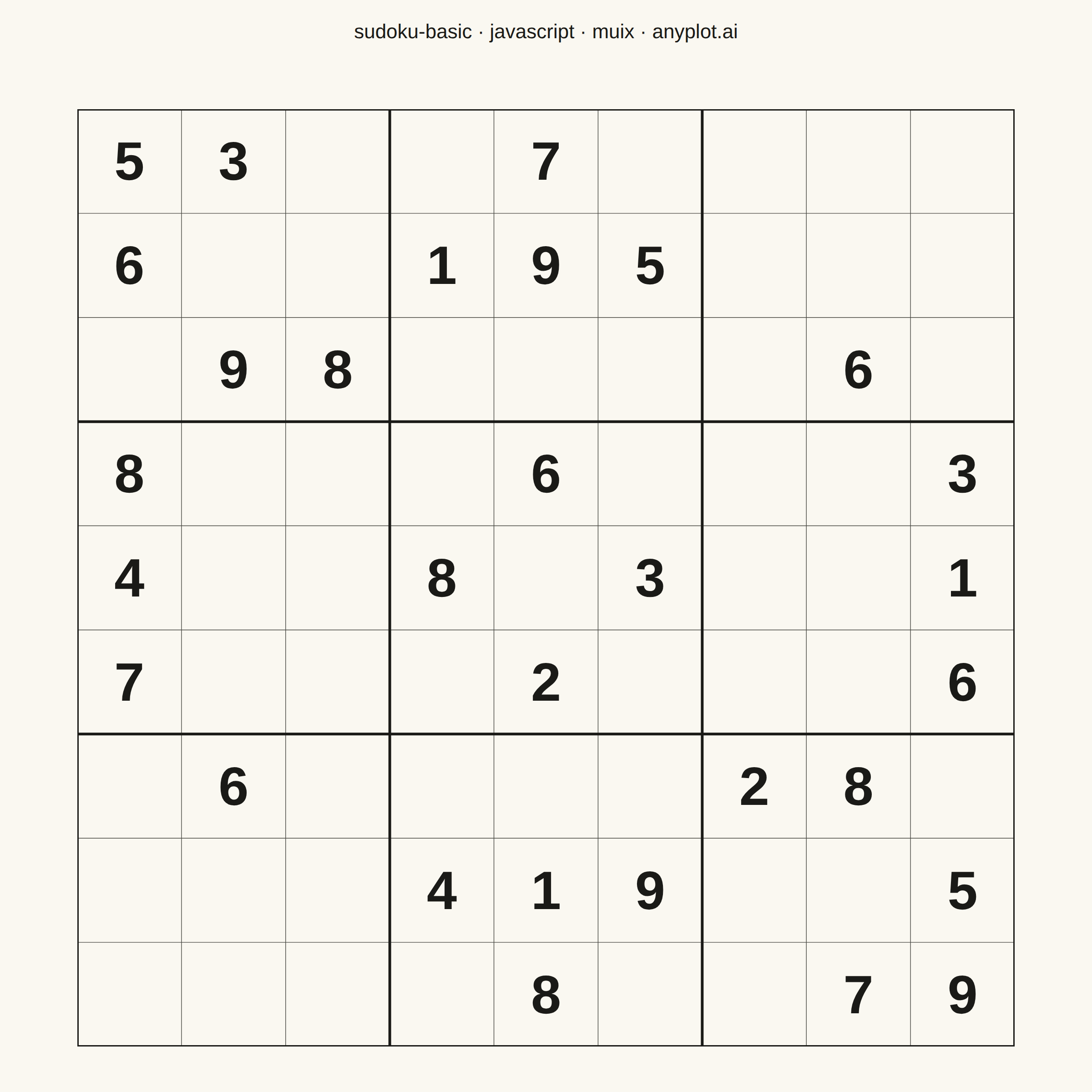
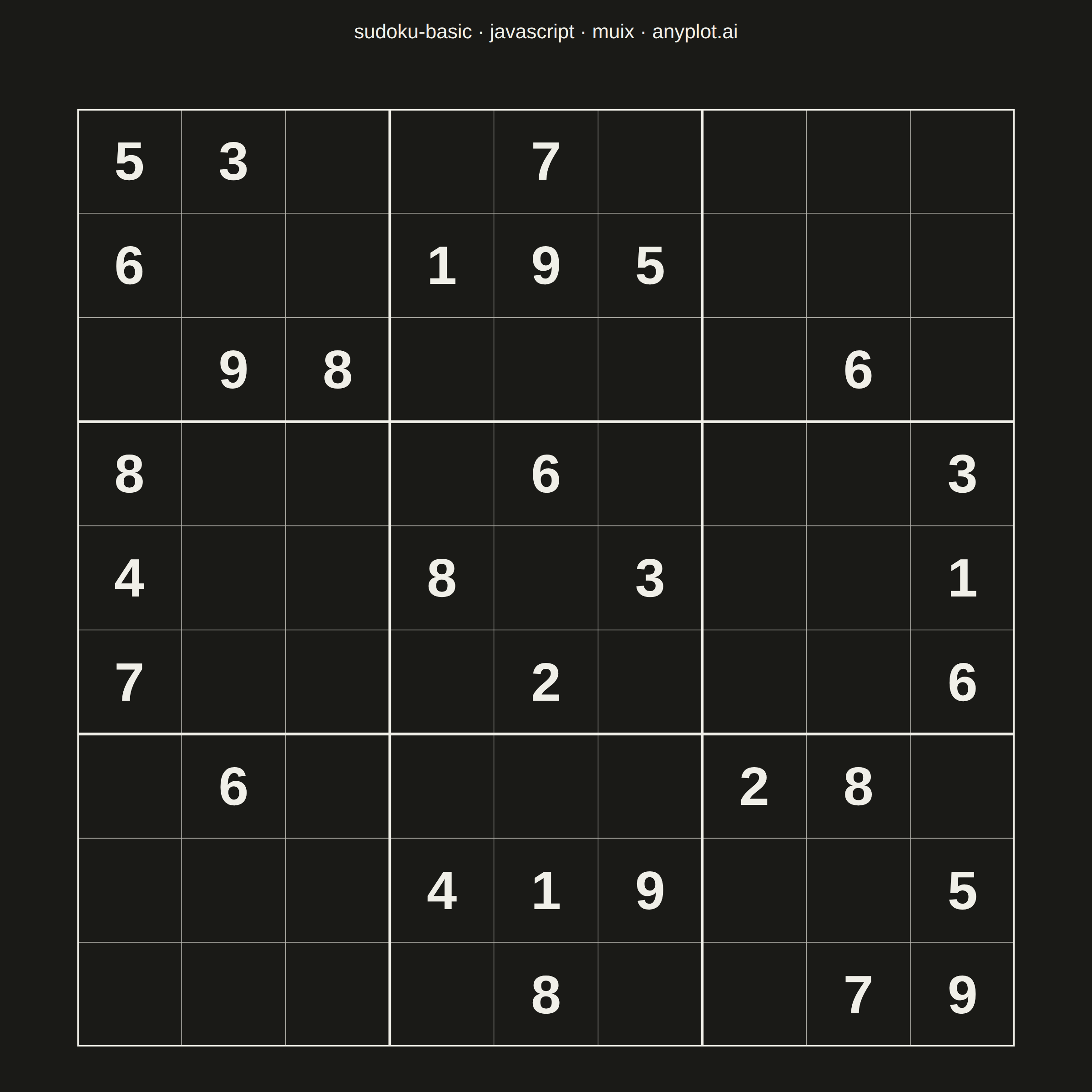
A standard 9×9 Sudoku grid with proper visual hierarchy showing 3×3 box regions. Thick lines separate the nine boxes while thin lines divide individual cells. The clean black-and-white design is optimized for printing and solving puzzles.
// anyplot.ai
// sudoku-basic: Basic Sudoku Grid
// Library: muix 7.29.1 | JavaScript 22.22.3
// Quality: 84/100 | Created: 2026-06-25
//# anyplot-orientation: square
// anyplot.ai
// sudoku-basic: Basic Sudoku Grid
// Library: MUI X Charts | React | Node 22
// License: @mui/x-charts — MIT (community). Pro/Premium are out of scope.
// Quality: pending | Created: 2026-06-25

import Box from "@mui/material/Box";
import Typography from "@mui/material/Typography";

const t = window.ANYPLOT_TOKENS;

// Classic Sudoku puzzle — 0 = empty cell
const PUZZLE = [
  [5, 3, 0, 0, 7, 0, 0, 0, 0],
  [6, 0, 0, 1, 9, 5, 0, 0, 0],
  [0, 9, 8, 0, 0, 0, 0, 6, 0],
  [8, 0, 0, 0, 6, 0, 0, 0, 3],
  [4, 0, 0, 8, 0, 3, 0, 0, 1],
  [7, 0, 0, 0, 2, 0, 0, 0, 6],
  [0, 6, 0, 0, 0, 0, 2, 8, 0],
  [0, 0, 0, 4, 1, 9, 0, 0, 5],
  [0, 0, 0, 0, 8, 0, 0, 7, 9],
];

export default function Chart() {
  const W = window.ANYPLOT_SIZE.width;
  const H = window.ANYPLOT_SIZE.height;

  const titleH = 70;
  const pad = 50;
  const gridSize = Math.min(W - 2 * pad, H - titleH - 2 * pad);
  const cell = gridSize / 9;
  const gx = (W - gridSize) / 2;
  const gy = titleH + (H - titleH - gridSize) / 2;

  const THIN = 0.7;
  const THICK = 3;

  // Inner cell division lines (thin)
  const thinLines = [];
  for (let i = 1; i <= 8; i++) {
    if (i % 3 === 0) continue;
    thinLines.push(
      <line key={`v${i}`} x1={i * cell} y1={0} x2={i * cell} y2={gridSize}
        stroke={t.inkSoft} strokeWidth={THIN} />,
      <line key={`h${i}`} x1={0} y1={i * cell} x2={gridSize} y2={i * cell}
        stroke={t.inkSoft} strokeWidth={THIN} />
    );
  }

  // 3×3 box boundary lines (thick)
  const thickLines = [];
  for (let i = 0; i <= 9; i += 3) {
    thickLines.push(
      <line key={`bv${i}`} x1={i * cell} y1={0} x2={i * cell} y2={gridSize}
        stroke={t.ink} strokeWidth={THICK} />,
      <line key={`bh${i}`} x1={0} y1={i * cell} x2={gridSize} y2={i * cell}
        stroke={t.ink} strokeWidth={THICK} />
    );
  }

  // Given numbers centered in their cells
  const numbers = PUZZLE.flatMap((row, r) =>
    row.map((val, c) => {
      if (val === 0) return null;
      return (
        <text key={`n${r}${c}`}
          x={c * cell + cell / 2} y={r * cell + cell / 2}
          textAnchor="middle" dominantBaseline="central"
          fontSize={cell * 0.52}
          fontFamily='"Helvetica Neue", Helvetica, Arial, sans-serif'
          fontWeight="700"
          fill={t.ink}
        >
          {val}
        </text>
      );
    })
  ).filter(Boolean);

  return (
    <Box
      sx={{
        position: "relative",
        width: W,
        height: H,
        bgcolor: t.pageBg,
        overflow: "hidden",
      }}
    >
      {/* MUI Typography for theme-aware title */}
      <Typography
        sx={{
          position: "absolute",
          top: 0,
          left: 0,
          right: 0,
          height: titleH,
          display: "flex",
          alignItems: "center",
          justifyContent: "center",
          fontSize: 22,
          fontFamily: '"Helvetica Neue", Helvetica, Arial, sans-serif',
          color: t.ink,
          lineHeight: 1,
          m: 0,
          p: 0,
        }}
      >
        sudoku-basic · javascript · muix · anyplot.ai
      </Typography>

      {/* SVG grid rendered via MUI Box component bridge */}
      <Box
        component="svg"
        sx={{ position: "absolute", top: gy, left: gx, display: "block" }}
        width={gridSize}
        height={gridSize}
      >
        <rect width={gridSize} height={gridSize} fill={t.pageBg} />
        {thinLines}
        {thickLines}
        {numbers}
      </Box>
    </Box>
  );
}
Runnable source as JSON, for any HTTP client: https://api.anyplot.ai/specs/sudoku-basic/muix/code. Any spec id and library id listed in llms-full.txt fit the same URL shape; every URL below is complete and callable.
{
  "spec_id": "sudoku-basic",
  "language": "javascript",
  "library": "muix",
  "page": "https://anyplot.ai/sudoku-basic/javascript/muix",
  "hub": "https://anyplot.ai/sudoku-basic",
  "code_json": "https://api.anyplot.ai/specs/sudoku-basic/muix/code",
  "spec_json": "https://api.anyplot.ai/specs/sudoku-basic",
  "render_light_png": "https://storage.googleapis.com/anyplot-images/plots/sudoku-basic/javascript/muix/plot-light.png",
  "render_dark_png": "https://storage.googleapis.com/anyplot-images/plots/sudoku-basic/javascript/muix/plot-dark.png",
  "interactive_light_html": "https://storage.googleapis.com/anyplot-images/plots/sudoku-basic/javascript/muix/plot-light.html",
  "interactive_dark_html": "https://storage.googleapis.com/anyplot-images/plots/sudoku-basic/javascript/muix/plot-dark.html",
  "quality_score": 84.0,
  "license": "MIT",
  "guide": "https://anyplot.ai/llms.txt"
}
Part of Basic Sudoku Grid on anyplot.ai.