The same plot in 14 other libraries — Python: Altair, lets-plot, Matplotlib, Plotly, plotnine, Pygal, Seaborn; R: ggplot2; Julia: Makie.jl; JavaScript: Chart.js, D3.js, Apache ECharts, Highcharts, MUI X Charts. Compare all 15 side by side: Basic Sudoku Grid in Python, R, Julia and JavaScript.
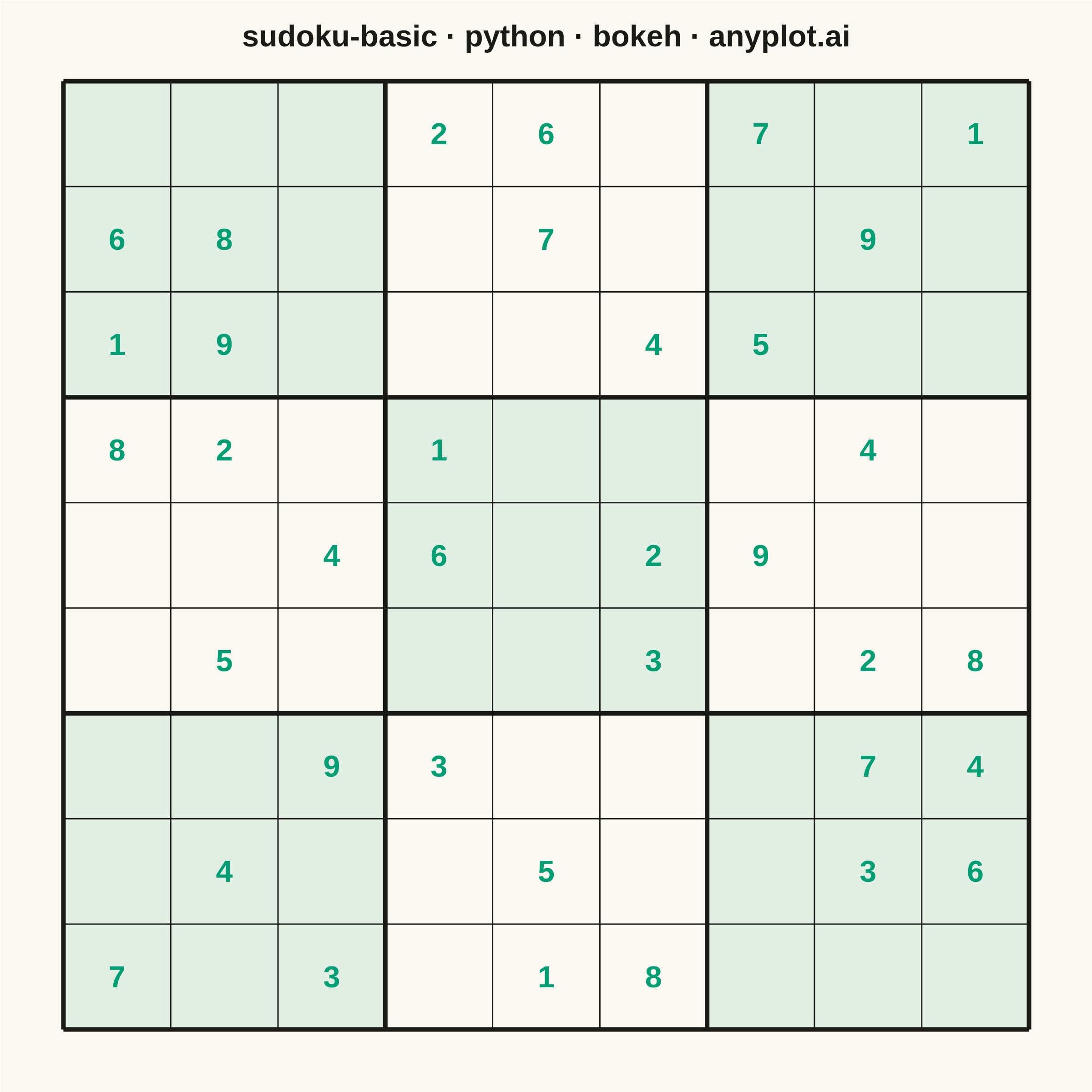
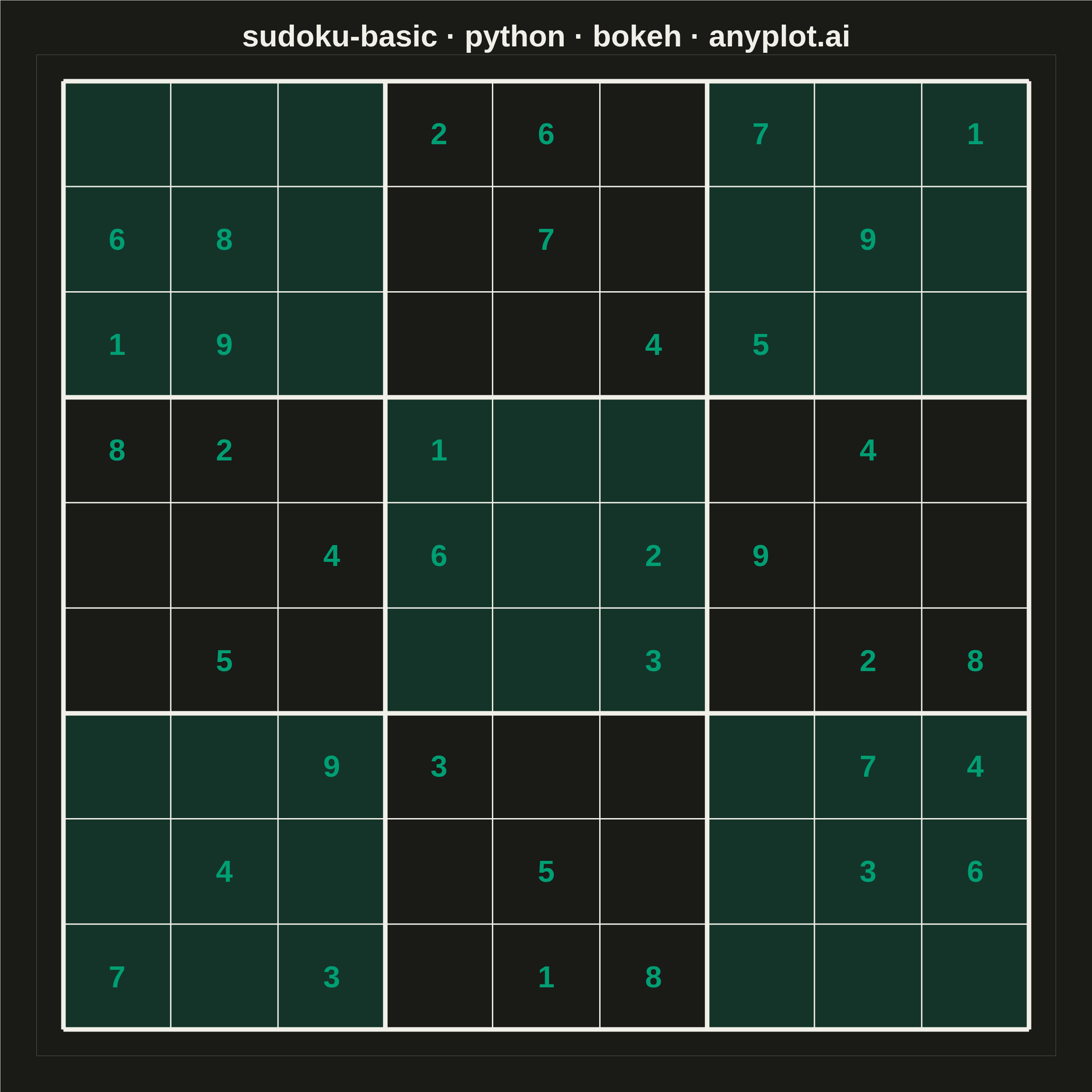
A standard 9×9 Sudoku grid with proper visual hierarchy showing 3×3 box regions. Thick lines separate the nine boxes while thin lines divide individual cells. The clean black-and-white design is optimized for printing and solving puzzles.
""" anyplot.ai
sudoku-basic: Basic Sudoku Grid
Library: bokeh 3.9.1 | Python 3.13.14
Quality: 90/100 | Updated: 2026-06-25
"""

import io
import os
import sys
import time
from pathlib import Path


# Remove script directory from sys.path to avoid shadowing the bokeh package
sys.path = [p for p in sys.path if Path(p).resolve() != Path(__file__).resolve().parent]

from bokeh.io import output_file, save
from bokeh.models import ColumnDataSource, LabelSet
from bokeh.plotting import figure
from PIL import Image
from selenium import webdriver
from selenium.webdriver.chrome.options import Options


# Theme tokens
THEME = os.getenv("ANYPLOT_THEME", "light")
PAGE_BG = "#FAF8F1" if THEME == "light" else "#1A1A17"
INK = "#1A1A17" if THEME == "light" else "#F0EFE8"
BRAND_GREEN = "#009E73"

# Data - 9x9 Sudoku puzzle (0 = empty)
grid = [
    [0, 0, 0, 2, 6, 0, 7, 0, 1],
    [6, 8, 0, 0, 7, 0, 0, 9, 0],
    [1, 9, 0, 0, 0, 4, 5, 0, 0],
    [8, 2, 0, 1, 0, 0, 0, 4, 0],
    [0, 0, 4, 6, 0, 2, 9, 0, 0],
    [0, 5, 0, 0, 0, 3, 0, 2, 8],
    [0, 0, 9, 3, 0, 0, 0, 7, 4],
    [0, 4, 0, 0, 5, 0, 0, 3, 6],
    [7, 0, 3, 0, 1, 8, 0, 0, 0],
]

# Alternating 3x3 box fills — brand-green alpha tint for clear regional contrast
# Higher alpha in dark mode compensates for the lower ambient contrast
BOX_TINT_ALPHA = 0.10 if THEME == "light" else 0.20
box_rects = {"x": [], "y": [], "fill_color": [], "fill_alpha": []}
for box_row in range(3):
    for box_col in range(3):
        cx = box_col * 3 + 1.5
        cy = (2 - box_row) * 3 + 1.5
        if (box_row + box_col) % 2 == 0:
            color = BRAND_GREEN
            alpha = BOX_TINT_ALPHA
        else:
            color = PAGE_BG
            alpha = 1.0
        box_rects["x"].append(cx)
        box_rects["y"].append(cy)
        box_rects["fill_color"].append(color)
        box_rects["fill_alpha"].append(alpha)
box_source = ColumnDataSource(box_rects)

# Number labels — given clue numbers in brand green to visually distinguish
# pre-filled cells from empty solving space
number_rows = {"x": [], "y": [], "text": [], "text_color": []}
for row in range(9):
    for col in range(9):
        value = grid[row][col]
        if value != 0:
            number_rows["x"].append(col + 0.5)
            number_rows["y"].append(8 - row + 0.5)
            number_rows["text"].append(str(value))
            number_rows["text_color"].append(BRAND_GREEN)
numbers = ColumnDataSource(number_rows)

# Thin lines for individual cells
thin_rows = {"x0": [], "y0": [], "x1": [], "y1": []}
for i in range(10):
    thin_rows["x0"].extend([0, i])
    thin_rows["y0"].extend([i, 0])
    thin_rows["x1"].extend([9, i])
    thin_rows["y1"].extend([i, 9])
thin_lines = ColumnDataSource(thin_rows)

# Thick lines for 3x3 box boundaries
thick_rows = {"x0": [], "y0": [], "x1": [], "y1": []}
for i in range(0, 10, 3):
    thick_rows["x0"].extend([0, i])
    thick_rows["y0"].extend([i, 0])
    thick_rows["x1"].extend([9, i])
    thick_rows["y1"].extend([i, 9])
thick_lines = ColumnDataSource(thick_rows)

# Title — correct format with language token; 42 chars < 67 baseline, no scaling
title = "sudoku-basic · python · bokeh · anyplot.ai"
n = len(title)
ratio = 67 / n if n > 67 else 1.0
title_pt = f"{round(50 * ratio)}pt"

# Plot — 2400×2400 square canvas (canonical 1:1 for symmetric grid)
p = figure(
    width=2400,
    height=2400,
    x_range=(-0.25, 9.25),
    y_range=(-0.25, 9.25),
    title=title,
    tools="",
    toolbar_location=None,
    background_fill_color=PAGE_BG,
    border_fill_color=PAGE_BG,
    min_border_top=120,
    min_border_bottom=80,
    min_border_left=80,
    min_border_right=80,
)

# Draw alternating box tints first (underneath grid lines)
p.rect(
    x="x",
    y="y",
    width=3,
    height=3,
    fill_color="fill_color",
    fill_alpha="fill_alpha",
    line_color=None,
    source=box_source,
)

# Thin cell lines, then thick box boundaries on top
p.segment(x0="x0", y0="y0", x1="x1", y1="y1", source=thin_lines, line_width=3, line_color=INK)
p.segment(x0="x0", y0="y0", x1="x1", y1="y1", source=thick_lines, line_width=10, line_color=INK)

# Centered bold numbers — text_color per-glyph from source (brand green for given clues)
p.add_layout(
    LabelSet(
        x="x",
        y="y",
        text="text",
        source=numbers,
        text_font_size="50pt",
        text_font_style="bold",
        text_align="center",
        text_baseline="middle",
        text_color="text_color",
    )
)

# Style — hide all axis/grid chrome; center the title
p.title.text_font_size = title_pt
p.title.align = "center"
p.title.text_font_style = "bold"
p.title.text_color = INK
p.axis.visible = False
p.grid.visible = False
p.outline_line_color = None

# Save HTML artifact
output_file(f"plot-{THEME}.html", title=title)
save(p)

# Screenshot with headless Chrome — add 200px height buffer to absorb ~139px
# Chrome UI overhead; crop to exact canvas dims afterwards.
W, H = 2400, 2400
opts = Options()
for arg in (
    "--headless=new",
    "--no-sandbox",
    "--disable-dev-shm-usage",
    "--disable-gpu",
    f"--window-size={W},{H + 200}",
    "--hide-scrollbars",
    "--force-device-scale-factor=1",
):
    opts.add_argument(arg)
driver = webdriver.Chrome(options=opts)
driver.set_window_size(W, H + 200)
driver.get(f"file://{Path(f'plot-{THEME}.html').resolve()}")
time.sleep(3)
raw = driver.get_screenshot_as_png()
driver.quit()
img = Image.open(io.BytesIO(raw)).crop((0, 0, W, H))
img.save(f"plot-{THEME}.png")
Runnable source as JSON, for any HTTP client: https://api.anyplot.ai/specs/sudoku-basic/bokeh/code. Any spec id and library id listed in llms-full.txt fit the same URL shape; every URL below is complete and callable.
{
  "spec_id": "sudoku-basic",
  "language": "python",
  "library": "bokeh",
  "page": "https://anyplot.ai/sudoku-basic/python/bokeh",
  "hub": "https://anyplot.ai/sudoku-basic",
  "code_json": "https://api.anyplot.ai/specs/sudoku-basic/bokeh/code",
  "spec_json": "https://api.anyplot.ai/specs/sudoku-basic",
  "render_light_png": "https://storage.googleapis.com/anyplot-images/plots/sudoku-basic/python/bokeh/plot-light.png",
  "render_dark_png": "https://storage.googleapis.com/anyplot-images/plots/sudoku-basic/python/bokeh/plot-dark.png",
  "interactive_light_html": "https://storage.googleapis.com/anyplot-images/plots/sudoku-basic/python/bokeh/plot-light.html",
  "interactive_dark_html": "https://storage.googleapis.com/anyplot-images/plots/sudoku-basic/python/bokeh/plot-dark.html",
  "quality_score": 90.0,
  "license": "MIT",
  "guide": "https://anyplot.ai/llms.txt"
}
Part of Basic Sudoku Grid on anyplot.ai.