The same plot in 14 other libraries — Python: Altair, Bokeh, lets-plot, Matplotlib, Plotly, Pygal, Seaborn; R: ggplot2; Julia: Makie.jl; JavaScript: Chart.js, D3.js, Apache ECharts, Highcharts, MUI X Charts. Compare all 15 side by side: Basic Sudoku Grid in Python, R, Julia and JavaScript.
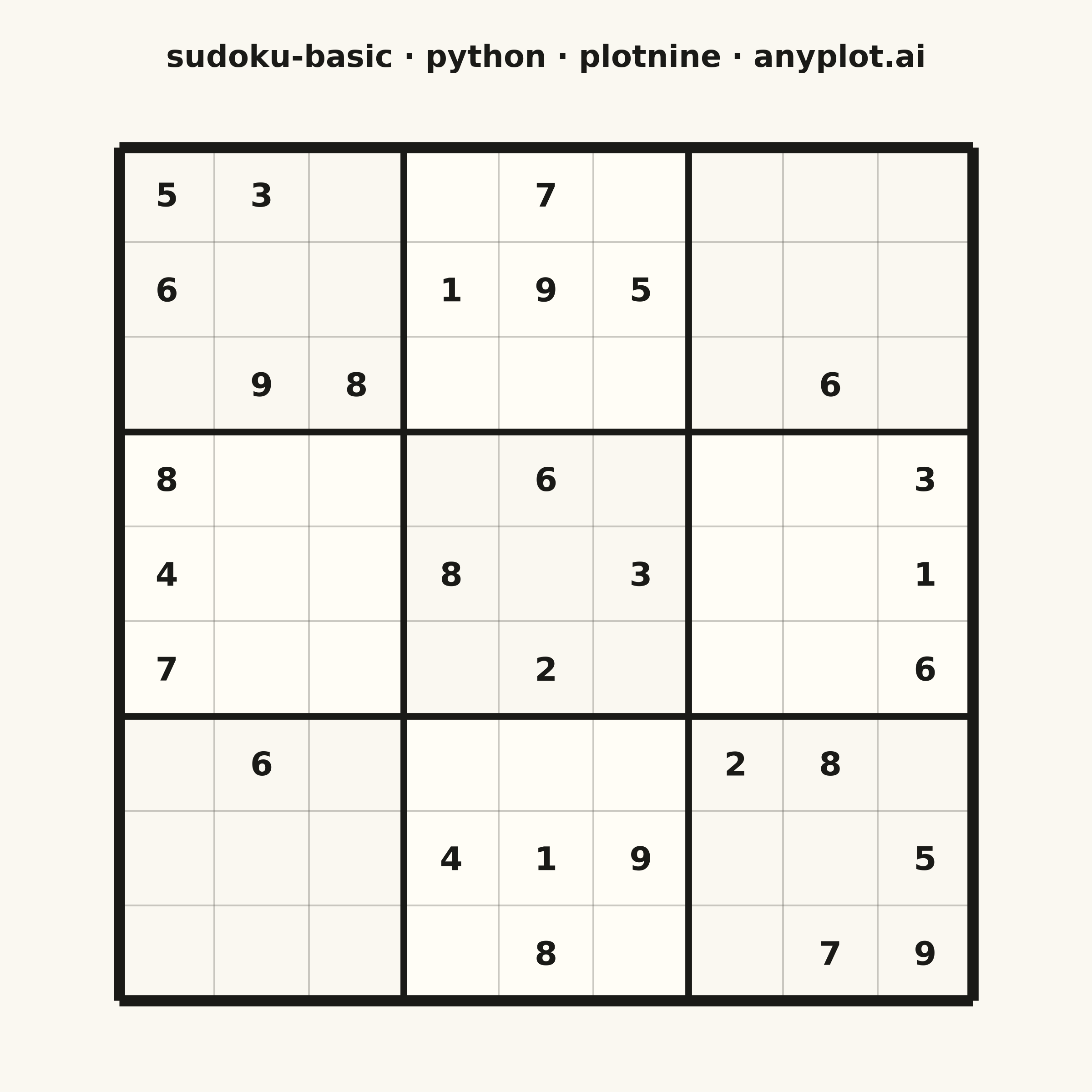
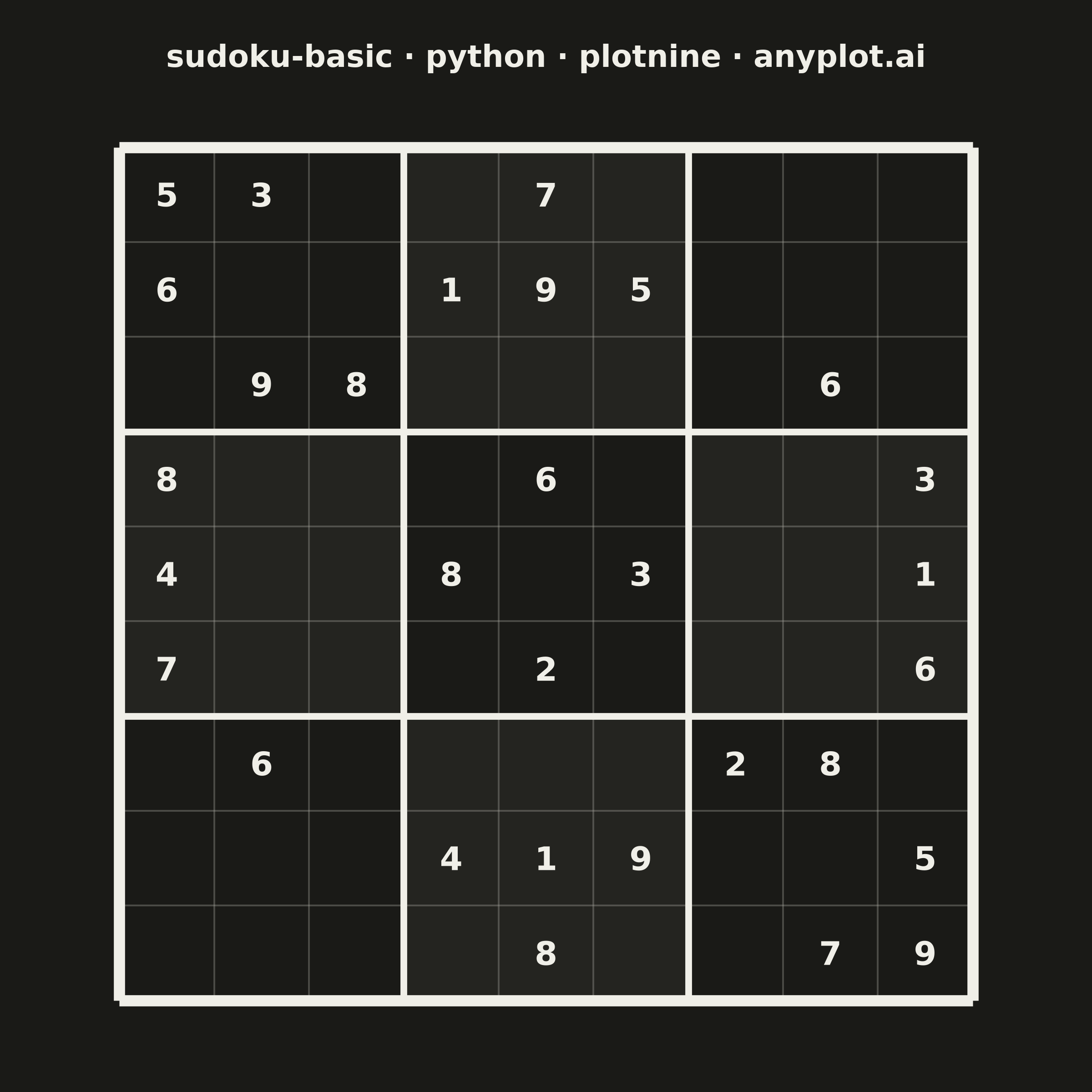
A standard 9×9 Sudoku grid with proper visual hierarchy showing 3×3 box regions. Thick lines separate the nine boxes while thin lines divide individual cells. The clean black-and-white design is optimized for printing and solving puzzles.
""" anyplot.ai
sudoku-basic: Basic Sudoku Grid
Library: plotnine 0.15.7 | Python 3.13.14
Quality: 87/100 | Updated: 2026-06-25
"""

import sys


sys.path.pop(0)  # prevent this file from shadowing the plotnine package

import os

import pandas as pd
from plotnine import (
    aes,
    coord_fixed,
    element_rect,
    element_text,
    geom_segment,
    geom_text,
    geom_tile,
    ggplot,
    labs,
    theme,
    theme_void,
)


# Theme tokens
THEME = os.getenv("ANYPLOT_THEME", "light")
PAGE_BG = "#FAF8F1" if THEME == "light" else "#1A1A17"
ELEVATED_BG = "#FFFDF6" if THEME == "light" else "#242420"
INK = "#1A1A17" if THEME == "light" else "#F0EFE8"
INK_MUTED = "#6B6A63" if THEME == "light" else "#A8A79F"

# Data - a classic partially filled Sudoku puzzle
grid = [
    [5, 3, 0, 0, 7, 0, 0, 0, 0],
    [6, 0, 0, 1, 9, 5, 0, 0, 0],
    [0, 9, 8, 0, 0, 0, 0, 6, 0],
    [8, 0, 0, 0, 6, 0, 0, 0, 3],
    [4, 0, 0, 8, 0, 3, 0, 0, 1],
    [7, 0, 0, 0, 2, 0, 0, 0, 6],
    [0, 6, 0, 0, 0, 0, 2, 8, 0],
    [0, 0, 0, 4, 1, 9, 0, 0, 5],
    [0, 0, 0, 0, 8, 0, 0, 7, 9],
]

# Cell number positions (row 0 at top → y=8.5)
cells = []
for row in range(9):
    for col in range(9):
        value = grid[row][col]
        cells.append({"x": col + 0.5, "y": 8.5 - row, "value": str(value) if value != 0 else ""})
df_cells = pd.DataFrame(cells)

# Alternating 3×3 box backgrounds — subtle checkerboard for visual box differentiation
boxes_a = []  # PAGE_BG shade
boxes_b = []  # ELEVATED_BG shade
for br in range(3):
    for bc in range(3):
        cx = bc * 3 + 1.5
        cy = (2 - br) * 3 + 1.5
        if (br + bc) % 2 == 0:
            boxes_a.append({"x": cx, "y": cy})
        else:
            boxes_b.append({"x": cx, "y": cy})
df_boxes_a = pd.DataFrame(boxes_a)
df_boxes_b = pd.DataFrame(boxes_b)

# Thin grid lines (cell divisions only — skips 3×3 box positions)
thin_lines = []
for i in range(1, 9):
    if i % 3 != 0:
        thin_lines.append({"x": i, "xend": i, "y": 0, "yend": 9})
        thin_lines.append({"x": 0, "xend": 9, "y": i, "yend": i})
df_thin = pd.DataFrame(thin_lines)

# Interior box boundary lines (3×3 separators, not the outer border)
box_lines = []
for i in [3, 6]:
    box_lines.append({"x": i, "xend": i, "y": 0, "yend": 9})
    box_lines.append({"x": 0, "xend": 9, "y": i, "yend": i})
df_box = pd.DataFrame(box_lines)

# Outer border — slightly thicker than box lines for three-level visual hierarchy
outer_border = [
    {"x": 0, "xend": 9, "y": 0, "yend": 0},
    {"x": 0, "xend": 9, "y": 9, "yend": 9},
    {"x": 0, "xend": 0, "y": 0, "yend": 9},
    {"x": 9, "xend": 9, "y": 0, "yend": 9},
]
df_outer = pd.DataFrame(outer_border)

# Plot
title = "sudoku-basic · python · plotnine · anyplot.ai"
plot = (
    ggplot()
    + geom_tile(data=df_boxes_a, mapping=aes(x="x", y="y"), fill=PAGE_BG, color="none", width=3, height=3)
    + geom_tile(data=df_boxes_b, mapping=aes(x="x", y="y"), fill=ELEVATED_BG, color="none", width=3, height=3)
    + geom_segment(
        data=df_thin, mapping=aes(x="x", y="y", xend="xend", yend="yend"), color=INK_MUTED, size=0.4, alpha=0.35
    )
    + geom_segment(data=df_box, mapping=aes(x="x", y="y", xend="xend", yend="yend"), color=INK, size=1.5)
    + geom_segment(data=df_outer, mapping=aes(x="x", y="y", xend="xend", yend="yend"), color=INK, size=2.5)
    + geom_text(data=df_cells, mapping=aes(x="x", y="y", label="value"), size=13, color=INK, fontweight="bold")
    + labs(title=title)
    + coord_fixed(ratio=1, xlim=(-0.05, 9.05), ylim=(-0.05, 9.05))
    + theme_void()
    + theme(
        figure_size=(6, 6),
        plot_background=element_rect(fill=PAGE_BG, color=PAGE_BG),
        panel_background=element_rect(fill=PAGE_BG, color=PAGE_BG),
        plot_title=element_text(size=12, ha="center", weight="bold", color=INK, margin={"b": 10}),
        plot_margin=0.04,
    )
)

# Save
plot.save(f"plot-{THEME}.png", dpi=400, width=6, height=6, units="in", verbose=False)
Runnable source as JSON, for any HTTP client: https://api.anyplot.ai/specs/sudoku-basic/plotnine/code. Any spec id and library id listed in llms-full.txt fit the same URL shape; every URL below is complete and callable.
{
  "spec_id": "sudoku-basic",
  "language": "python",
  "library": "plotnine",
  "page": "https://anyplot.ai/sudoku-basic/python/plotnine",
  "hub": "https://anyplot.ai/sudoku-basic",
  "code_json": "https://api.anyplot.ai/specs/sudoku-basic/plotnine/code",
  "spec_json": "https://api.anyplot.ai/specs/sudoku-basic",
  "render_light_png": "https://storage.googleapis.com/anyplot-images/plots/sudoku-basic/python/plotnine/plot-light.png",
  "render_dark_png": "https://storage.googleapis.com/anyplot-images/plots/sudoku-basic/python/plotnine/plot-dark.png",
  "quality_score": 87.0,
  "license": "MIT",
  "guide": "https://anyplot.ai/llms.txt"
}
Part of Basic Sudoku Grid on anyplot.ai.