The same plot in 14 other libraries — Python: Altair, Bokeh, lets-plot, Matplotlib, Plotly, plotnine, Seaborn; R: ggplot2; Julia: Makie.jl; JavaScript: Chart.js, D3.js, Apache ECharts, Highcharts, MUI X Charts. Compare all 15 side by side: Basic Sudoku Grid in Python, R, Julia and JavaScript.
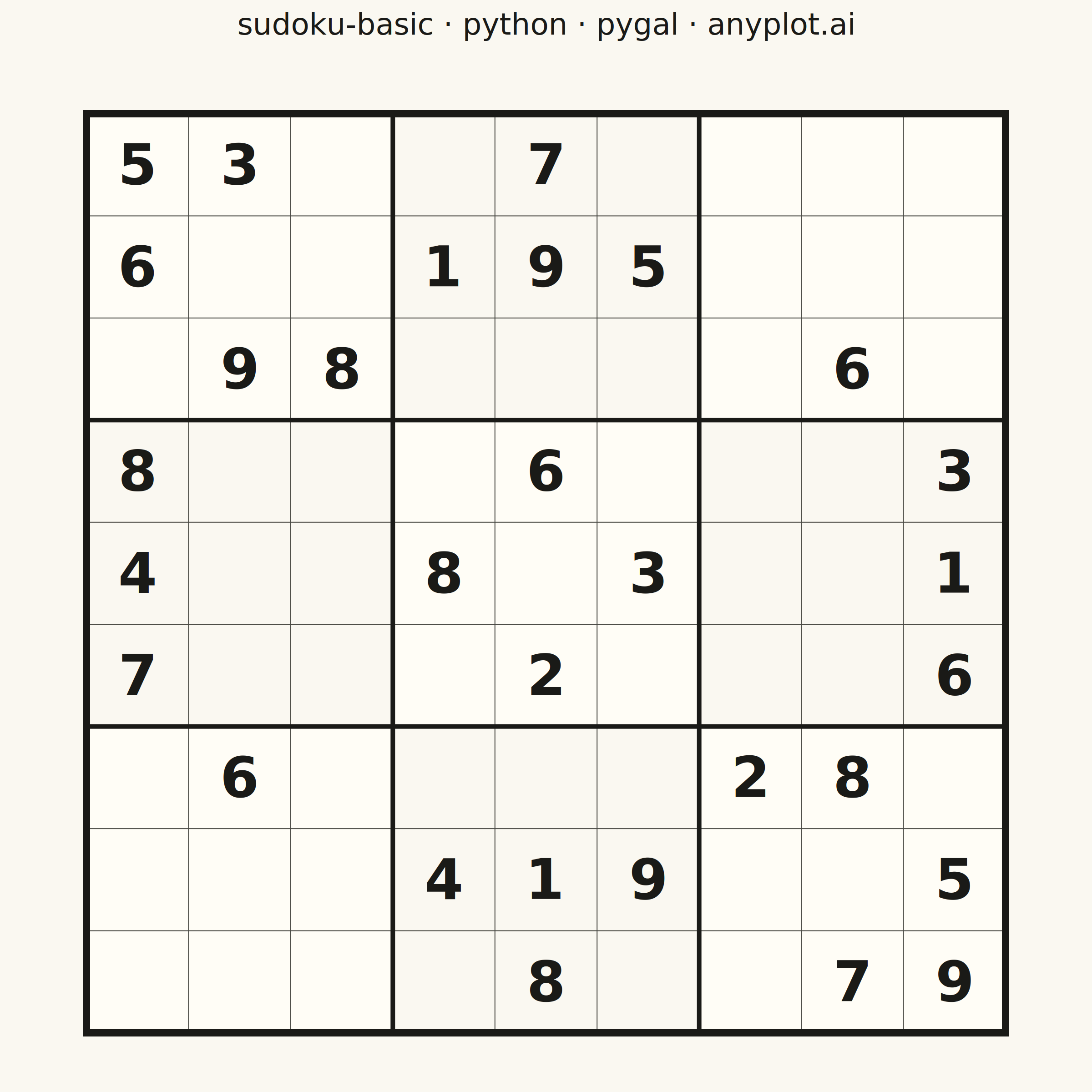
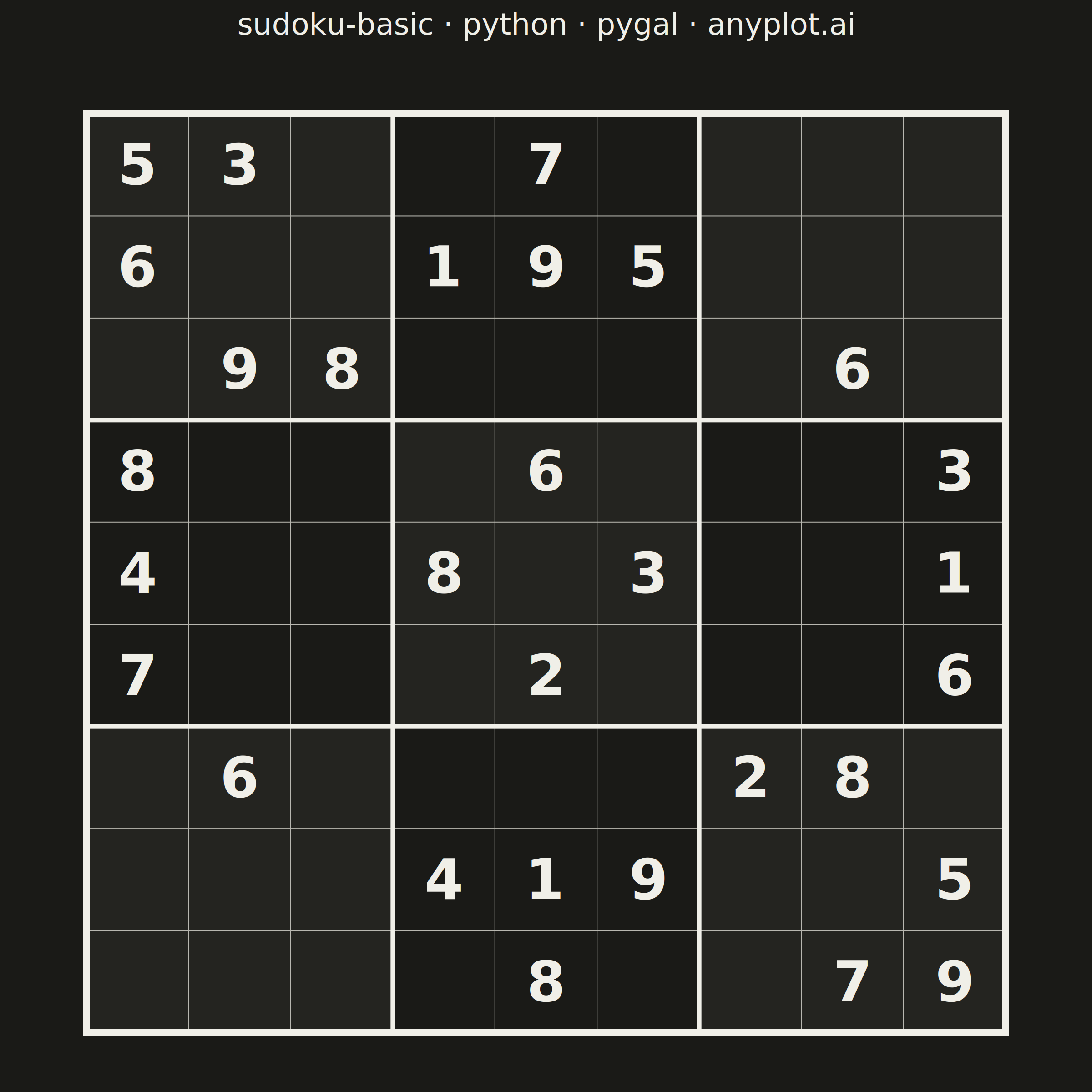
A standard 9×9 Sudoku grid with proper visual hierarchy showing 3×3 box regions. Thick lines separate the nine boxes while thin lines divide individual cells. The clean black-and-white design is optimized for printing and solving puzzles.
""" anyplot.ai
sudoku-basic: Basic Sudoku Grid
Library: pygal 3.1.3 | Python 3.13.14
Quality: 88/100 | Updated: 2026-06-25
"""

import os
import sys
import xml.etree.ElementTree as ET


# Drop script dir from sys.path so `import pygal` resolves to the library, not this file
sys.path[:] = [p for p in sys.path if p not in ("", ".", os.path.dirname(os.path.abspath(__file__)))]

import cairosvg
import pygal
from pygal.style import Style


# Theme tokens
THEME = os.getenv("ANYPLOT_THEME", "light")
PAGE_BG = "#FAF8F1" if THEME == "light" else "#1A1A17"
ELEVATED_BG = "#FFFDF6" if THEME == "light" else "#242420"
INK = "#1A1A17" if THEME == "light" else "#F0EFE8"
INK_SOFT = "#4A4A44" if THEME == "light" else "#B8B7B0"
INK_MUTED = "#6B6A63" if THEME == "light" else "#A8A79F"

# Data: classic Sudoku puzzle (0 = empty cell)
grid = [
    [5, 3, 0, 0, 7, 0, 0, 0, 0],
    [6, 0, 0, 1, 9, 5, 0, 0, 0],
    [0, 9, 8, 0, 0, 0, 0, 6, 0],
    [8, 0, 0, 0, 6, 0, 0, 0, 3],
    [4, 0, 0, 8, 0, 3, 0, 0, 1],
    [7, 0, 0, 0, 2, 0, 0, 0, 6],
    [0, 6, 0, 0, 0, 0, 2, 8, 0],
    [0, 0, 0, 4, 1, 9, 0, 0, 5],
    [0, 0, 0, 0, 8, 0, 0, 7, 9],
]

# Title with required language token; 42 chars < 67-char baseline → font stays at default 66
title = "sudoku-basic · python · pygal · anyplot.ai"
title_font_size = 66

custom_style = Style(
    background=PAGE_BG,
    plot_background=PAGE_BG,
    foreground=INK,
    foreground_strong=INK,
    foreground_subtle=INK_MUTED,
    colors=(INK,),  # monochrome — spec requires clean black-and-white design
    title_font_size=title_font_size,
    label_font_size=56,
    major_label_font_size=44,
    legend_font_size=44,
    value_font_size=36,
    font_family="DejaVu Sans, Arial, sans-serif",
)

# Square canvas — canonical 2400×2400 for symmetric grid layouts
CANVAS = 2400

chart = pygal.Bar(
    width=CANVAS,
    height=CANVAS,
    style=custom_style,
    title=title,
    show_legend=False,
    show_x_labels=False,
    show_y_labels=False,
    show_x_guides=False,
    show_y_guides=False,
    margin=50,
    margin_top=150,
    no_data_text="",
)

# No data added — pygal renders title + background; render_tree() gives us the SVG to extend
svg_root = chart.render_tree()

# Clear any pygal plot/overlay groups (no-data placeholder, empty chart frame)
SVG_NS = "{http://www.w3.org/2000/svg}"
for plot_group in list(svg_root.iter(f"{SVG_NS}g")):
    cls = plot_group.attrib.get("class", "")
    if cls.startswith("plot"):
        plot_group.clear()
        plot_group.set("class", cls)

# Sudoku geometry — centered below the title with generous margins
TOP = 230
BOTTOM = 110
SIDE = 190
GRID_SIZE = min(CANVAS - 2 * SIDE, CANVAS - TOP - BOTTOM)
CELL = GRID_SIZE / 9
GRID_X = (CANVAS - GRID_SIZE) / 2
GRID_Y = TOP + (CANVAS - TOP - BOTTOM - GRID_SIZE) / 2

sudoku = ET.SubElement(svg_root, "g", {"class": "sudoku"})

# Base grid background
ET.SubElement(
    sudoku,
    "rect",
    {"x": str(GRID_X), "y": str(GRID_Y), "width": str(GRID_SIZE), "height": str(GRID_SIZE), "fill": PAGE_BG},
)

# Alternating 3×3 box fills — checkerboard elevation reinforces regional grouping (DE-03)
for box_row in range(3):
    for box_col in range(3):
        if (box_row + box_col) % 2 == 0:
            bx = GRID_X + box_col * CELL * 3
            by = GRID_Y + box_row * CELL * 3
            ET.SubElement(
                sudoku,
                "rect",
                {"x": str(bx), "y": str(by), "width": str(CELL * 3), "height": str(CELL * 3), "fill": ELEVATED_BG},
            )

# Thin lines — individual cell boundaries (skip 3×3 box positions)
for i in range(1, 9):
    if i % 3 == 0:
        continue
    x = GRID_X + i * CELL
    y = GRID_Y + i * CELL
    ET.SubElement(
        sudoku,
        "line",
        {
            "x1": str(x),
            "y1": str(GRID_Y),
            "x2": str(x),
            "y2": str(GRID_Y + GRID_SIZE),
            "stroke": INK_SOFT,
            "stroke-width": "2",
        },
    )
    ET.SubElement(
        sudoku,
        "line",
        {
            "x1": str(GRID_X),
            "y1": str(y),
            "x2": str(GRID_X + GRID_SIZE),
            "y2": str(y),
            "stroke": INK_SOFT,
            "stroke-width": "2",
        },
    )

# Medium lines — internal 3×3 box dividers (10px)
for i in [3, 6]:
    x = GRID_X + i * CELL
    y = GRID_Y + i * CELL
    ET.SubElement(
        sudoku,
        "line",
        {
            "x1": str(x),
            "y1": str(GRID_Y),
            "x2": str(x),
            "y2": str(GRID_Y + GRID_SIZE),
            "stroke": INK,
            "stroke-width": "10",
            "stroke-linecap": "square",
        },
    )
    ET.SubElement(
        sudoku,
        "line",
        {
            "x1": str(GRID_X),
            "y1": str(y),
            "x2": str(GRID_X + GRID_SIZE),
            "y2": str(y),
            "stroke": INK,
            "stroke-width": "10",
            "stroke-linecap": "square",
        },
    )

# Heavy outer border (16px) — three-level weight hierarchy: cell(2) / box(10) / border(16)
ET.SubElement(
    sudoku,
    "rect",
    {
        "x": str(GRID_X),
        "y": str(GRID_Y),
        "width": str(GRID_SIZE),
        "height": str(GRID_SIZE),
        "fill": "none",
        "stroke": INK,
        "stroke-width": "16",
    },
)

# Numbers — monochrome ink, bold, centered within cells (dominant-baseline for precise alignment)
font_size = int(CELL * 0.55)
for row in range(9):
    for col in range(9):
        value = grid[row][col]
        if value == 0:
            continue
        cx = GRID_X + col * CELL + CELL / 2
        cy = GRID_Y + row * CELL + CELL / 2
        text_node = ET.SubElement(
            sudoku,
            "text",
            {
                "x": str(cx),
                "y": str(cy),
                "text-anchor": "middle",
                "dominant-baseline": "central",
                "fill": INK,
                "style": f"font-size:{font_size}px;font-weight:bold;font-family:DejaVu Sans,Arial,sans-serif;",
            },
        )
        text_node.text = str(value)

# Save
svg_bytes = ET.tostring(svg_root, xml_declaration=True, encoding="utf-8")
cairosvg.svg2png(bytestring=svg_bytes, write_to=f"plot-{THEME}.png", output_width=CANVAS, output_height=CANVAS)

html_page = (
    f'<!DOCTYPE html><html><head><meta charset="utf-8">'
    f"<title>sudoku-basic · python · pygal · anyplot.ai</title></head>"
    f'<body style="margin:0;background:{PAGE_BG};display:flex;'
    f'justify-content:center;align-items:center;min-height:100vh;">'
    f"{svg_bytes.decode('utf-8')}"
    f"</body></html>"
)
with open(f"plot-{THEME}.html", "w", encoding="utf-8") as f:
    f.write(html_page)
Runnable source as JSON, for any HTTP client: https://api.anyplot.ai/specs/sudoku-basic/pygal/code. Any spec id and library id listed in llms-full.txt fit the same URL shape; every URL below is complete and callable.
{
  "spec_id": "sudoku-basic",
  "language": "python",
  "library": "pygal",
  "page": "https://anyplot.ai/sudoku-basic/python/pygal",
  "hub": "https://anyplot.ai/sudoku-basic",
  "code_json": "https://api.anyplot.ai/specs/sudoku-basic/pygal/code",
  "spec_json": "https://api.anyplot.ai/specs/sudoku-basic",
  "render_light_png": "https://storage.googleapis.com/anyplot-images/plots/sudoku-basic/python/pygal/plot-light.png",
  "render_dark_png": "https://storage.googleapis.com/anyplot-images/plots/sudoku-basic/python/pygal/plot-dark.png",
  "interactive_light_html": "https://storage.googleapis.com/anyplot-images/plots/sudoku-basic/python/pygal/plot-light.html",
  "interactive_dark_html": "https://storage.googleapis.com/anyplot-images/plots/sudoku-basic/python/pygal/plot-dark.html",
  "quality_score": 88.0,
  "license": "MIT",
  "guide": "https://anyplot.ai/llms.txt"
}
Part of Basic Sudoku Grid on anyplot.ai.