The same plot in 14 other libraries — JavaScript: Chart.js, Apache ECharts, Highcharts, MUI X Charts; Python: Altair, Bokeh, lets-plot, Matplotlib, Plotly, plotnine, Pygal, Seaborn; R: ggplot2; Julia: Makie.jl. Compare all 15 side by side: Basic QR Code Generator in Python, R, Julia and JavaScript.
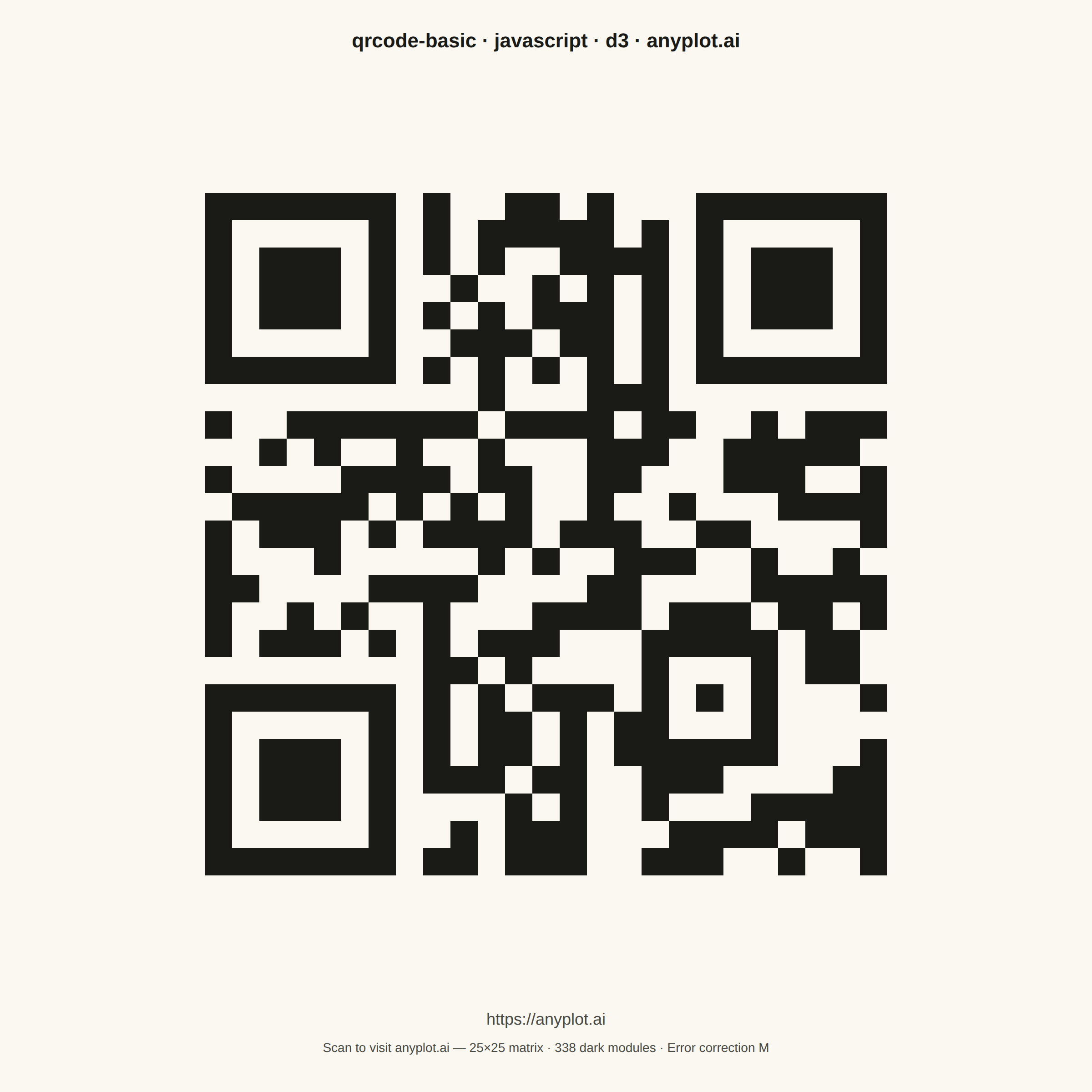
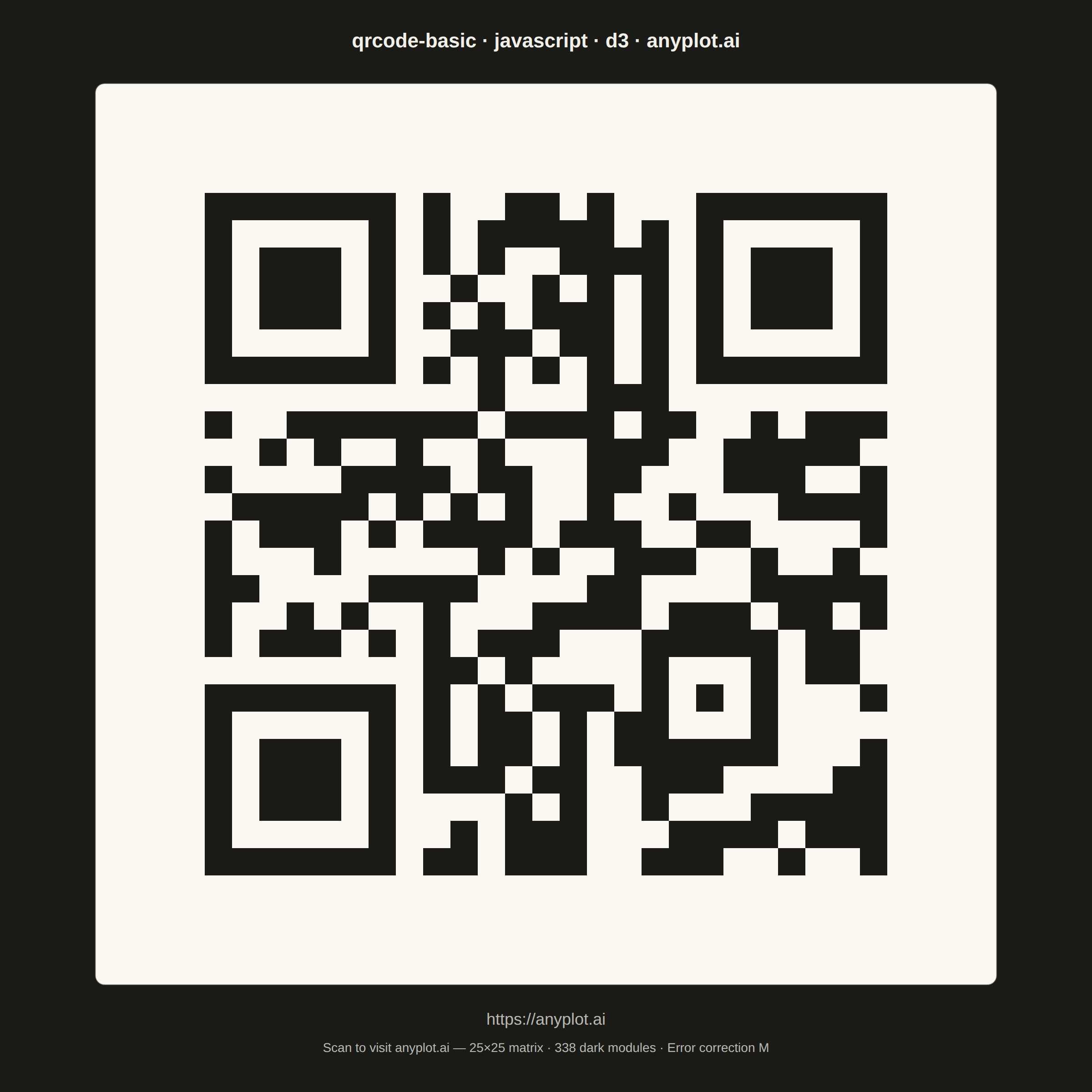
A QR (Quick Response) code visualization that encodes text or URL data into a square matrix barcode pattern. QR codes are two-dimensional barcodes that store information in a grid of black and white squares, readable by smartphones and dedicated scanners. This visualization is useful for generating scannable codes for quick data sharing and mobile access.
// anyplot.ai
// qrcode-basic: Basic QR Code Generator
// Library: d3 7.9.0 | JavaScript 22.22.3
// Quality: 88/100 | Created: 2026-06-24

//# anyplot-orientation: square

const t = window.ANYPLOT_TOKENS;
const { width, height } = window.ANYPLOT_SIZE;

const ENCODED_URL = "https://anyplot.ai";

// QR code matrix for https://anyplot.ai (Version 2, Error Correction M)
const QR_MATRIX = [
  [1,1,1,1,1,1,1,0,1,0,0,1,1,0,1,0,0,0,1,1,1,1,1,1,1],
  [1,0,0,0,0,0,1,0,1,0,1,1,1,1,1,0,1,0,1,0,0,0,0,0,1],
  [1,0,1,1,1,0,1,0,1,0,1,0,0,1,1,1,1,0,1,0,1,1,1,0,1],
  [1,0,1,1,1,0,1,0,0,1,0,0,1,0,1,0,1,0,1,0,1,1,1,0,1],
  [1,0,1,1,1,0,1,0,1,0,1,0,1,1,1,0,1,0,1,0,1,1,1,0,1],
  [1,0,0,0,0,0,1,0,0,1,1,1,0,1,1,0,1,0,1,0,0,0,0,0,1],
  [1,1,1,1,1,1,1,0,1,0,1,0,1,0,1,0,1,0,1,1,1,1,1,1,1],
  [0,0,0,0,0,0,0,0,0,0,1,0,0,0,1,1,1,0,0,0,0,0,0,0,0],
  [1,0,0,1,1,1,1,1,1,1,0,1,1,1,1,0,1,1,0,0,1,0,1,1,1],
  [0,0,1,0,1,0,0,1,0,0,1,0,0,0,1,1,1,0,0,1,1,1,1,1,0],
  [1,0,0,0,0,1,1,1,1,0,1,1,0,0,1,1,0,0,0,1,1,1,0,0,1],
  [0,1,1,1,1,1,0,1,0,1,0,1,0,0,1,0,0,1,0,0,0,1,1,1,1],
  [1,0,1,1,1,0,1,0,1,1,1,1,0,1,1,1,0,0,1,1,0,0,0,0,1],
  [1,0,0,0,1,0,0,0,0,0,1,0,1,0,0,1,1,1,0,0,1,0,0,1,0],
  [1,1,0,0,0,0,1,1,1,1,0,0,0,0,1,1,0,0,0,0,1,1,1,1,1],
  [1,0,0,1,0,1,0,0,1,0,0,0,1,1,1,1,0,1,1,1,0,1,1,0,1],
  [1,0,1,1,1,0,1,0,1,0,1,1,1,0,0,0,1,1,1,1,1,0,1,1,0],
  [0,0,0,0,0,0,0,0,1,1,0,1,0,0,0,0,1,0,0,0,1,0,1,1,0],
  [1,1,1,1,1,1,1,0,1,0,1,0,1,1,1,0,1,0,1,0,1,0,0,0,1],
  [1,0,0,0,0,0,1,0,1,0,1,1,0,1,0,1,1,0,0,0,1,0,0,0,0],
  [1,0,1,1,1,0,1,0,1,0,1,1,0,1,0,1,1,1,1,1,1,0,0,0,1],
  [1,0,1,1,1,0,1,0,1,1,1,0,1,1,0,0,1,1,1,0,0,0,0,1,1],
  [1,0,1,1,1,0,1,0,0,0,0,1,0,1,0,0,1,0,0,0,1,1,1,1,1],
  [1,0,0,0,0,0,1,0,0,1,0,1,1,1,0,0,0,1,1,1,1,0,1,1,1],
  [1,1,1,1,1,1,1,0,1,1,0,1,1,1,0,0,1,1,1,0,0,1,0,0,1],
];

const QR_SIZE = QR_MATRIX.length;
const QUIET_ZONE = 4;
const TOTAL_MODULES = QR_SIZE + QUIET_ZONE * 2;

// Flatten QR matrix to cell objects for D3 data binding
const cells = QR_MATRIX.flatMap((row, ri) =>
  row.map((val, ci) => ({ row: ri, col: ci, on: val === 1 }))
);
const darkModules = cells.filter(d => d.on);

// Layout
const TITLE_Y = 52;
const QR_TOP = TITLE_Y + 40;
const LABEL_RESERVE = 100;
const CELL_SIZE = Math.floor(
  Math.min((width - 80) / TOTAL_MODULES, (height - QR_TOP - LABEL_RESERVE) / TOTAL_MODULES)
);
const QR_PX = CELL_SIZE * TOTAL_MODULES;
const QR_X = Math.floor((width - QR_PX) / 2);
const QR_Y = QR_TOP;

// D3 linear scales — map module grid indices to pixel coordinates
const xScale = d3.scaleLinear()
  .domain([0, TOTAL_MODULES])
  .range([QR_X, QR_X + QR_PX]);

const yScale = d3.scaleLinear()
  .domain([0, TOTAL_MODULES])
  .range([QR_Y, QR_Y + QR_PX]);

// QR module colors — fixed high-contrast pair for reliable scanning
const MODULE_ON = "#1A1A17";
const MODULE_OFF = "#FAF8F1";

// SVG mount
const svg = d3.select("#container").append("svg")
  .attr("width", width).attr("height", height);

// QR card background (warm white, covers quiet zone)
svg.append("rect")
  .attr("x", QR_X)
  .attr("y", QR_Y)
  .attr("width", QR_PX)
  .attr("height", QR_PX)
  .attr("fill", MODULE_OFF)
  .attr("rx", 10)
  .attr("ry", 10);

// Dark-theme card border for visual separation
if (window.ANYPLOT_THEME === "dark") {
  svg.append("rect")
    .attr("x", QR_X)
    .attr("y", QR_Y)
    .attr("width", QR_PX)
    .attr("height", QR_PX)
    .attr("fill", "none")
    .attr("stroke", t.inkSoft)
    .attr("stroke-width", 1.5)
    .attr("stroke-opacity", 0.25)
    .attr("rx", 10)
    .attr("ry", 10);
}

// QR modules — D3 data binding: xScale/yScale position each module via grid coordinates
svg.selectAll("rect.module")
  .data(darkModules)
  .join("rect")
  .attr("class", "module")
  .attr("x", d => xScale(QUIET_ZONE + d.col))
  .attr("y", d => yScale(QUIET_ZONE + d.row))
  .attr("width", CELL_SIZE)
  .attr("height", CELL_SIZE)
  .attr("fill", MODULE_ON);

// Title
svg.append("text")
  .attr("x", width / 2)
  .attr("y", TITLE_Y)
  .attr("text-anchor", "middle")
  .attr("fill", t.ink)
  .style("font-size", "22px")
  .style("font-weight", "600")
  .text("qrcode-basic · javascript · d3 · anyplot.ai");

// URL label below QR code
const LABEL_Y = QR_Y + QR_PX + 44;
svg.append("text")
  .attr("x", width / 2)
  .attr("y", LABEL_Y)
  .attr("text-anchor", "middle")
  .attr("fill", t.inkSoft)
  .style("font-size", "18px")
  .text(ENCODED_URL);

// Caption — scan context and matrix stats
svg.append("text")
  .attr("x", width / 2)
  .attr("y", LABEL_Y + 30)
  .attr("text-anchor", "middle")
  .attr("fill", t.inkSoft)
  .style("font-size", "14px")
  .text(`Scan to visit anyplot.ai — ${QR_SIZE}×${QR_SIZE} matrix · ${darkModules.length} dark modules · Error correction M`);
Runnable source as JSON, for any HTTP client: https://api.anyplot.ai/specs/qrcode-basic/d3/code. Any spec id and library id listed in llms-full.txt fit the same URL shape; every URL below is complete and callable.
{
  "spec_id": "qrcode-basic",
  "language": "javascript",
  "library": "d3",
  "page": "https://anyplot.ai/qrcode-basic/javascript/d3",
  "hub": "https://anyplot.ai/qrcode-basic",
  "code_json": "https://api.anyplot.ai/specs/qrcode-basic/d3/code",
  "spec_json": "https://api.anyplot.ai/specs/qrcode-basic",
  "render_light_png": "https://storage.googleapis.com/anyplot-images/plots/qrcode-basic/javascript/d3/plot-light.png",
  "render_dark_png": "https://storage.googleapis.com/anyplot-images/plots/qrcode-basic/javascript/d3/plot-dark.png",
  "interactive_light_html": "https://storage.googleapis.com/anyplot-images/plots/qrcode-basic/javascript/d3/plot-light.html",
  "interactive_dark_html": "https://storage.googleapis.com/anyplot-images/plots/qrcode-basic/javascript/d3/plot-dark.html",
  "quality_score": 88.0,
  "license": "MIT",
  "guide": "https://anyplot.ai/llms.txt"
}
Part of Basic QR Code Generator on anyplot.ai.