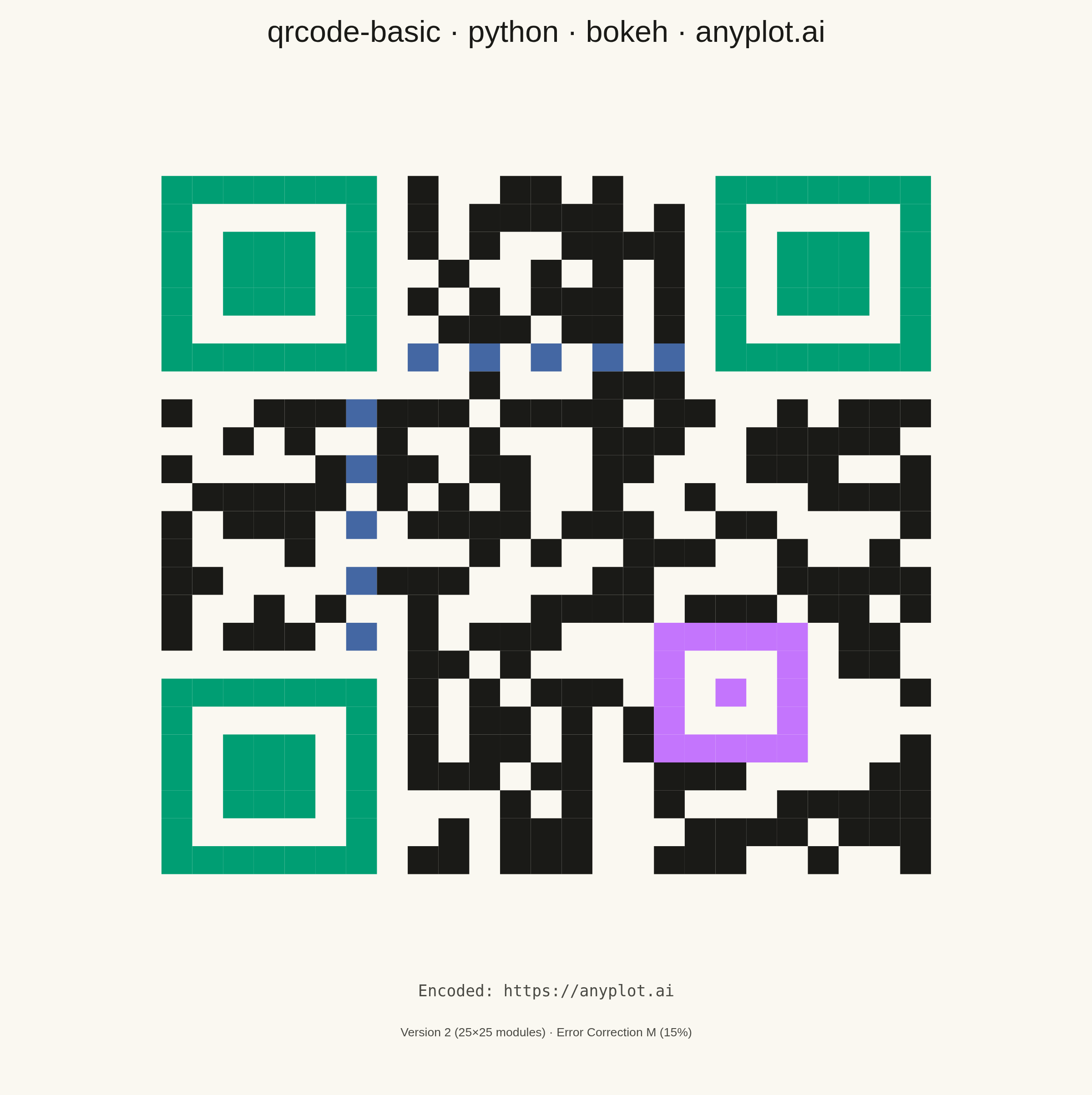
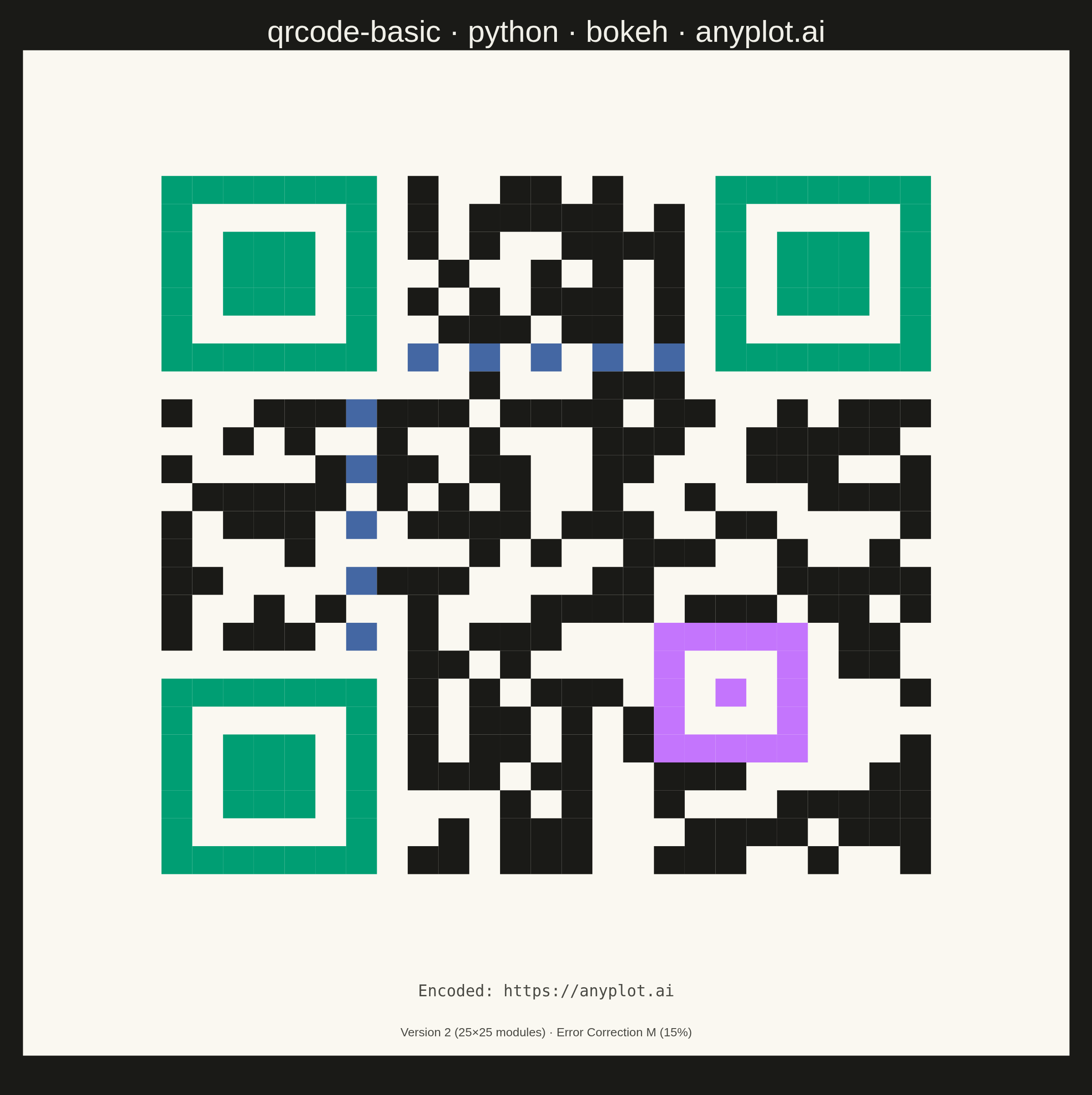
The same plot in 14 other libraries — Python: Altair, lets-plot, Matplotlib, Plotly, plotnine, Pygal, Seaborn; R: ggplot2; Julia: Makie.jl; JavaScript: Chart.js, D3.js, Apache ECharts, Highcharts, MUI X Charts. Compare all 15 side by side: Basic QR Code Generator in Python, R, Julia and JavaScript.
A QR (Quick Response) code visualization that encodes text or URL data into a square matrix barcode pattern. QR codes are two-dimensional barcodes that store information in a grid of black and white squares, readable by smartphones and dedicated scanners. This visualization is useful for generating scannable codes for quick data sharing and mobile access.
""" anyplot.ai
qrcode-basic: Basic QR Code Generator
Library: bokeh 3.9.1 | Python 3.13.14
Quality: 88/100 | Updated: 2026-06-24
"""

import os
import sys


# Prevent self-import: this file is named bokeh.py, which shadows the installed
# bokeh package when its directory sits at the front of sys.path.
_this_dir = os.path.dirname(os.path.abspath(__file__))
sys.path = [p for p in sys.path if os.path.abspath(p or ".") != _this_dir]

import time
from pathlib import Path

import numpy as np
import qrcode
from bokeh.io import output_file, save
from bokeh.models import ColumnDataSource, HoverTool, Label
from bokeh.plotting import figure
from selenium import webdriver
from selenium.webdriver.chrome.options import Options


# Theme tokens
THEME = os.getenv("ANYPLOT_THEME", "light")
PAGE_BG = "#FAF8F1" if THEME == "light" else "#1A1A17"
ELEVATED_BG = "#FFFDF6" if THEME == "light" else "#242420"
INK = "#1A1A17" if THEME == "light" else "#F0EFE8"
INK_SOFT = "#4A4A44" if THEME == "light" else "#B8B7B0"

# Imprint palette — region color assignments for educational color-coding
FINDER_COLOR = "#009E73"  # brand green — distinctive corner markers
TIMING_COLOR = "#4467A3"  # blue — timing grid lines
ALIGN_COLOR = "#C475FD"  # lavender — alignment patterns
DATA_COLOR = "#1A1A17"  # near-black — always dark for scannability

# Data — real, scannable QR code encoding a URL
content = "https://anyplot.ai"
qr = qrcode.QRCode(version=None, error_correction=qrcode.constants.ERROR_CORRECT_M, box_size=1, border=0)
qr.add_data(content)
qr.make(fit=True)

qr_matrix = np.array(qr.get_matrix(), dtype=bool)
size = qr_matrix.shape[0]
quiet_zone = 4
finder_size = 7

# Region classification — flat sets for O(1) lookup per module
finder_cells = set()
for r in range(finder_size):
    for c in range(finder_size):
        finder_cells.add((r, c))
        finder_cells.add((r, size - finder_size + c))
        finder_cells.add((size - finder_size + r, c))

timing_cells = set()
for i in range(finder_size, size - finder_size):
    timing_cells.add((6, i))
    timing_cells.add((i, 6))

alignment_cells = set()
alignment_pos = qrcode.util.pattern_position(qr.version)
for ar in alignment_pos:
    for ac in alignment_pos:
        in_tl = ar <= finder_size + 1 and ac <= finder_size + 1
        in_tr = ar <= finder_size + 1 and ac >= size - finder_size - 2
        in_bl = ar >= size - finder_size - 2 and ac <= finder_size + 1
        if not (in_tl or in_tr or in_bl):
            for dr in range(-2, 3):
                for dc in range(-2, 3):
                    alignment_cells.add((ar + dr, ac + dc))

region_color_map = {"Finder": FINDER_COLOR, "Timing": TIMING_COLOR, "Alignment": ALIGN_COLOR, "Data": DATA_COLOR}

mod_x, mod_y, mod_region, mod_color = [], [], [], []
for row in range(size):
    for col in range(size):
        if qr_matrix[row, col]:
            if (row, col) in finder_cells:
                reg = "Finder"
            elif (row, col) in timing_cells:
                reg = "Timing"
            elif (row, col) in alignment_cells:
                reg = "Alignment"
            else:
                reg = "Data"
            mod_x.append(col + quiet_zone + 0.5)
            mod_y.append(size - row - 1 + quiet_zone + 0.5)
            mod_region.append(reg)
            mod_color.append(region_color_map[reg])

source = ColumnDataSource(data={"x": mod_x, "y": mod_y, "region": mod_region, "color": mod_color})

total_size = size + 2 * quiet_zone

# Title — compute fontsize scaled to character length
title = "qrcode-basic · python · bokeh · anyplot.ai"
n = len(title)
ratio = 67 / n if n > 67 else 1.0
title_fontsize = max(34, round(50 * ratio))

# Plot — 2400×2400 square canvas (canonical size for square/symmetric plots)
p = figure(
    width=2400,
    height=2400,
    title=title,
    x_range=(-0.5, total_size + 0.5),
    y_range=(-2.5, total_size + 0.5),
    tools="",
    toolbar_location=None,
    min_border_bottom=80,
    min_border_left=50,
    min_border_top=110,
    min_border_right=50,
)

# QR area: near-white (#FAF8F1) inner background — scannable and Imprint-palette-compliant
p.background_fill_color = "#FAF8F1"
p.border_fill_color = PAGE_BG
p.outline_line_color = None

p.xaxis.visible = False
p.yaxis.visible = False
p.xgrid.visible = False
p.ygrid.visible = False

# Title
p.title.text_font_size = f"{title_fontsize}pt"
p.title.align = "center"
p.title.text_color = INK
p.title.text_font_style = "normal"
p.title.offset = 10

# Style — QR modules colored by structural region
renderer = p.rect(x="x", y="y", width=1, height=1, source=source, fill_color="color", line_color=None)

# HoverTool — Bokeh's interactive advantage for QR region exploration
hover = HoverTool(renderers=[renderer], tooltips=[("Region", "@region")], mode="mouse")
p.add_tools(hover)

# Footer metadata — compact, two-line
p.add_layout(
    Label(
        x=total_size / 2,
        y=-0.5,
        text=f"Encoded: {content}",
        text_font_size="26pt",
        text_color="#4A4A44",  # always dark — footer renders on near-white QR background
        text_font="monospace",
        text_align="center",
    )
)
p.add_layout(
    Label(
        x=total_size / 2,
        y=-1.9,
        text=f"Version {qr.version} ({size}×{size} modules) · Error Correction M (15%)",
        text_font_size="20pt",
        text_color="#4A4A44",  # always dark — footer renders on near-white QR background
        text_align="center",
    )
)

# Save interactive HTML
output_file(f"plot-{THEME}.html", title="QR Code · anyplot.ai")
save(p)

# Screenshot via headless Chrome — add height buffer for browser viewport offset
W, H = 2400, 2400
WIN_H = H + 150
opts = Options()
for arg in (
    "--headless=new",
    "--no-sandbox",
    "--disable-dev-shm-usage",
    "--disable-gpu",
    f"--window-size={W},{WIN_H}",
    "--hide-scrollbars",
):
    opts.add_argument(arg)
driver = webdriver.Chrome(options=opts)
driver.set_window_size(W, WIN_H)
driver.get(f"file://{Path(f'plot-{THEME}.html').resolve()}")
time.sleep(3)
driver.execute_script(
    "document.body.style.backgroundColor = arguments[0];document.documentElement.style.backgroundColor = arguments[0];",
    PAGE_BG,
)
time.sleep(1)
driver.save_screenshot(f"plot-{THEME}.png")
driver.quit()
Runnable source as JSON, for any HTTP client: https://api.anyplot.ai/specs/qrcode-basic/bokeh/code. Any spec id and library id listed in llms-full.txt fit the same URL shape; every URL below is complete and callable.
{
  "spec_id": "qrcode-basic",
  "language": "python",
  "library": "bokeh",
  "page": "https://anyplot.ai/qrcode-basic/python/bokeh",
  "hub": "https://anyplot.ai/qrcode-basic",
  "code_json": "https://api.anyplot.ai/specs/qrcode-basic/bokeh/code",
  "spec_json": "https://api.anyplot.ai/specs/qrcode-basic",
  "render_light_png": "https://storage.googleapis.com/anyplot-images/plots/qrcode-basic/python/bokeh/plot-light.png",
  "render_dark_png": "https://storage.googleapis.com/anyplot-images/plots/qrcode-basic/python/bokeh/plot-dark.png",
  "interactive_light_html": "https://storage.googleapis.com/anyplot-images/plots/qrcode-basic/python/bokeh/plot-light.html",
  "interactive_dark_html": "https://storage.googleapis.com/anyplot-images/plots/qrcode-basic/python/bokeh/plot-dark.html",
  "quality_score": 88.0,
  "license": "MIT",
  "guide": "https://anyplot.ai/llms.txt"
}
Part of Basic QR Code Generator on anyplot.ai.