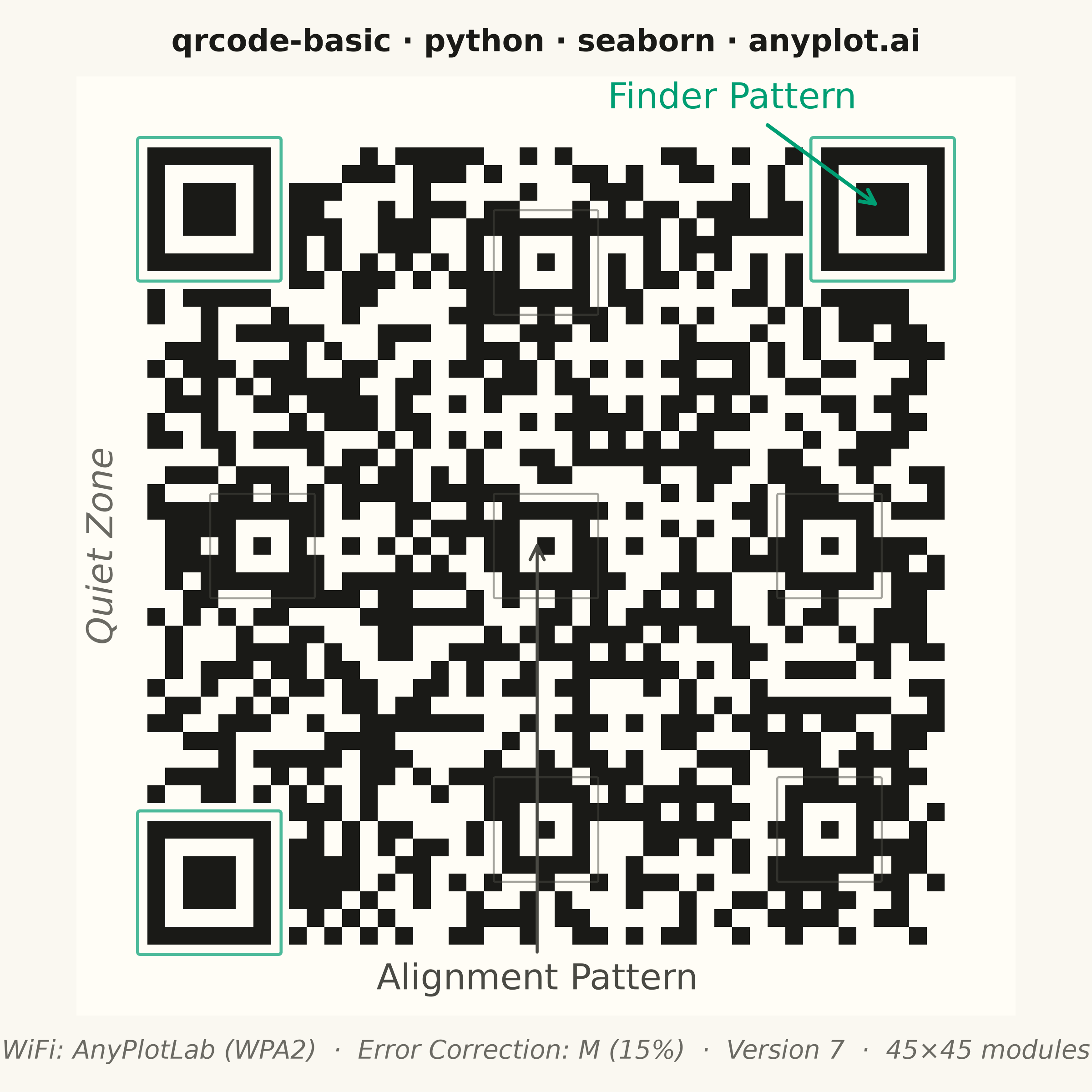
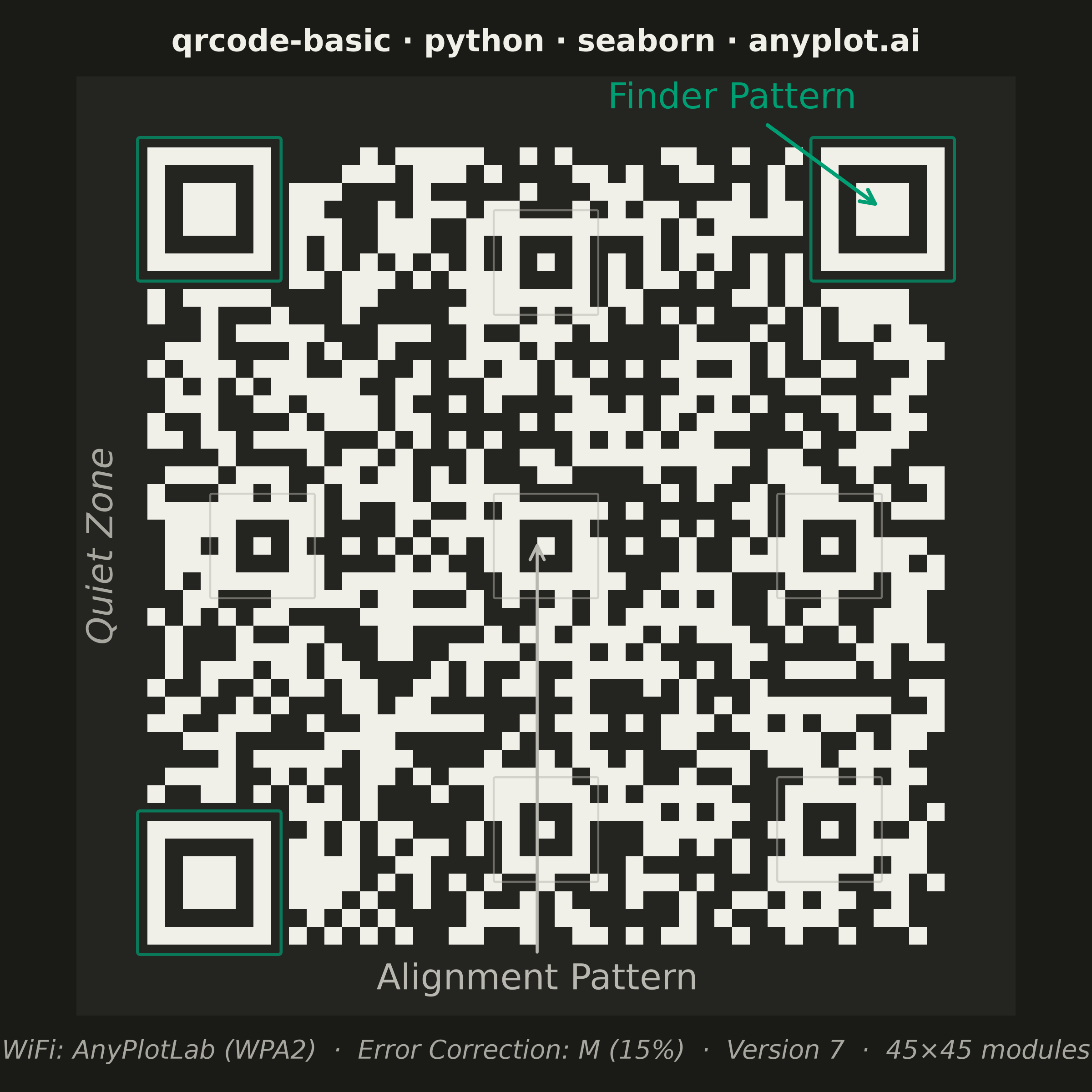
The same plot in 14 other libraries — Python: Altair, Bokeh, lets-plot, Matplotlib, Plotly, plotnine, Pygal; R: ggplot2; Julia: Makie.jl; JavaScript: Chart.js, D3.js, Apache ECharts, Highcharts, MUI X Charts. Compare all 15 side by side: Basic QR Code Generator in Python, R, Julia and JavaScript.
A QR (Quick Response) code visualization that encodes text or URL data into a square matrix barcode pattern. QR codes are two-dimensional barcodes that store information in a grid of black and white squares, readable by smartphones and dedicated scanners. This visualization is useful for generating scannable codes for quick data sharing and mobile access.
""" anyplot.ai
qrcode-basic: Basic QR Code Generator
Library: seaborn 0.13.2 | Python 3.13.14
Quality: 90/100 | Updated: 2026-06-24
"""

import os

import matplotlib.colors as mcolors
import matplotlib.pyplot as plt
import numpy as np
import qrcode
import seaborn as sns
from matplotlib.colors import ListedColormap


# Theme tokens — Imprint palette chrome
THEME = os.getenv("ANYPLOT_THEME", "light")
PAGE_BG = "#FAF8F1" if THEME == "light" else "#1A1A17"
ELEVATED_BG = "#FFFDF6" if THEME == "light" else "#242420"
INK = "#1A1A17" if THEME == "light" else "#F0EFE8"
INK_SOFT = "#4A4A44" if THEME == "light" else "#B8B7B0"
INK_MUTED = "#6B6A63" if THEME == "light" else "#A8A79F"
BRAND = "#009E73"  # Imprint palette position 1

# Configure seaborn with theme-adaptive background
sns.set_theme(
    style="white",
    rc={"figure.facecolor": PAGE_BG, "axes.facecolor": PAGE_BG, "axes.edgecolor": "none", "text.color": INK},
)

# WiFi credentials QR code (spec §Applications: "Generating WiFi network credentials")
# Version 7 (45×45 modules) showcases alignment patterns alongside the three finder patterns
encoded_content = "WIFI:S:AnyPlotLab;T:WPA2;P:OpenDataViz2024!;;"
qr = qrcode.QRCode(version=7, error_correction=qrcode.constants.ERROR_CORRECT_M, box_size=1, border=4)
qr.add_data(encoded_content)
qr.make(fit=False)

# Convert QR matrix to numpy array (includes 4-cell quiet zone on each side)
qr_matrix = np.array(qr.get_matrix(), dtype=np.uint8)
border = 4
n_modules = qr_matrix.shape[0] - 2 * border  # 45 for version 7

# QR colormap: 0=empty (elevated bg) → 1=filled module (ink) — theme-adaptive
qr_cmap = ListedColormap([ELEVATED_BG, INK])

# Square canvas: 2400×2400 px (figsize=(6,6) × dpi=400)
fig, ax = plt.subplots(figsize=(6, 6), dpi=400)
fig.set_facecolor(PAGE_BG)
ax.set_facecolor(PAGE_BG)

sns.heatmap(
    qr_matrix,
    ax=ax,
    cmap=qr_cmap,
    vmin=0,
    vmax=1,
    square=True,
    cbar=False,
    xticklabels=False,
    yticklabels=False,
    linewidths=0,
)

# Build region overlay matrix — NaN cells render transparent via seaborn heatmap (masked bad-color)
finder_size = 7
finder_positions = [
    (border, border),
    (border, qr_matrix.shape[1] - border - finder_size),
    (qr_matrix.shape[0] - border - finder_size, border),
]
align_module_centers = [(6, 22), (22, 6), (22, 22), (22, 38), (38, 22), (38, 38)]

region_matrix = np.full(qr_matrix.shape, np.nan)
for row, col in finder_positions:
    region_matrix[row : row + finder_size, col : col + finder_size] = 1.0
for am_row, am_col in align_module_centers:
    mr, mc = am_row + border, am_col + border
    region_matrix[mr - 2 : mr + 3, mc - 2 : mc + 3] = 2.0


# Second sns.heatmap overlays region colors using RGBA colors with built-in alpha so
# set_alpha() on the collection is not needed (it would override NaN transparency)
def _rgba(hex_color, alpha):
    r, g, b = mcolors.to_rgb(hex_color)
    return (r, g, b, alpha)


region_cmap = ListedColormap([_rgba(BRAND, 0.4), _rgba(INK_SOFT, 0.35)])
region_cmap.set_bad(alpha=0)  # NaN cells stay fully transparent
region_masked = np.ma.masked_invalid(region_matrix)
xlim, ylim = ax.get_xlim(), ax.get_ylim()
sns.heatmap(
    region_masked,
    ax=ax,
    cmap=region_cmap,
    vmin=0.5,
    vmax=2.5,
    cbar=False,
    xticklabels=False,
    yticklabels=False,
    linewidths=0,
)
ax.set_xlim(xlim)
ax.set_ylim(ylim)

# Remove all chrome for clean QR presentation
sns.despine(ax=ax, left=True, bottom=True, top=True, right=True)
ax.set_xlabel("")
ax.set_ylabel("")
ax.tick_params(left=False, bottom=False)

# Annotate the top-right finder pattern; label sits in the quiet zone area
fp_col = qr_matrix.shape[1] - border - finder_size
fp_row = border
fp_cx = fp_col + finder_size / 2
fp_cy = fp_row + finder_size / 2
ax.annotate(
    "Finder Pattern",
    xy=(fp_cx, fp_cy),
    xytext=(37, 1.8),
    fontsize=14,
    color=BRAND,
    ha="center",
    arrowprops={"arrowstyle": "->", "color": BRAND, "lw": 1.5},
)

# Annotate the center alignment pattern — label in bottom quiet zone
ap_mc = 22 + border
ap_mr = 22 + border
ax.annotate(
    "Alignment Pattern",
    xy=(ap_mc, ap_mr),
    xytext=(26, 51),
    fontsize=14,
    color=INK_SOFT,
    ha="center",
    va="center",
    arrowprops={"arrowstyle": "->", "color": INK_SOFT, "lw": 1.2},
)

# Quiet zone label — rotated text in the left quiet zone
ax.text(
    1.5,
    qr_matrix.shape[0] / 2,
    "Quiet Zone",
    fontsize=14,
    color=INK_MUTED,
    rotation=90,
    ha="center",
    va="center",
    fontstyle="italic",
)

# Title: mandatory format {spec-id} · {language} · {library} · anyplot.ai
title = "qrcode-basic · python · seaborn · anyplot.ai"
ax.set_title(title, fontsize=12, fontweight="bold", pad=10, color=INK)

# Subtitle with technical details
fig.text(
    0.5,
    0.025,
    f"WiFi: AnyPlotLab (WPA2)  ·  Error Correction: M (15%)  ·  Version {qr.version}  ·  {n_modules}×{n_modules} modules",
    ha="center",
    va="bottom",
    fontsize=10,
    color=INK_MUTED,
    fontstyle="italic",
)

plt.subplots_adjust(bottom=0.07, top=0.93, left=0.03, right=0.97)
plt.savefig(f"plot-{THEME}.png", dpi=400, facecolor=PAGE_BG)
Runnable source as JSON, for any HTTP client: https://api.anyplot.ai/specs/qrcode-basic/seaborn/code. Any spec id and library id listed in llms-full.txt fit the same URL shape; every URL below is complete and callable.
{
  "spec_id": "qrcode-basic",
  "language": "python",
  "library": "seaborn",
  "page": "https://anyplot.ai/qrcode-basic/python/seaborn",
  "hub": "https://anyplot.ai/qrcode-basic",
  "code_json": "https://api.anyplot.ai/specs/qrcode-basic/seaborn/code",
  "spec_json": "https://api.anyplot.ai/specs/qrcode-basic",
  "render_light_png": "https://storage.googleapis.com/anyplot-images/plots/qrcode-basic/python/seaborn/plot-light.png",
  "render_dark_png": "https://storage.googleapis.com/anyplot-images/plots/qrcode-basic/python/seaborn/plot-dark.png",
  "quality_score": 90.0,
  "license": "MIT",
  "guide": "https://anyplot.ai/llms.txt"
}
Part of Basic QR Code Generator on anyplot.ai.