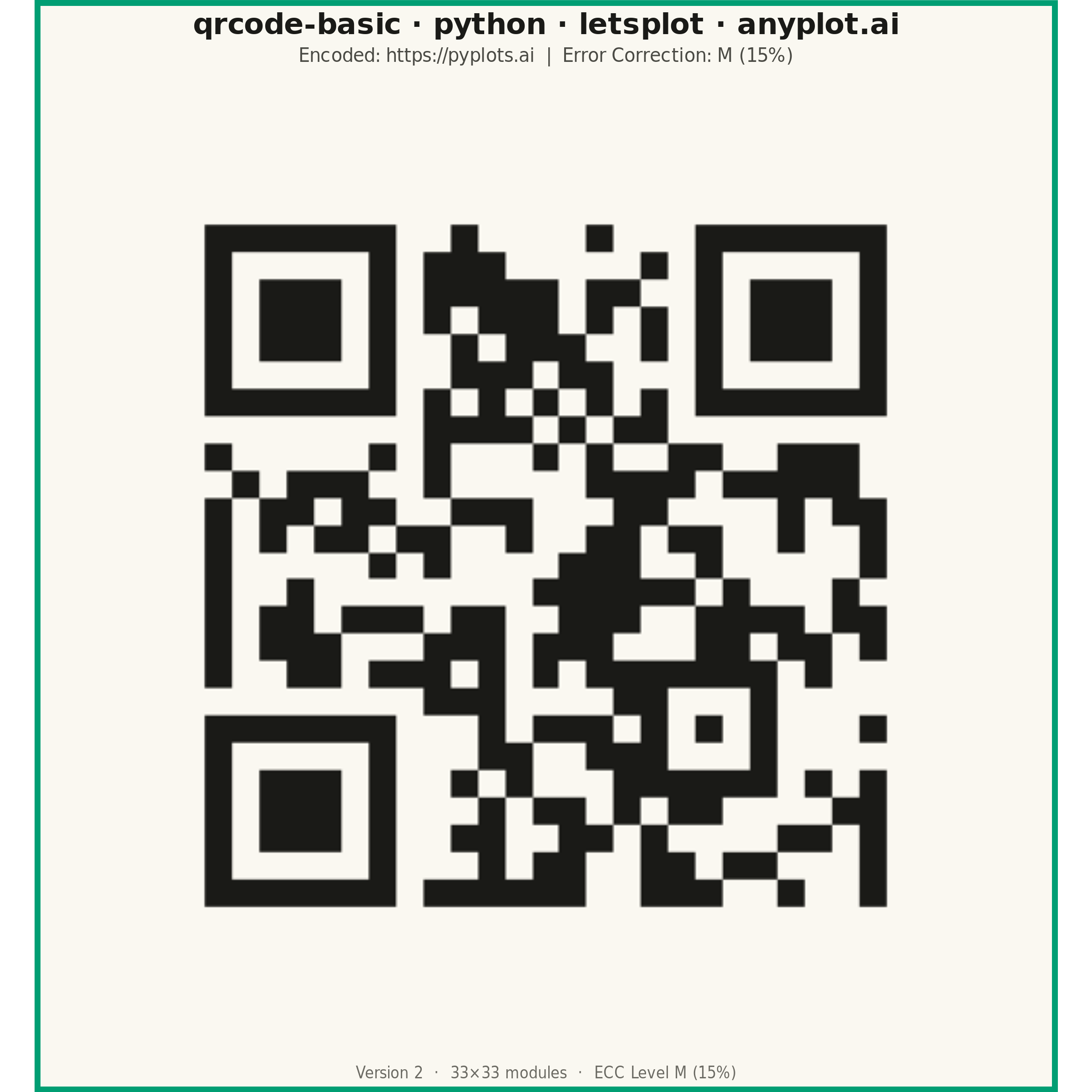
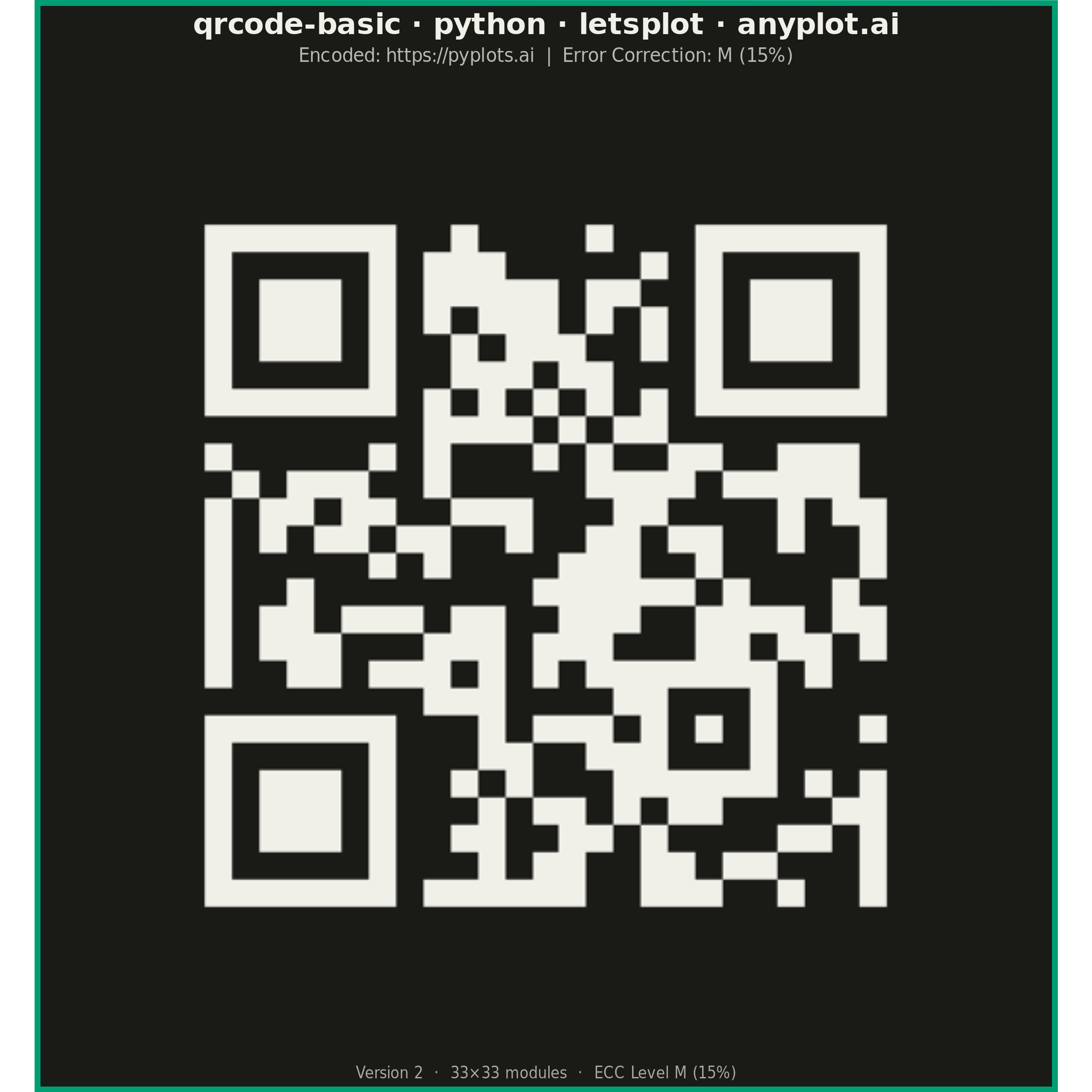
The same plot in 14 other libraries — Python: Altair, Bokeh, Matplotlib, Plotly, plotnine, Pygal, Seaborn; R: ggplot2; Julia: Makie.jl; JavaScript: Chart.js, D3.js, Apache ECharts, Highcharts, MUI X Charts. Compare all 15 side by side: Basic QR Code Generator in Python, R, Julia and JavaScript.
A QR (Quick Response) code visualization that encodes text or URL data into a square matrix barcode pattern. QR codes are two-dimensional barcodes that store information in a grid of black and white squares, readable by smartphones and dedicated scanners. This visualization is useful for generating scannable codes for quick data sharing and mobile access.
""" anyplot.ai
qrcode-basic: Basic QR Code Generator
Library: letsplot 4.10.1 | Python 3.13.14
Quality: 86/100 | Updated: 2026-06-24
"""

import os

import pandas as pd
import qrcode
from lets_plot import (
    LetsPlot,
    aes,
    coord_fixed,
    element_rect,
    element_text,
    geom_raster,
    ggplot,
    ggsave,
    ggsize,
    labs,
    scale_fill_identity,
    theme,
    theme_void,
)


LetsPlot.setup_html()

# Theme-adaptive chrome tokens (Imprint palette)
THEME = os.getenv("ANYPLOT_THEME", "light")
PAGE_BG = "#FAF8F1" if THEME == "light" else "#1A1A17"
INK = "#1A1A17" if THEME == "light" else "#F0EFE8"
INK_SOFT = "#4A4A44" if THEME == "light" else "#B8B7B0"
INK_MUTED = "#6B6A63" if THEME == "light" else "#A8A79F"

# Generate QR code data
content = "https://pyplots.ai"
qr = qrcode.QRCode(version=1, error_correction=qrcode.constants.ERROR_CORRECT_M, box_size=1, border=4)
qr.add_data(content)
qr.make(fit=True)

# Convert QR matrix to dataframe — fill column used directly by scale_fill_identity
matrix = qr.get_matrix()
size = len(matrix)
rows = []
for y, row in enumerate(matrix):
    for x, cell in enumerate(row):
        rows.append({"x": x, "y": size - 1 - y, "fill": INK if cell else PAGE_BG})
df = pd.DataFrame(rows)

# Title length: 46 chars — shorter than 67-char baseline, use default 16px
title = "qrcode-basic · python · letsplot · anyplot.ai"

# Plot — square canvas: ggsize(600, 600) × scale=4 → 2400×2400 px (hard rule)
plot = (
    ggplot(df, aes(x="x", y="y", fill="fill"))
    + geom_raster()
    + scale_fill_identity()
    + coord_fixed()
    + labs(
        title=title,
        subtitle=f"Encoded: {content}  |  Error Correction: M (15%)",
        caption=f"Version {qr.version}  ·  {size}×{size} modules  ·  ECC Level M (15%)",
    )
    + ggsize(600, 600)
    + theme_void()
    + theme(
        plot_title=element_text(size=16, hjust=0.5, face="bold", color=INK),
        plot_subtitle=element_text(size=10, hjust=0.5, color=INK_SOFT),
        plot_caption=element_text(size=8, hjust=0.5, color=INK_MUTED),
        plot_background=element_rect(fill=PAGE_BG, color="#009E73", size=3),
        panel_background=element_rect(fill=PAGE_BG, color=PAGE_BG),
    )
)

# Save — square 2400×2400 px (PNG + HTML for interactive library)
ggsave(plot, f"plot-{THEME}.png", path=".", scale=4)
ggsave(plot, f"plot-{THEME}.html", path=".")
Runnable source as JSON, for any HTTP client: https://api.anyplot.ai/specs/qrcode-basic/letsplot/code. Any spec id and library id listed in llms-full.txt fit the same URL shape; every URL below is complete and callable.
{
  "spec_id": "qrcode-basic",
  "language": "python",
  "library": "letsplot",
  "page": "https://anyplot.ai/qrcode-basic/python/letsplot",
  "hub": "https://anyplot.ai/qrcode-basic",
  "code_json": "https://api.anyplot.ai/specs/qrcode-basic/letsplot/code",
  "spec_json": "https://api.anyplot.ai/specs/qrcode-basic",
  "render_light_png": "https://storage.googleapis.com/anyplot-images/plots/qrcode-basic/python/letsplot/plot-light.png",
  "render_dark_png": "https://storage.googleapis.com/anyplot-images/plots/qrcode-basic/python/letsplot/plot-dark.png",
  "interactive_light_html": "https://storage.googleapis.com/anyplot-images/plots/qrcode-basic/python/letsplot/plot-light.html",
  "interactive_dark_html": "https://storage.googleapis.com/anyplot-images/plots/qrcode-basic/python/letsplot/plot-dark.html",
  "quality_score": 86.0,
  "license": "MIT",
  "guide": "https://anyplot.ai/llms.txt"
}
Part of Basic QR Code Generator on anyplot.ai.