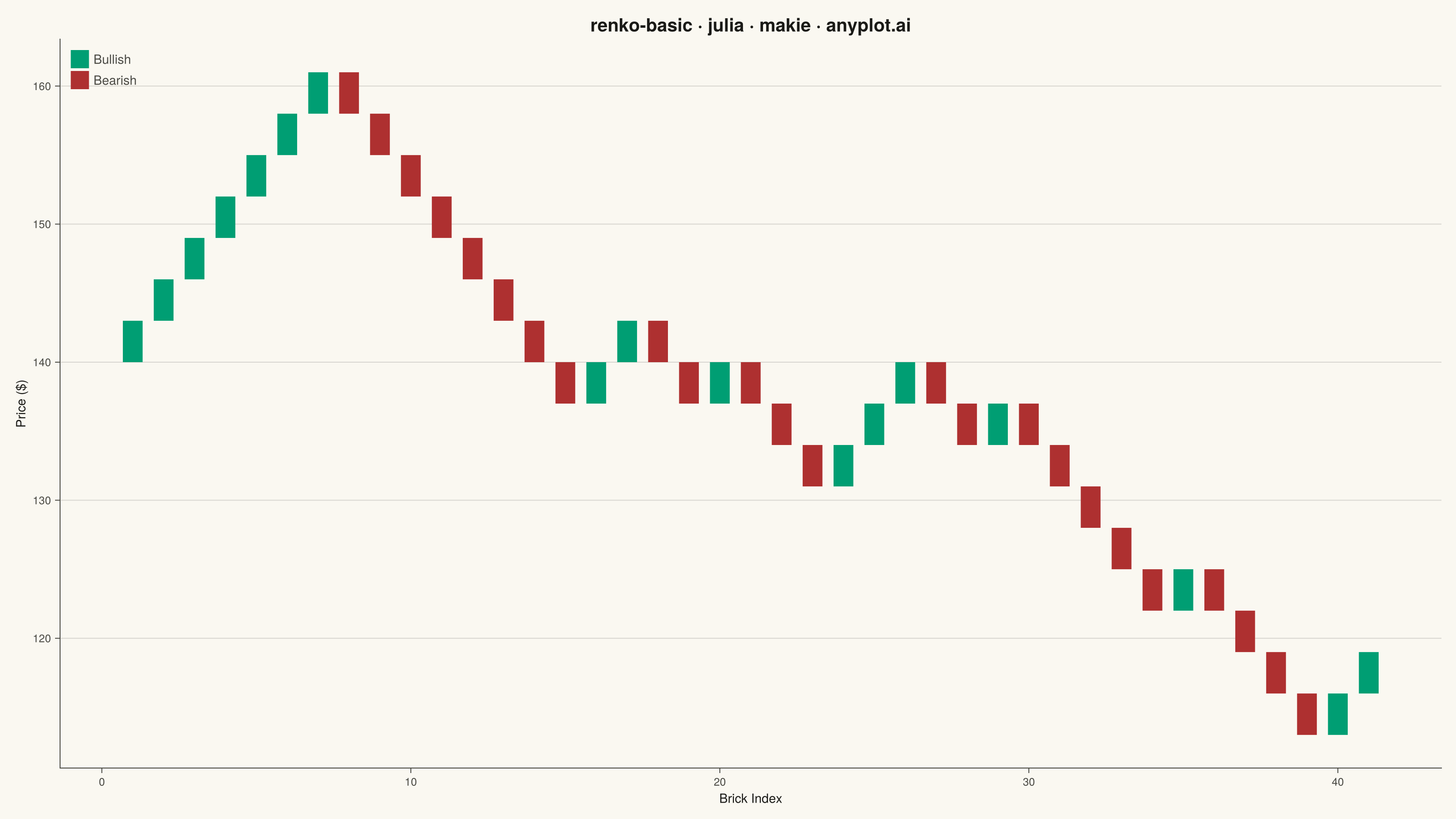
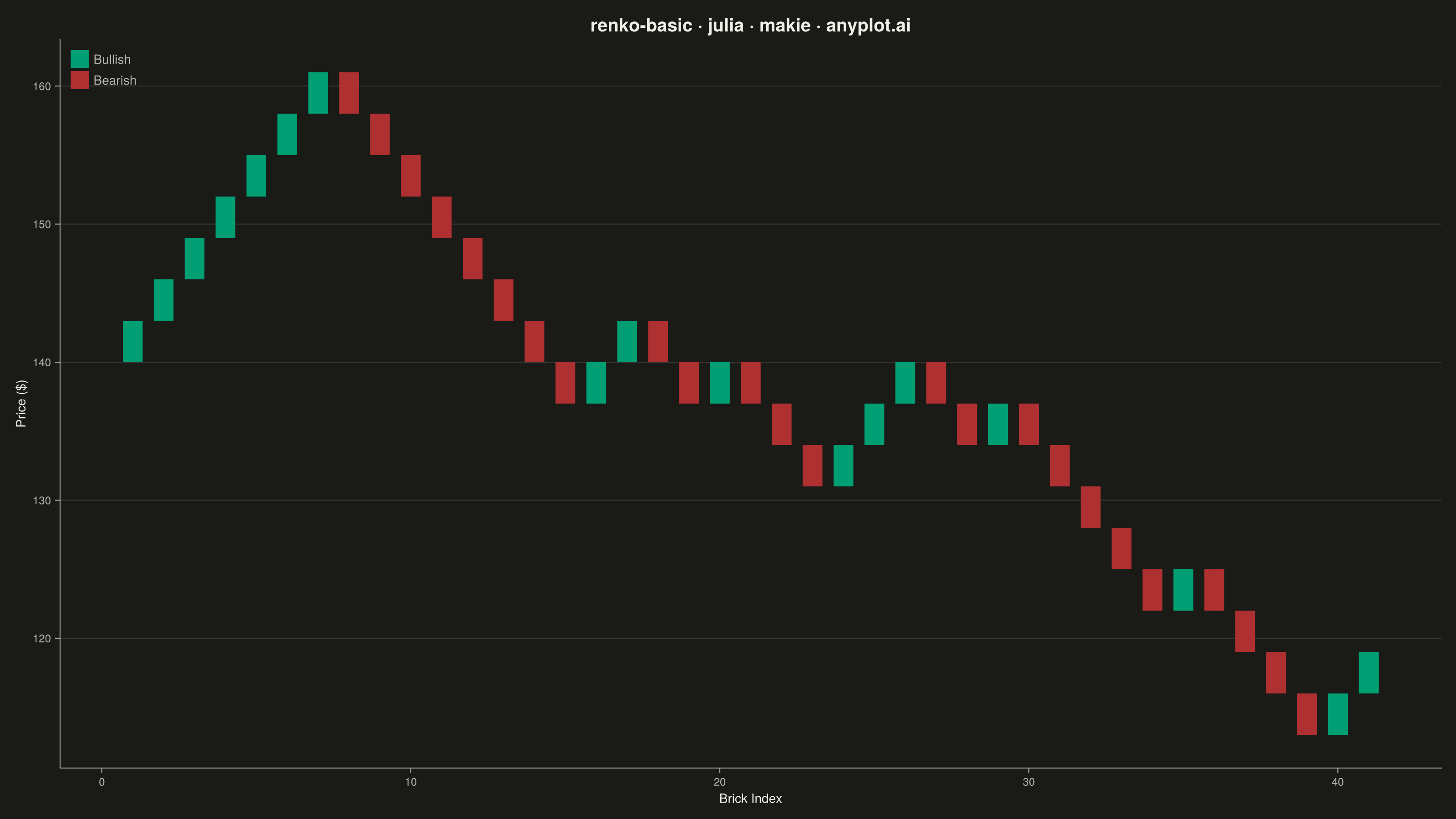
The same plot in 14 other libraries — Python: Altair, Bokeh, lets-plot, Matplotlib, Plotly, plotnine, Pygal, Seaborn; R: ggplot2; JavaScript: Chart.js, D3.js, Apache ECharts, Highcharts, MUI X Charts. Compare all 15 side by side: Basic Renko Chart in Python, R, Julia and JavaScript.
A Renko chart displays price movements using fixed-size bricks that ignore time and focus purely on price action. A new brick is drawn only when the price moves by a specified amount (brick size), filtering out market noise and minor fluctuations. Bullish bricks (price increase) and bearish bricks (price decrease) alternate direction on trend reversals, making it easy to identify trends, support/resistance levels, and potential trading signals.
# anyplot.ai
# renko-basic: Basic Renko Chart
# Library: makie 0.21.9 | Julia 1.11.9
# Quality: 90/100 | Created: 2026-09-02

using CairoMakie
using Colors
using Random

Random.seed!(42)

# --- Theme tokens -----------------------------------------------------------
THEME    = get(ENV, "ANYPLOT_THEME", "light")
PAGE_BG  = THEME == "light" ? colorant"#FAF8F1" : colorant"#1A1A17"
INK      = THEME == "light" ? colorant"#1A1A17" : colorant"#F0EFE8"
INK_SOFT = THEME == "light" ? colorant"#4A4A44" : colorant"#B8B7B0"

BULLISH = colorant"#009E73"  # Imprint position 1 — semantic exception: gain/up
BEARISH = colorant"#AE3030"  # Imprint position 5 — semantic exception: loss/down

# --- Data: simulated daily closing prices, four alternating trend legs ------
segment_drifts = [0.35, -0.30, 0.25, -0.20]  # uptrend, downtrend, uptrend, downtrend
segment_length = 60
daily_sigma = 1.6

closes = Float64[140.0]
for drift in segment_drifts
    for _ in 1:segment_length
        push!(closes, closes[end] + randn() * daily_sigma + drift)
    end
end

# --- Renko bricks: a brick is added once price moves by brick_size ----------
brick_size = 3.0

brick_low = Float64[]
brick_high = Float64[]
brick_up = Bool[]

reference = closes[1]

for price in closes[2:end]
    global reference
    diff = price - reference
    while diff >= brick_size
        push!(brick_low, reference)
        reference += brick_size
        push!(brick_high, reference)
        push!(brick_up, true)
        diff -= brick_size
    end
    while diff <= -brick_size
        push!(brick_high, reference)
        reference -= brick_size
        push!(brick_low, reference)
        push!(brick_up, false)
        diff += brick_size
    end
end

brick_index = collect(1:length(brick_up))
brick_colors = [up ? BULLISH : BEARISH for up in brick_up]

# --- Plot ---------------------------------------------------------------------
fig = Figure(
    size            = (1600, 900),
    fontsize        = 14,
    backgroundcolor = PAGE_BG,
)

ax = Axis(
    fig[1, 1];
    title             = "renko-basic · julia · makie · anyplot.ai",
    titlesize         = 20,
    titlecolor        = INK,
    xlabel            = "Brick Index",
    ylabel            = "Price (\$)",
    xlabelsize        = 14,
    ylabelsize        = 14,
    xlabelcolor       = INK,
    ylabelcolor       = INK,
    xticklabelsize    = 12,
    yticklabelsize    = 12,
    xticklabelcolor   = INK_SOFT,
    yticklabelcolor   = INK_SOFT,
    backgroundcolor   = PAGE_BG,
    topspinevisible   = false,
    rightspinevisible = false,
    leftspinecolor    = INK_SOFT,
    bottomspinecolor  = INK_SOFT,
    xtickcolor        = INK_SOFT,
    ytickcolor        = INK_SOFT,
    xgridvisible      = false,
    ygridcolor        = RGBAf(INK.r, INK.g, INK.b, 0.15),
)

barplot!(
    ax, brick_index, brick_high;
    fillto      = brick_low,
    width       = 0.8,
    color       = brick_colors,
    strokewidth = 0,
)

axislegend(
    ax,
    [PolyElement(color = BULLISH), PolyElement(color = BEARISH)],
    ["Bullish", "Bearish"];
    labelcolor = INK_SOFT,
    framevisible = false,
    position = :lt,
)

# --- Save -------------------------------------------------------------------
save("plot-$(THEME).png", fig; px_per_unit = 2)
Runnable source as JSON, for any HTTP client: https://api.anyplot.ai/specs/renko-basic/makie/code. Any spec id and library id listed in llms-full.txt fit the same URL shape; every URL below is complete and callable.
{
  "spec_id": "renko-basic",
  "language": "julia",
  "library": "makie",
  "page": "https://anyplot.ai/renko-basic/julia/makie",
  "hub": "https://anyplot.ai/renko-basic",
  "code_json": "https://api.anyplot.ai/specs/renko-basic/makie/code",
  "spec_json": "https://api.anyplot.ai/specs/renko-basic",
  "render_light_png": "https://storage.googleapis.com/anyplot-images/plots/renko-basic/julia/makie/plot-light.png",
  "render_dark_png": "https://storage.googleapis.com/anyplot-images/plots/renko-basic/julia/makie/plot-dark.png",
  "quality_score": 90.0,
  "license": "MIT",
  "guide": "https://anyplot.ai/llms.txt"
}
Part of Basic Renko Chart on anyplot.ai.