The same plot in 14 other libraries — JavaScript: D3.js, Apache ECharts, Highcharts, MUI X Charts; Python: Altair, Bokeh, lets-plot, Matplotlib, Plotly, plotnine, Pygal, Seaborn; R: ggplot2; Julia: Makie.jl. Compare all 15 side by side: Basic Word Cloud in Python, R, Julia and JavaScript.
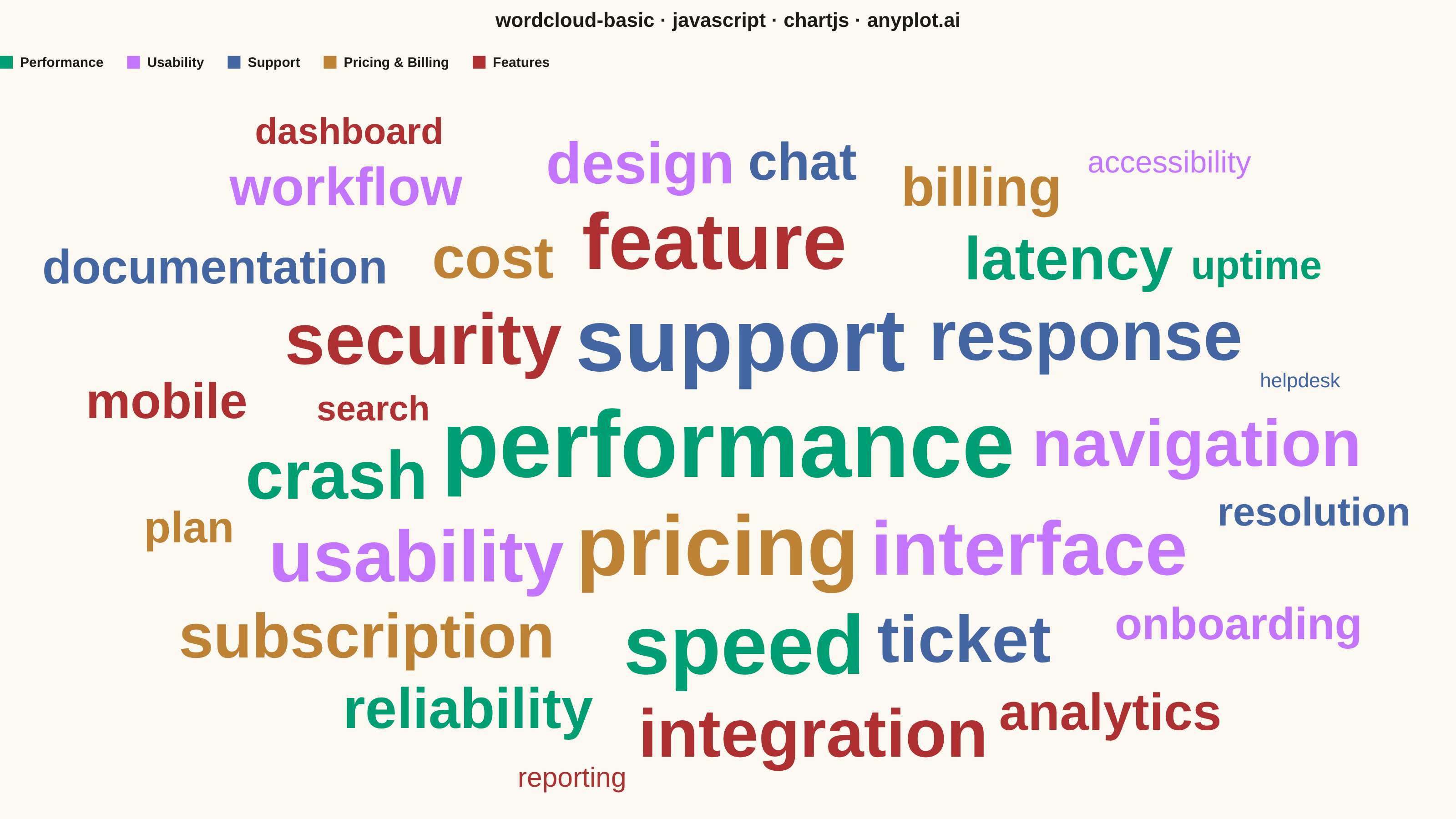
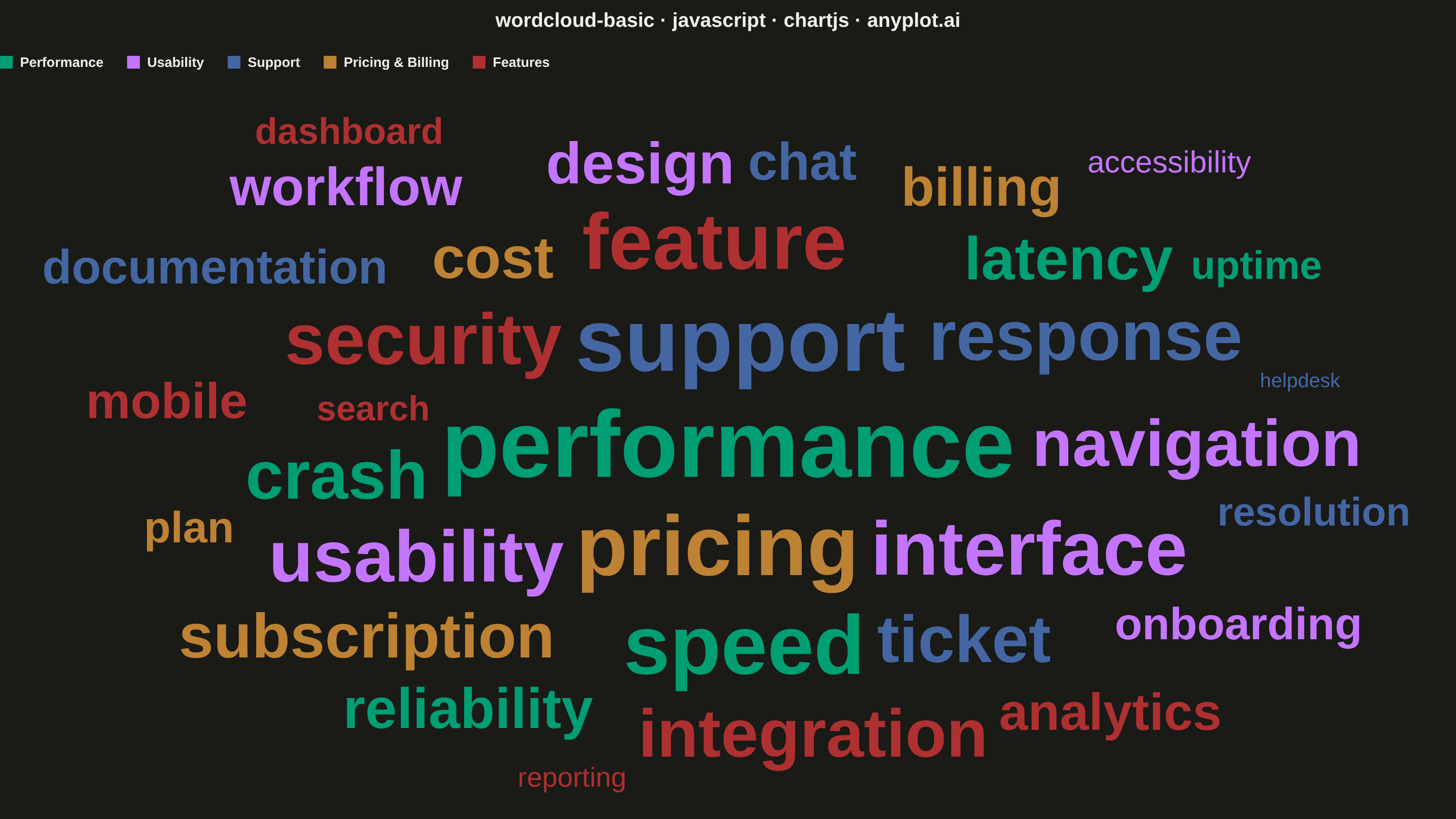
A word cloud displays text data where word size represents frequency or importance. Words are arranged to fill available space, creating a visual summary of text content that highlights prominent terms and patterns. This visualization is ideal for quickly identifying the most common themes or keywords in a body of text.
// anyplot.ai
// wordcloud-basic: Basic Word Cloud
// Library: chartjs 4.4.7 | JavaScript 22.23.1
// Quality: 86/100 | Created: 2026-08-04
//# anyplot-orientation: landscape

// Chart.js ships no native word-cloud chart type, and the chartjs-chart-wordcloud
// plugin is not installed in this runtime. This snippet reaches core Chart.js
// only: a chart-scoped custom plugin (a first-class, no-import Chart.js API,
// distinct from a chartjs-chart-* package) draws the words directly onto the
// chart's own canvas context inside afterDraw, using a deterministic Archimedean
// spiral for placement — the same placement idea community word-cloud plugins
// use internally, authored here without any external dependency.

const t = window.ANYPLOT_TOKENS;

// --- Data (in-memory, deterministic) ---------------------------------------
// Term frequencies mined from a customer-feedback corpus, grouped into themes.
const CATEGORIES = [
  { key: "performance", label: "Performance" },
  { key: "usability", label: "Usability" },
  { key: "support", label: "Support" },
  { key: "pricing", label: "Pricing & Billing" },
  { key: "features", label: "Features" },
];

const WORDS = [
  { word: "performance", frequency: 145, category: "performance" },
  { word: "support", frequency: 130, category: "support" },
  { word: "pricing", frequency: 121, category: "pricing" },
  { word: "speed", frequency: 118, category: "performance" },
  { word: "feature", frequency: 109, category: "features" },
  { word: "interface", frequency: 102, category: "usability" },
  { word: "usability", frequency: 96, category: "usability" },
  { word: "security", frequency: 95, category: "features" },
  { word: "response", frequency: 92, category: "support" },
  { word: "crash", frequency: 88, category: "performance" },
  { word: "integration", frequency: 87, category: "features" },
  { word: "ticket", frequency: 85, category: "support" },
  { word: "navigation", frequency: 84, category: "usability" },
  { word: "subscription", frequency: 79, category: "pricing" },
  { word: "latency", frequency: 76, category: "performance" },
  { word: "cost", frequency: 74, category: "pricing" },
  { word: "design", frequency: 73, category: "usability" },
  { word: "reliability", frequency: 71, category: "performance" },
  { word: "billing", frequency: 68, category: "pricing" },
  { word: "workflow", frequency: 67, category: "usability" },
  { word: "chat", frequency: 66, category: "support" },
  { word: "analytics", frequency: 65, category: "features" },
  { word: "mobile", frequency: 63, category: "features" },
  { word: "documentation", frequency: 61, category: "support" },
  { word: "onboarding", frequency: 58, category: "usability" },
  { word: "plan", frequency: 57, category: "pricing" },
  { word: "resolution", frequency: 54, category: "support" },
  { word: "uptime", frequency: 54, category: "performance" },
  { word: "dashboard", frequency: 52, category: "features" },
  { word: "search", frequency: 51, category: "features" },
  { word: "accessibility", frequency: 49, category: "usability" },
  { word: "helpdesk", frequency: 47, category: "support" },
  { word: "reporting", frequency: 48, category: "features" },
];

const FONT_FAMILY = "'Helvetica Neue', Helvetica, Arial, sans-serif";
const MIN_FONT_PX = 22;
const MAX_FONT_PX = 104;
const MIN_WEIGHT = 500;
const MAX_WEIGHT = 800;
const BOX_PAD = 6;
const AREA_MARGIN = 20;

const freqs = WORDS.map((w) => w.frequency);
const minFreq = Math.min(...freqs);
const maxFreq = Math.max(...freqs);

function scale(freq) {
  // sqrt scale keeps the size spread readable instead of letting the top
  // word dwarf everything else.
  const u = Math.sqrt((freq - minFreq) / (maxFreq - minFreq));
  return {
    fontSize: MIN_FONT_PX + (MAX_FONT_PX - MIN_FONT_PX) * u,
    weight: Math.round(MIN_WEIGHT + (MAX_WEIGHT - MIN_WEIGHT) * u),
  };
}

const categoryColor = Object.fromEntries(
  CATEGORIES.map((c, i) => [c.key, t.palette[i % t.palette.length]]),
);

// Largest-first placement packs the spiral center with the most important
// words and lets smaller ones fill the remaining gaps.
const layoutQueue = WORDS.slice().sort((a, b) => b.frequency - a.frequency);

function layoutWords(ctx, area) {
  const centerX = (area.left + area.right) / 2;
  const centerY = (area.top + area.bottom) / 2;
  const maxRadius = Math.hypot(area.right - area.left, area.bottom - area.top) / 2;
  const placed = [];
  const positioned = [];

  for (const entry of layoutQueue) {
    const { fontSize, weight } = scale(entry.frequency);
    ctx.font = `${weight} ${fontSize}px ${FONT_FAMILY}`;
    const metrics = ctx.measureText(entry.word);
    const boxW = metrics.width + BOX_PAD * 2;
    const boxH = fontSize + BOX_PAD * 2;

    let found = null;
    const angleStep = 0.35;
    const radiusStep = 2.0;
    for (let step = 0, angle = 0, radius = 0; radius < maxRadius; step++, angle += angleStep, radius = radiusStep * angle) {
      // Flatten the spiral vertically so it fills the wide landscape mount
      // instead of drifting into a tall, narrow column.
      const x = centerX + radius * Math.cos(angle);
      const y = centerY + radius * Math.sin(angle) * 0.62;
      const box = { left: x - boxW / 2, right: x + boxW / 2, top: y - boxH / 2, bottom: y + boxH / 2 };
      if (box.left < area.left || box.right > area.right || box.top < area.top || box.bottom > area.bottom) continue;
      const collides = (p) => p.left < box.right && p.right > box.left && p.top < box.bottom && p.bottom > box.top;
      if (!placed.some(collides)) {
        found = { x, y, box };
        break;
      }
    }

    if (!found) continue; // canvas full for this word's size; skip rather than overlap
    placed.push(found.box);
    positioned.push({ ...entry, x: found.x, y: found.y, fontSize, weight });
  }

  return positioned;
}

// --- Mount -------------------------------------------------------------------
const canvas = document.createElement("canvas");
document.getElementById("container").appendChild(canvas);

// --- Word-cloud draw plugin ---------------------------------------------------
const LEGEND_ROW_H = 44;

const wordCloudPlugin = {
  id: "wordCloud",
  afterDraw(chart) {
    const { ctx, chartArea } = chart;
    ctx.save();

    // Category legend: colored swatch + label, one row under the title.
    ctx.font = `600 15px ${FONT_FAMILY}`;
    ctx.textBaseline = "middle";
    let lx = chartArea.left;
    const ly = chartArea.top + LEGEND_ROW_H / 2;
    for (const cat of CATEGORIES) {
      const swatch = 14;
      ctx.fillStyle = categoryColor[cat.key];
      ctx.fillRect(lx, ly - swatch / 2, swatch, swatch);
      lx += swatch + 8;
      ctx.fillStyle = t.ink;
      ctx.textAlign = "left";
      ctx.fillText(cat.label, lx, ly + 1);
      lx += ctx.measureText(cat.label).width + 26;
    }

    // Word cloud fills the region below the legend row, inset by a margin so
    // words breathe away from the canvas frame instead of crowding the edges.
    const area = {
      left: chartArea.left + AREA_MARGIN,
      right: chartArea.right - AREA_MARGIN,
      top: chartArea.top + LEGEND_ROW_H + AREA_MARGIN,
      bottom: chartArea.bottom - AREA_MARGIN,
    };
    const words = layoutWords(ctx, area);

    ctx.textAlign = "center";
    ctx.textBaseline = "middle";
    for (const w of words) {
      ctx.font = `${w.weight} ${w.fontSize}px ${FONT_FAMILY}`;
      ctx.fillStyle = categoryColor[w.category];
      ctx.fillText(w.word, w.x, w.y);
    }

    ctx.restore();
  },
};

// --- Chart ---------------------------------------------------------------
new Chart(canvas, {
  type: "scatter",
  data: { datasets: [{ data: [] }] },
  plugins: [wordCloudPlugin],
  options: {
    responsive: true,
    maintainAspectRatio: false,
    animation: false,
    plugins: {
      title: {
        display: true,
        text: "wordcloud-basic · javascript · chartjs · anyplot.ai",
        color: t.ink,
        font: { size: 22 },
      },
      legend: { display: false },
      tooltip: { enabled: false },
    },
    scales: {
      x: { display: false, min: 0, max: 1, grid: { display: false } },
      y: { display: false, min: 0, max: 1, grid: { display: false } },
    },
  },
});
Runnable source as JSON, for any HTTP client: https://api.anyplot.ai/specs/wordcloud-basic/chartjs/code. Any spec id and library id listed in llms-full.txt fit the same URL shape; every URL below is complete and callable.
{
  "spec_id": "wordcloud-basic",
  "language": "javascript",
  "library": "chartjs",
  "page": "https://anyplot.ai/wordcloud-basic/javascript/chartjs",
  "hub": "https://anyplot.ai/wordcloud-basic",
  "code_json": "https://api.anyplot.ai/specs/wordcloud-basic/chartjs/code",
  "spec_json": "https://api.anyplot.ai/specs/wordcloud-basic",
  "render_light_png": "https://storage.googleapis.com/anyplot-images/plots/wordcloud-basic/javascript/chartjs/plot-light.png",
  "render_dark_png": "https://storage.googleapis.com/anyplot-images/plots/wordcloud-basic/javascript/chartjs/plot-dark.png",
  "interactive_light_html": "https://storage.googleapis.com/anyplot-images/plots/wordcloud-basic/javascript/chartjs/plot-light.html",
  "interactive_dark_html": "https://storage.googleapis.com/anyplot-images/plots/wordcloud-basic/javascript/chartjs/plot-dark.html",
  "quality_score": 86.0,
  "license": "MIT",
  "guide": "https://anyplot.ai/llms.txt"
}
Part of Basic Word Cloud on anyplot.ai.