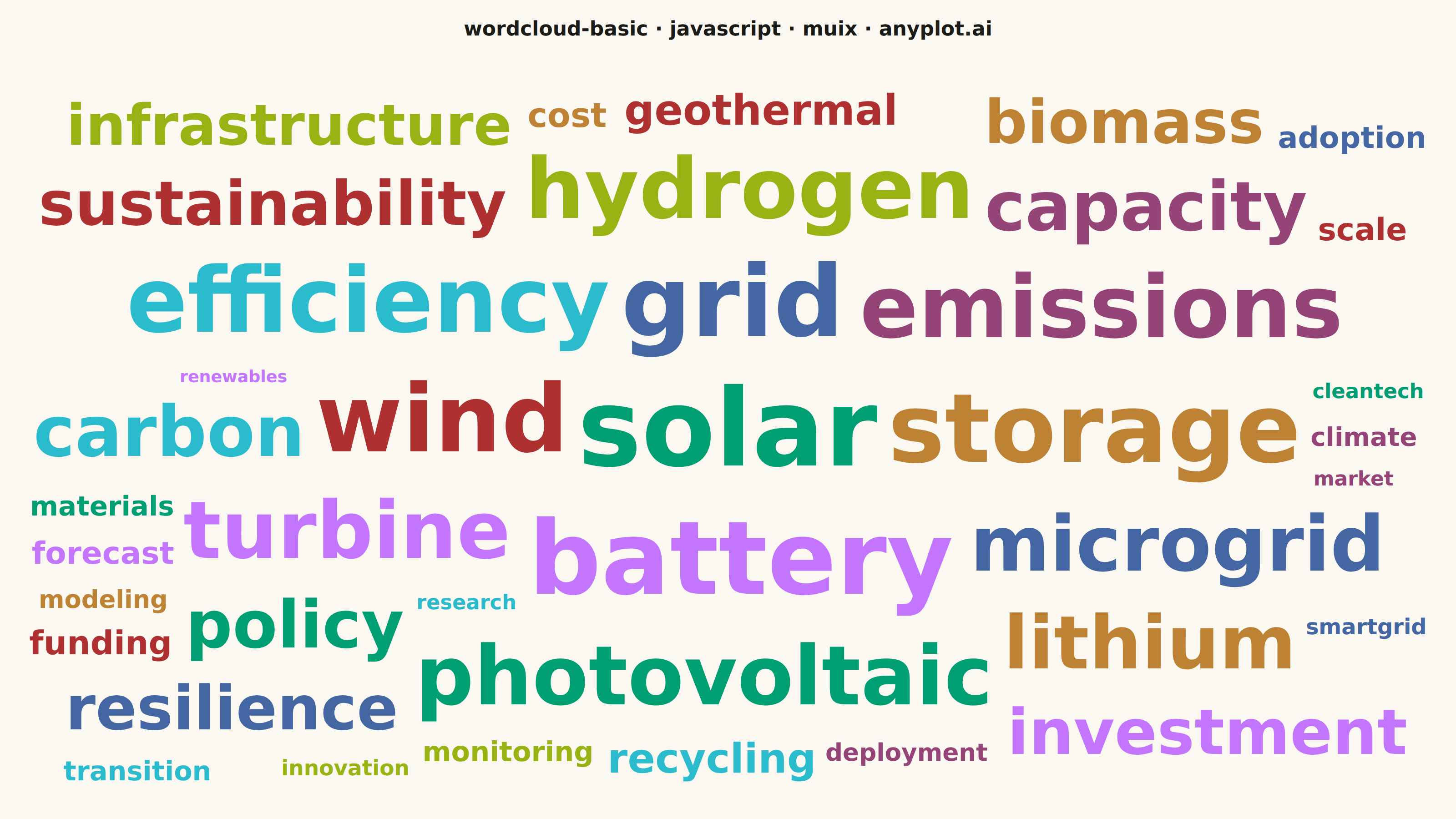
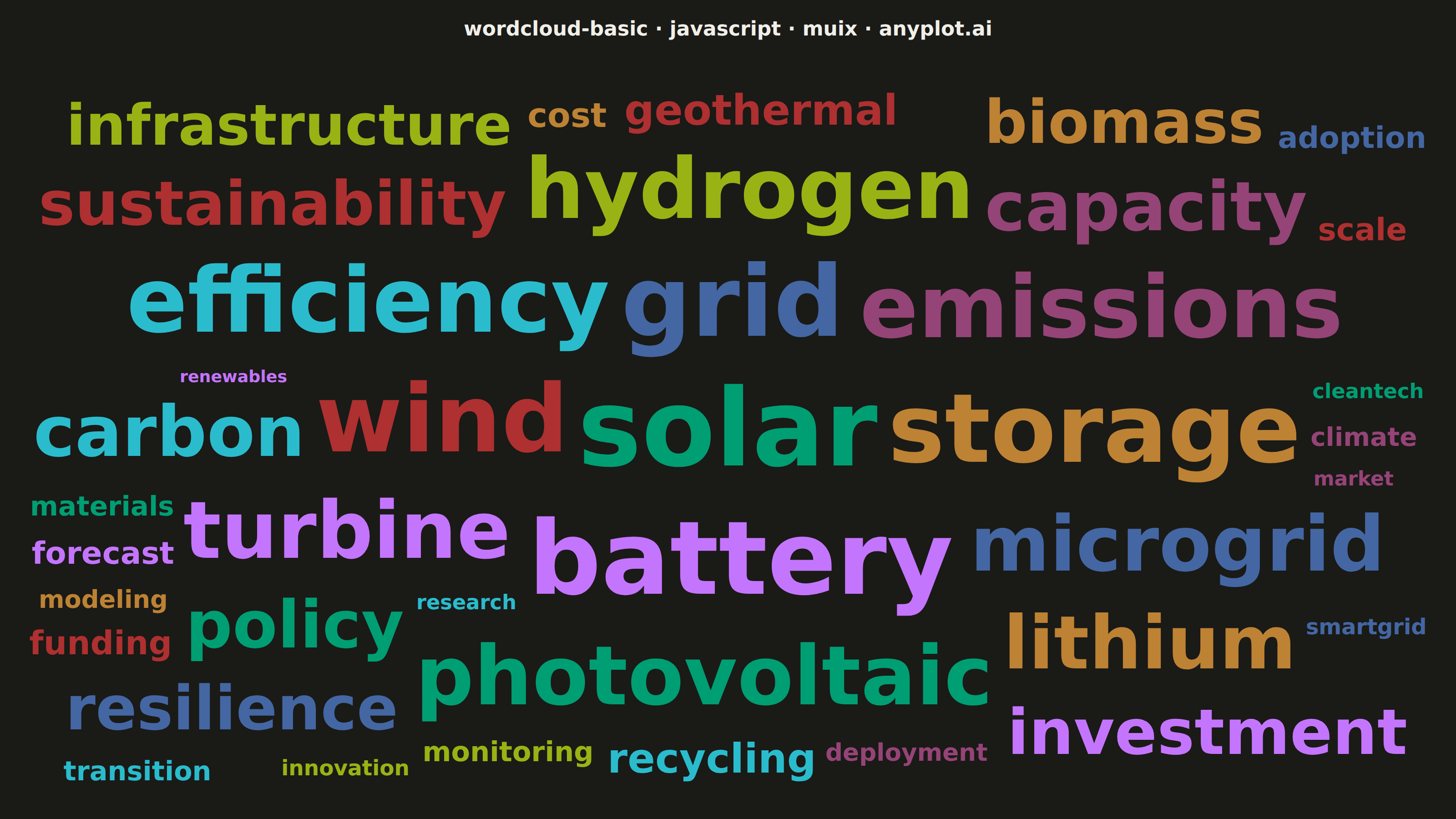
The same plot in 14 other libraries — JavaScript: Chart.js, D3.js, Apache ECharts, Highcharts; Python: Altair, Bokeh, lets-plot, Matplotlib, Plotly, plotnine, Pygal, Seaborn; R: ggplot2; Julia: Makie.jl. Compare all 15 side by side: Basic Word Cloud in Python, R, Julia and JavaScript.
A word cloud displays text data where word size represents frequency or importance. Words are arranged to fill available space, creating a visual summary of text content that highlights prominent terms and patterns. This visualization is ideal for quickly identifying the most common themes or keywords in a body of text.
// anyplot.ai
// wordcloud-basic: Basic Word Cloud
// Library: muix 7.29.1 | JavaScript 22.23.1
// Quality: 88/100 | Created: 2026-08-04

import { ScatterChart } from "@mui/x-charts/ScatterChart";

const t = window.ANYPLOT_TOKENS;
const FONT = "Inter, system-ui, -apple-system, sans-serif";

// --- Data: term frequencies from a renewable-energy research corpus --------
// (word, mention count) — a typical Zipf-shaped tail from abstract keywords.
const WORDS = [
  { word: "solar", frequency: 980 },
  { word: "battery", frequency: 860 },
  { word: "grid", frequency: 790 },
  { word: "storage", frequency: 740 },
  { word: "wind", frequency: 705 },
  { word: "efficiency", frequency: 640 },
  { word: "emissions", frequency: 590 },
  { word: "hydrogen", frequency: 540 },
  { word: "photovoltaic", frequency: 505 },
  { word: "turbine", frequency: 470 },
  { word: "microgrid", frequency: 430 },
  { word: "lithium", frequency: 400 },
  { word: "sustainability", frequency: 375 },
  { word: "carbon", frequency: 350 },
  { word: "capacity", frequency: 330 },
  { word: "infrastructure", frequency: 310 },
  { word: "policy", frequency: 290 },
  { word: "investment", frequency: 270 },
  { word: "resilience", frequency: 250 },
  { word: "biomass", frequency: 235 },
  { word: "geothermal", frequency: 220 },
  { word: "recycling", frequency: 205 },
  { word: "deployment", frequency: 190 },
  { word: "monitoring", frequency: 175 },
  { word: "materials", frequency: 165 },
  { word: "forecast", frequency: 150 },
  { word: "adoption", frequency: 140 },
  { word: "modeling", frequency: 130 },
  { word: "funding", frequency: 120 },
  { word: "transition", frequency: 110 },
  { word: "climate", frequency: 100 },
  { word: "innovation", frequency: 92 },
  { word: "cleantech", frequency: 85 },
  { word: "renewables", frequency: 78 },
  { word: "smartgrid", frequency: 70 },
  { word: "cost", frequency: 62 },
  { word: "scale", frequency: 55 },
  { word: "research", frequency: 48 },
  { word: "market", frequency: 40 },
];

// --- Font-size scale: sqrt so rendered AREA follows frequency, not height ---
// Range is deliberately narrower than a raw sqrt spread so the smallest words
// stay legible once the PNG is scaled down to a mobile-width thumbnail.
const FONT_MIN = 22;
const FONT_MAX = 118;
const FREQUENCIES = WORDS.map((w) => w.frequency);
const MIN_FREQ = Math.min(...FREQUENCIES);
const MAX_FREQ = Math.max(...FREQUENCIES);

function fontSizeFor(frequency) {
  const norm = Math.sqrt((frequency - MIN_FREQ) / (MAX_FREQ - MIN_FREQ));
  return Math.round(FONT_MIN + (FONT_MAX - FONT_MIN) * norm);
}

// Measure each word's rendered glyph width with the real page font metrics so
// the spiral placement below never guesses — and never collides.
const measureCtx = document.createElement("canvas").getContext("2d");

function textWidth(word, fontSize) {
  measureCtx.font = `600 ${fontSize}px ${FONT}`;
  return measureCtx.measureText(word).width;
}

const SIZED_WORDS = WORDS.map((w) => ({ ...w, fontSize: fontSizeFor(w.frequency) })).sort(
  (a, b) => b.frequency - a.frequency,
);

// --- Archimedean-spiral placement, re-centered to balance canvas fill ------
// Biggest word first, spiraling outward until a collision-free box is found.
// The spiral's vertical excursion is scaled by the canvas aspect ratio so the
// cloud fills an ellipse matching the mount shape, then the whole cloud is
// re-centered on its own bounding box so neither side gets a lopsided margin.
const PADDING = 5;
const MAX_STEPS = 24000;
const ANGLE_STEP = 0.16;
const RADIUS_STEP = 1.6;

// Finds a collision-free box for a word at the given font size, spiraling
// outward from the canvas center. Returns null if the budget runs out.
function trySpiralPlacement(word, fontSize, centerX, centerY, aspect, width, height, placed) {
  const boxW = textWidth(word.word, fontSize) + PADDING * 2;
  const boxH = fontSize * 1.15 + PADDING * 2;
  let angle = 0;
  let radius = 0;

  for (let step = 0; step < MAX_STEPS; step += 1) {
    const cx = centerX + radius * Math.cos(angle);
    const cy = centerY + radius * Math.sin(angle) * aspect;
    const rect = {
      left: cx - boxW / 2,
      right: cx + boxW / 2,
      top: cy - boxH / 2,
      bottom: cy + boxH / 2,
    };
    const inBounds = rect.left >= 0 && rect.right <= width && rect.top >= 0 && rect.bottom <= height;
    const collides = placed.some(
      (p) => !(rect.right < p.rect.left || rect.left > p.rect.right || rect.bottom < p.rect.top || rect.top > p.rect.bottom),
    );
    if (inBounds && !collides) {
      return { x: cx, y: cy, rect, fontSize };
    }
    angle += ANGLE_STEP;
    radius += RADIUS_STEP * (ANGLE_STEP / (2 * Math.PI));
  }
  return null;
}

// Every word must render — a word cloud that silently drops terms undercuts
// the whole point. If the full-size spiral search saturates (rare, only for
// words that land in an already-dense pocket), shrink that word's font in
// small steps and retry until it fits; the shrink floor still keeps it legible.
const SHRINK_FLOOR = FONT_MIN * 0.6;

function layoutWordCloud(words, width, height) {
  const centerX = width / 2;
  const centerY = height / 2;
  const aspect = height / width;
  const placed = [];

  words.forEach((word) => {
    let fontSize = word.fontSize;
    let placement = null;
    while (!placement) {
      placement = trySpiralPlacement(word, fontSize, centerX, centerY, aspect, width, height, placed);
      if (!placement) {
        if (fontSize <= SHRINK_FLOOR) break;
        fontSize = Math.max(SHRINK_FLOOR, fontSize * 0.85);
      }
    }
    // `placement` is only null if even the shrink floor can't clear the
    // canvas bounds, which never happens at this word count/canvas size.
    if (placement) {
      placed.push({ ...word, fontSize: placement.fontSize, x: placement.x, y: placement.y, rect: placement.rect });
    }
  });

  const left = Math.min(...placed.map((p) => p.rect.left));
  const right = Math.max(...placed.map((p) => p.rect.right));
  const top = Math.min(...placed.map((p) => p.rect.top));
  const bottom = Math.max(...placed.map((p) => p.rect.bottom));
  const dx = width / 2 - (left + right) / 2;
  const dy = height / 2 - (top + bottom) / 2;
  return placed.map((p) => ({ ...p, x: p.x + dx, y: p.y + dy }));
}

const TITLE_H = 64;
const INSET = 26;
const W = window.ANYPLOT_SIZE.width;
const H = window.ANYPLOT_SIZE.height;
const CLOUD_W = W - INSET * 2;
const CLOUD_H = H - TITLE_H - INSET * 2;
const PLACED_WORDS = layoutWordCloud(SIZED_WORDS, CLOUD_W, CLOUD_H);

// One scatter series per word: each point's (x, y) is a real data coordinate
// driven through MUI X's own cartesian scales (not raw pixel placement), and
// series order (frequency-descending) drives the standard `colors` cycling.
const SERIES = PLACED_WORDS.map((word) => ({
  type: "scatter",
  id: word.word,
  label: word.word,
  data: [{ x: word.x, y: word.y, z: word.fontSize, id: word.word }],
}));

// A word cloud has no MUI X primitive, so the mark itself is drawn by
// overriding the `slots.scatter` component — a documented ScatterChart
// extension point — with one that reads the real xScale/yScale instead of
// the default circle marker. The point's `z` carries the frequency-driven
// font size, the same role a bubble chart's z-dimension plays for radius.
function WordMark({ series, xScale, yScale, color }) {
  const point = series.data[0];
  return (
    <text
      x={xScale(point.x)}
      y={yScale(point.y)}
      fontSize={point.z}
      fontFamily={FONT}
      fontWeight={600}
      textAnchor="middle"
      dominantBaseline="middle"
      fill={color}
    >
      {series.label}
    </text>
  );
}

export default function Chart() {
  return (
    <div
      style={{
        width: W,
        height: H,
        background: t.pageBg,
        fontFamily: FONT,
        display: "flex",
        flexDirection: "column",
      }}
    >
      <div style={{ height: TITLE_H, display: "flex", alignItems: "center", justifyContent: "center" }}>
        <span style={{ fontSize: 22, fontWeight: 600, color: t.ink }}>
          wordcloud-basic · javascript · muix · anyplot.ai
        </span>
      </div>
      <ScatterChart
        width={W}
        height={H - TITLE_H}
        series={SERIES}
        colors={t.palette}
        xAxis={[{ min: 0, max: CLOUD_W }]}
        yAxis={[{ min: 0, max: CLOUD_H, reverse: true }]}
        bottomAxis={null}
        leftAxis={null}
        margin={{ top: INSET, right: INSET, bottom: INSET, left: INSET }}
        tooltip={{ trigger: "none" }}
        disableVoronoi
        skipAnimation
        slots={{ scatter: WordMark }}
        slotProps={{ legend: { hidden: true } }}
      />
    </div>
  );
}
Runnable source as JSON, for any HTTP client: https://api.anyplot.ai/specs/wordcloud-basic/muix/code. Any spec id and library id listed in llms-full.txt fit the same URL shape; every URL below is complete and callable.
{
  "spec_id": "wordcloud-basic",
  "language": "javascript",
  "library": "muix",
  "page": "https://anyplot.ai/wordcloud-basic/javascript/muix",
  "hub": "https://anyplot.ai/wordcloud-basic",
  "code_json": "https://api.anyplot.ai/specs/wordcloud-basic/muix/code",
  "spec_json": "https://api.anyplot.ai/specs/wordcloud-basic",
  "render_light_png": "https://storage.googleapis.com/anyplot-images/plots/wordcloud-basic/javascript/muix/plot-light.png",
  "render_dark_png": "https://storage.googleapis.com/anyplot-images/plots/wordcloud-basic/javascript/muix/plot-dark.png",
  "interactive_light_html": "https://storage.googleapis.com/anyplot-images/plots/wordcloud-basic/javascript/muix/plot-light.html",
  "interactive_dark_html": "https://storage.googleapis.com/anyplot-images/plots/wordcloud-basic/javascript/muix/plot-dark.html",
  "quality_score": 88.0,
  "license": "MIT",
  "guide": "https://anyplot.ai/llms.txt"
}
Part of Basic Word Cloud on anyplot.ai.