The same plot in 14 other libraries — JavaScript: Chart.js, D3.js, Highcharts, MUI X Charts; Python: Altair, Bokeh, lets-plot, Matplotlib, Plotly, plotnine, Pygal, Seaborn; R: ggplot2; Julia: Makie.jl. Compare all 15 side by side: Basic Word Cloud in Python, R, Julia and JavaScript.
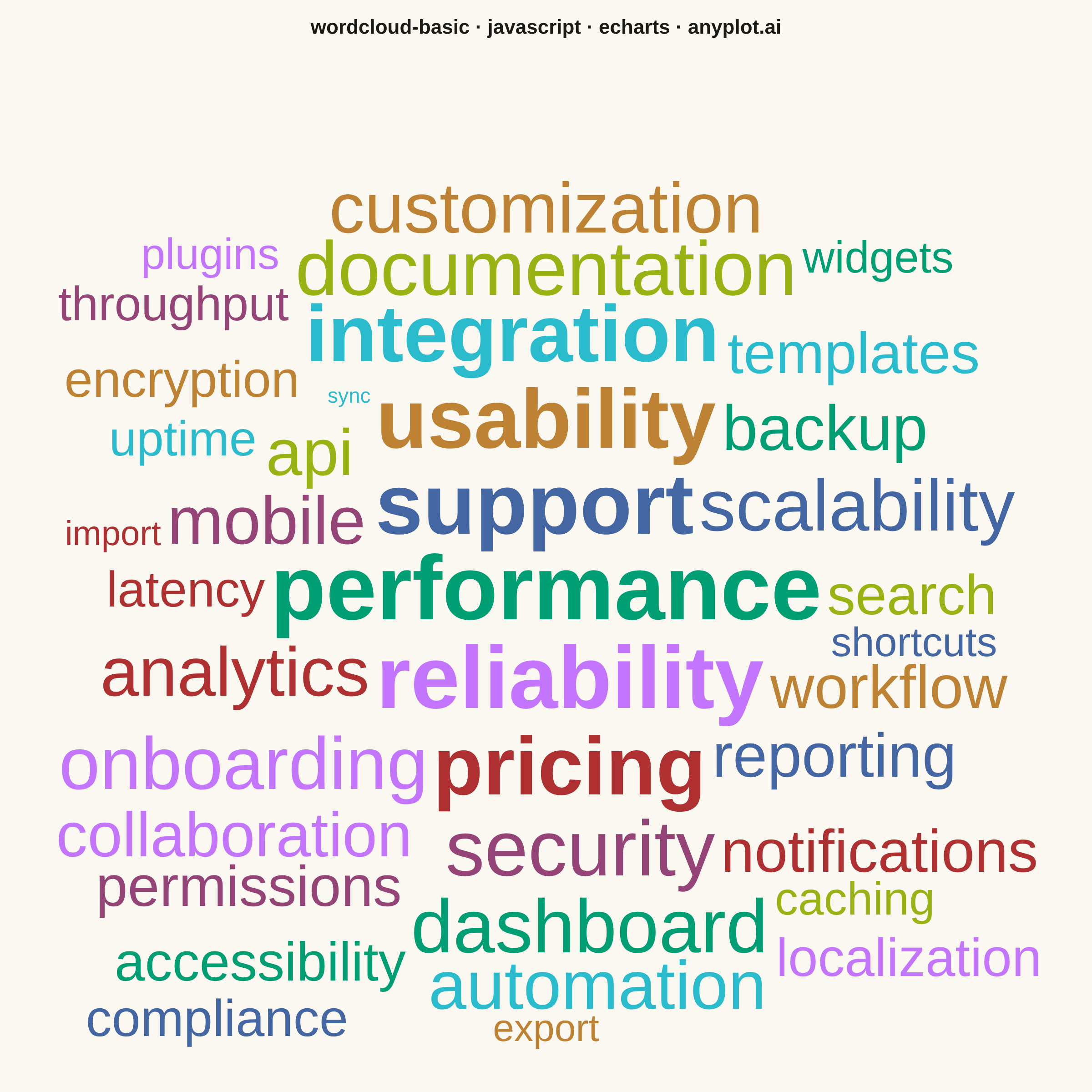
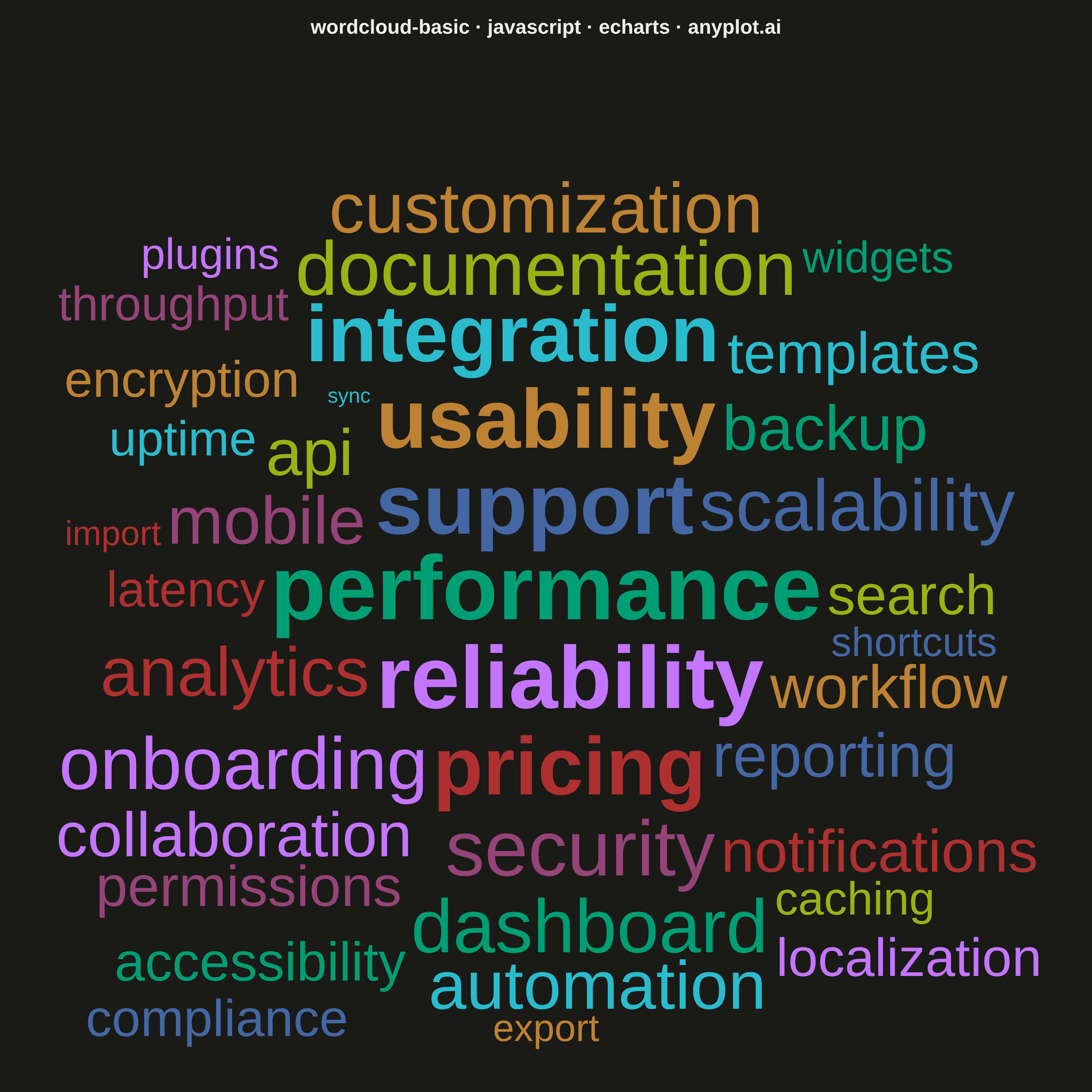
A word cloud displays text data where word size represents frequency or importance. Words are arranged to fill available space, creating a visual summary of text content that highlights prominent terms and patterns. This visualization is ideal for quickly identifying the most common themes or keywords in a body of text.
// anyplot.ai
// wordcloud-basic: Basic Word Cloud
// Library: echarts 6.1.0 | JavaScript 22.23.1
// Quality: 88/100 | Created: 2026-08-04

//# anyplot-orientation: square
const t = window.ANYPLOT_TOKENS;
const size = window.ANYPLOT_SIZE;
const FONT_FAMILY =
  '-apple-system, BlinkMacSystemFont, "Segoe UI", Roboto, Helvetica, Arial, sans-serif';

// --- Data (in-memory, deterministic) ---------------------------------------
// Term frequencies extracted from a product-feedback survey, sorted by
// frequency descending so array rank doubles as the Imprint color cycle.
const terms = [
  ["performance", 132],
  ["reliability", 118],
  ["support", 104],
  ["usability", 96],
  ["pricing", 89],
  ["integration", 82],
  ["security", 76],
  ["documentation", 71],
  ["dashboard", 66],
  ["onboarding", 61],
  ["scalability", 57],
  ["customization", 53],
  ["analytics", 49],
  ["automation", 46],
  ["mobile", 43],
  ["api", 40],
  ["backup", 37],
  ["collaboration", 35],
  ["reporting", 33],
  ["workflow", 31],
  ["notifications", 29],
  ["templates", 27],
  ["permissions", 25],
  ["search", 24],
  ["accessibility", 22],
  ["localization", 21],
  ["compliance", 19],
  ["encryption", 18],
  ["latency", 17],
  ["uptime", 16],
  ["throughput", 15],
  ["caching", 14],
  ["widgets", 13],
  ["plugins", 12],
  ["shortcuts", 11],
  ["export", 10],
  ["import", 9],
  ["sync", 8],
];

// --- Layout: font size + spiral placement -----------------------------------
// ECharts has no native wordcloud series (and the echarts-wordcloud extension
// package is disallowed), so fontSizeFor/measureWord/boxesOverlap/placeWords
// hand-roll the frequency->size mapping and spiral collision layout that a
// dedicated wordcloud library would otherwise provide.
const FONT_MIN = 23;
const FONT_MAX = 100;
const PAD = 5; // breathing room between word boxes
const freqs = terms.map(([, f]) => f);
const freqMin = Math.min(...freqs);
const freqMax = Math.max(...freqs);

const measureCanvas = document.createElement("canvas");
const measureCtx = measureCanvas.getContext("2d");

function fontSizeFor(freq) {
  // Cube-root curve (vs. sqrt) compresses the spread so low-frequency tail
  // words land closer to FONT_MIN while the high-frequency words still peak
  // near FONT_MAX, keeping every word legible at mobile preview scale.
  const ratio = Math.cbrt((freq - freqMin) / (freqMax - freqMin));
  return Math.round(FONT_MIN + (FONT_MAX - FONT_MIN) * ratio);
}

function measureWord(word, fontSize, weight) {
  measureCtx.font = `${weight} ${fontSize}px ${FONT_FAMILY}`;
  const m = measureCtx.measureText(word);
  const ascent = m.actualBoundingBoxAscent || fontSize * 0.8;
  const descent = m.actualBoundingBoxDescent || fontSize * 0.25;
  return { width: m.width, height: ascent + descent };
}

function boxesOverlap(a, b, pad) {
  return !(
    a.x1 + pad < b.x0 ||
    b.x1 + pad < a.x0 ||
    a.y1 + pad < b.y0 ||
    b.y1 + pad < a.y0
  );
}

// Archimedean spiral placement (classic word-cloud layout): try the center
// first, then spiral outward until the word's bounding box clears every
// already-placed word and stays inside the cloud area.
function placeWords(words, area) {
  const placed = [];
  const cx = area.x0 + area.w / 2;
  const cy = area.y0 + area.h / 2;
  // Radius grows by RING_STEP px every full revolution (STEPS_PER_RING
  // samples per ring) — a fixed, predictable outward crawl so later words
  // reliably reach the open space at the edges instead of stalling near
  // the center once early attempts are exhausted.
  const STEPS_PER_RING = 48;
  const ANGLE_STEP = (2 * Math.PI) / STEPS_PER_RING;
  const RING_STEP = 6;
  const MAX_ATTEMPTS = 20000;

  for (const w of words) {
    let box = null;
    for (let attempt = 0; attempt < MAX_ATTEMPTS; attempt++) {
      const angle = attempt * ANGLE_STEP;
      const radius = RING_STEP * Math.floor(attempt / STEPS_PER_RING);
      const px = cx + radius * Math.cos(angle) - w.width / 2;
      const py = cy + radius * Math.sin(angle) - w.height / 2;
      const candidate = { x0: px, y0: py, x1: px + w.width, y1: py + w.height };
      const inBounds =
        candidate.x0 >= area.x0 &&
        candidate.y0 >= area.y0 &&
        candidate.x1 <= area.x0 + area.w &&
        candidate.y1 <= area.y0 + area.h;
      const collides = inBounds && placed.some((p) => boxesOverlap(candidate, p, PAD));
      box = candidate; // best-effort fallback if attempts run out
      if (inBounds && !collides) break;
    }
    placed.push({ ...box, word: w });
  }
  return placed;
}

const cloudArea = { x0: 50, y0: 150, w: size.width - 100, h: size.height - 200 };
const sized = terms.map(([word, freq], rank) => ({
  word,
  freq,
  rank,
  width: 0,
  height: 0,
  fontSize: fontSizeFor(freq),
  weight: rank < 6 ? 700 : 500,
}));
for (const w of sized) {
  const m = measureWord(w.word, w.fontSize, w.weight);
  w.width = m.width;
  w.height = m.height;
}
const placed = placeWords(sized, cloudArea);

// --- Graphic elements ---------------------------------------------------------
const wordElements = placed.map((p) => ({
  type: "text",
  left: p.x0,
  top: p.y0,
  z: 10,
  style: {
    text: p.word.word,
    fontSize: p.word.fontSize,
    fontWeight: p.word.weight,
    fontFamily: FONT_FAMILY,
    fill: t.palette[p.word.rank % t.palette.length],
  },
}));

// --- Init + option --------------------------------------------------------
const chart = echarts.init(document.getElementById("container"));
chart.setOption({
  animation: false,
  backgroundColor: "transparent",
  title: {
    text: "wordcloud-basic · javascript · echarts · anyplot.ai",
    left: "center",
    textStyle: { color: t.ink, fontSize: 22 },
  },
  graphic: { elements: wordElements },
});
chart.on("finished", () => {
  window.__anyplotReady = true;
});
Runnable source as JSON, for any HTTP client: https://api.anyplot.ai/specs/wordcloud-basic/echarts/code. Any spec id and library id listed in llms-full.txt fit the same URL shape; every URL below is complete and callable.
{
  "spec_id": "wordcloud-basic",
  "language": "javascript",
  "library": "echarts",
  "page": "https://anyplot.ai/wordcloud-basic/javascript/echarts",
  "hub": "https://anyplot.ai/wordcloud-basic",
  "code_json": "https://api.anyplot.ai/specs/wordcloud-basic/echarts/code",
  "spec_json": "https://api.anyplot.ai/specs/wordcloud-basic",
  "render_light_png": "https://storage.googleapis.com/anyplot-images/plots/wordcloud-basic/javascript/echarts/plot-light.png",
  "render_dark_png": "https://storage.googleapis.com/anyplot-images/plots/wordcloud-basic/javascript/echarts/plot-dark.png",
  "interactive_light_html": "https://storage.googleapis.com/anyplot-images/plots/wordcloud-basic/javascript/echarts/plot-light.html",
  "interactive_dark_html": "https://storage.googleapis.com/anyplot-images/plots/wordcloud-basic/javascript/echarts/plot-dark.html",
  "quality_score": 88.0,
  "license": "MIT",
  "guide": "https://anyplot.ai/llms.txt"
}
Part of Basic Word Cloud on anyplot.ai.